Google Play Data safety and App Store privacy labels, explained
How to fill in Google Play's Data safety form and Apple's App Privacy labels correctly, including SDK data, and avoid mismatches that cause rejections.
· 5 menit baca
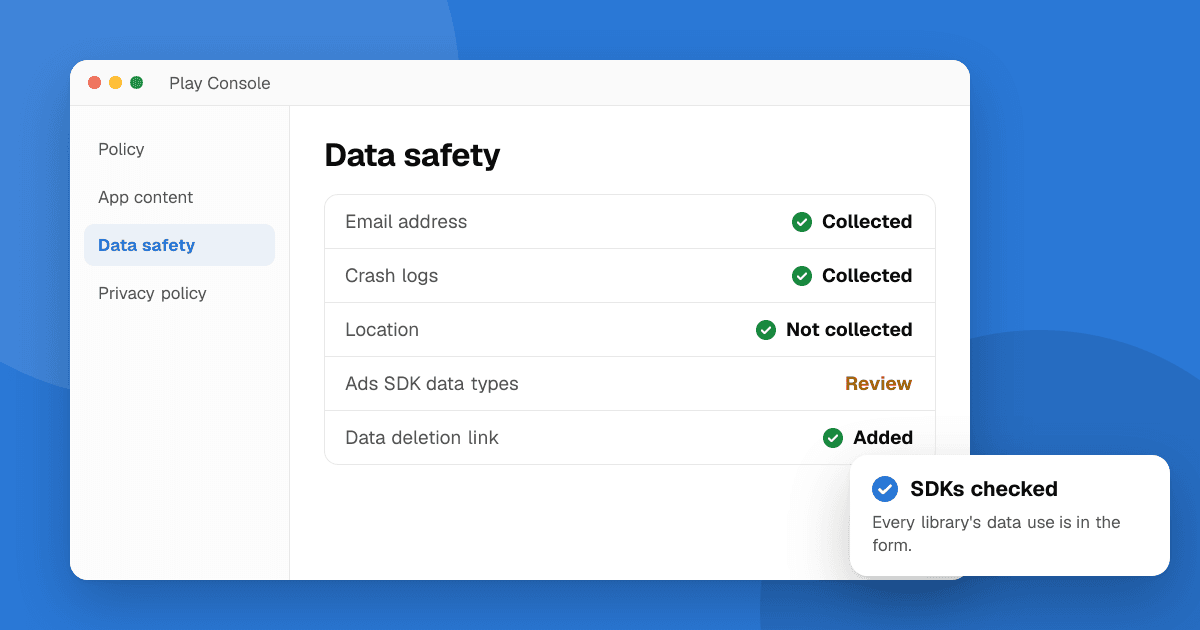
Short answer: both stores ask you to declare what data your app collects, why and whether it is shared or used for tracking. Google calls it the Data safety section; Apple calls it App Privacy (often called privacy nutrition labels). Make a list of every data type your app and each of its SDKs collect, then answer the forms from that list. Include third-party SDKs, be consistent with your privacy policy, and update both forms every time you add a feature or SDK that touches data.
What are these forms and where are they?
- Google Play Data safety: in Play Console under App content → Data safety. Your answers appear on your store listing as a "Data safety" section.
- App Store App Privacy: in App Store Connect under your app's App Privacy page. Your answers appear on the product page as privacy labels, such as "Data Used to Track You" and "Data Linked to You".
Both are required to publish, and both are your responsibility, even for data an SDK collects without you writing any code. Field names and categories change over time, so follow the current wording in each console.
Step 1: list every data type
Start with the same inventory you'd use for a privacy policy (see how to write a privacy policy for your app). For each item, note:
- What it is: email, name, precise or approximate location, photos, contacts, purchase history, crash logs, device or other IDs, app interactions and so on.
- Who collects it: your app, your backend or a specific SDK.
- Why: app functionality, analytics, developer communications, advertising, fraud prevention, personalization, account management.
- Whether it leaves the device and goes to you or a third party.
- Whether it is optional for the user.
- Whether it is linked to the user's identity (an account, an email, a device ID tied to a profile).
Step 2: check your SDKs
Most mistakes come from SDKs, not your own code. For each one (analytics, ads, crash reporting, login, payments, push, attribution):
- Open its documentation and look for a "Data safety", "privacy manifest" or "data disclosure" page. Many large SDK providers publish exactly what to declare.
- Check which features you enabled. An analytics SDK with advertising features turned on collects more than one without.
- On iOS, check whether the SDK ships a privacy manifest; Apple requires privacy manifests for certain commonly used SDKs, and Xcode can generate a privacy report from them. Confirm the current list and rules in Apple's documentation.
How do I answer the Google Play Data safety form?
The form walks you through a few big questions:
- Does your app collect or share any of the required user data types? If any data leaves the device, the answer is usually yes.
- Is all collected data encrypted in transit? Yes if everything goes over HTTPS/TLS.
- Do you provide a way for users to request that their data is deleted? Apps with accounts must offer this, including a web link for account deletion requests.
- For each data type: is it collected, shared or both; is it processed ephemerally; is it required or optional; and for what purposes.
A few definitions matter:
- Collected means data sent off the device to you or a third party.
- Shared generally means transferred to a third party. Google lists exceptions, for example transfers to service providers that process data on your behalf. Read the current definitions in Play Console's help before answering.
How do I answer Apple's App Privacy questions?
Apple asks for each data type:
- Is it collected? Data transmitted off the device in a way that lets you or partners access it for longer than needed to handle the request.
- Is it linked to the user's identity?
- Is it used for tracking? In Apple's sense, tracking means linking data from your app with data from other companies' apps or websites for advertising or measurement, or sharing it with data brokers. If you track, you also need to ask permission with the App Tracking Transparency prompt.
- What are the purposes? Third-party advertising, developer's advertising or marketing, analytics, product personalization, app functionality and others.
What mistakes cause rejections or trust problems?
- Forgetting SDK data, especially device IDs and crash data.
- Saying "no data collected" when the app has accounts, analytics or ads.
- Mismatch with your privacy policy. The forms, the policy and the app's real behavior must all agree.
- Not updating after a release. A new SDK means new answers.
- Tracking without the permission prompt on iOS.
How do I keep it accurate over time?
- Keep the data inventory in your repository, next to the code.
- Add a line to your release checklist: "Did this release add an SDK, a permission or a new kind of data? If yes, update Data safety, App Privacy and the privacy policy."
- Review SDK updates' release notes for data changes.
Next steps
Build the inventory, check every SDK's disclosure page, then fill in both forms in one sitting so they match. If you're publishing for the first time, follow how to publish your first app on Google Play and read common App Store and Google Play rejections. Once you're live, list your app on TrueLaunch for honest feedback from real people.
Frequently asked questions
Do I have to declare data collected by third-party SDKs?
Yes. Both Google and Apple hold you responsible for all data your app collects, including data collected by SDKs and libraries you include.
What does 'tracking' mean on the App Store?
In Apple's definition, tracking is linking data from your app with data from other companies' apps or websites for targeted advertising or ad measurement, or sharing it with data brokers. It requires the App Tracking Transparency permission prompt.
Is crash reporting data 'collected'?
Usually yes, because crash logs leave the device and go to you or a crash reporting provider. Declare it with the purpose analytics or app functionality, as the form's definitions allow.