Crash reporting for indie developers: Android vitals, Xcode, Crashlytics and Sentry
Most users never report a crash; they uninstall. Compare Android vitals, Xcode Organizer, Firebase Crashlytics and Sentry, and learn how to triage crashes.
· 5 मिनट में पढ़ें
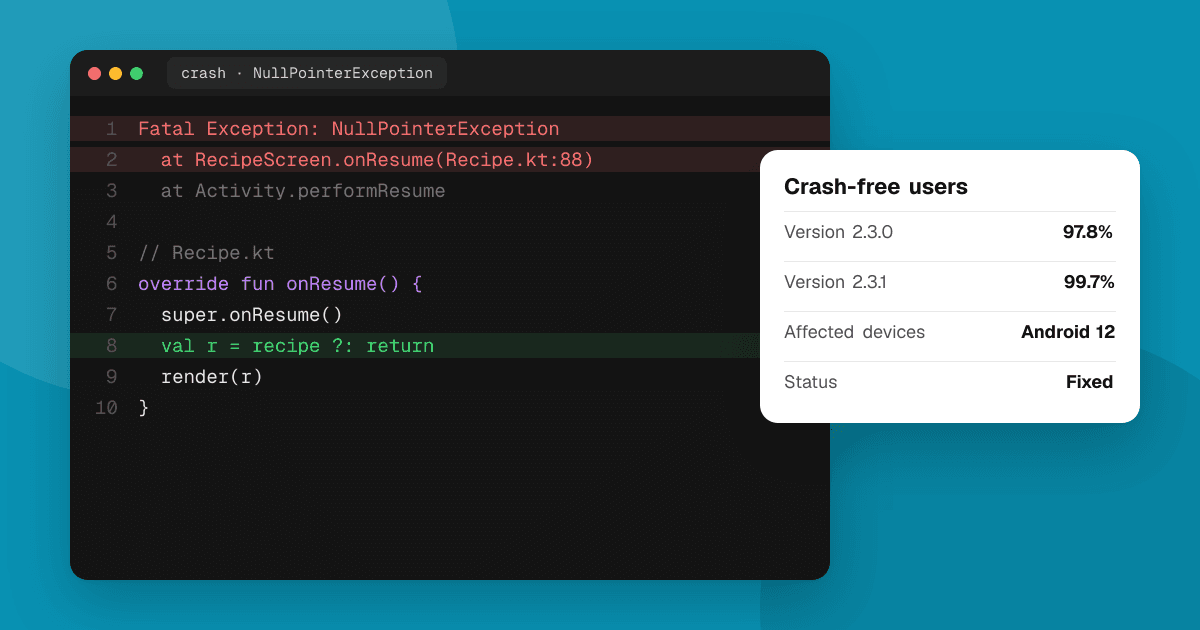
Short answer: start with the free tools you already have: Android vitals in Play Console and the Crashes view in Xcode's Organizer. Add a crash reporting SDK such as Firebase Crashlytics or Sentry when you want real-time alerts, readable stack traces for every crash and context like the screen and app version. Then triage by impact: fix the crashes that hit the most users first, especially in your newest release.
Why do I need crash reporting?
Most people who hit a crash don't email you. They close the app, maybe try once more and then uninstall. Store reviews sometimes mention crashes, but without device, OS version or steps. Crash reporting tells you:
- What crashed (the stack trace),
- Where and when (app version, device, OS version),
- How many people it affects.
Crash rates also matter to the stores. Google Play uses Android vitals thresholds that can affect how visible your app is, so a high crash rate can hurt discovery.
What do I get for free from the stores?
Android vitals (Google Play Console)
- Shows the user-perceived crash rate and ANR rate (App Not Responding) for your app, compared with Google's bad-behavior thresholds.
- Groups crashes into clusters with stack traces, devices and Android versions.
- Needs no SDK. Data comes from Android devices whose users agreed to share diagnostics.
- Upload your deobfuscation (R8/ProGuard) mapping file and native debug symbols so traces are readable.
Xcode Organizer and App Store Connect
- Xcode, Window, Organizer, Crashes shows crash reports from users who share analytics with developers, already symbolicated if you uploaded symbols with the build.
- TestFlight testers can also send crash reports with comments.
- MetricKit gives you crash and performance diagnostics inside your own app if you want to collect them yourself.
Both are free and useful, but data can be delayed and only covers users who share diagnostics.
What do Crashlytics and Sentry add?
| Firebase Crashlytics | Sentry | |
|---|---|---|
| Platforms | Android, iOS, Flutter, Unity and more | Android, iOS, React Native, Flutter, Unity, web, backend and more |
| Price | Free | Free tier, paid plans for more volume and features |
| Strengths | Simple setup, real-time crash alerts, works with other Firebase tools | Crashes and errors across app and backend, performance tracing, release health, self-hosting option |
| Good for | Mobile-only apps and games that want free crash reporting | Teams that also want backend errors and performance in one place |
Both give you real-time alerts, breadcrumbs (what the user did before the crash), custom keys (such as the current screen or level) and non-fatal errors that you log yourself. Check each vendor's current pricing and limits before you choose.
How do I set crash reporting up well?
- Add the SDK early, before your beta, so testers' crashes are captured.
- Upload symbols automatically as part of your build (mapping files on Android, dSYMs on iOS). Unreadable stack traces are the most common setup problem.
- Tag releases with the version and build number so you can compare releases.
- Add useful context: the screen name, game level or feature in use. Don't add personal data such as names, emails or exact location.
- Update your privacy declarations. Crash reporting collects diagnostics, so list it in Google Play's Data safety form and Apple's App Privacy details, and in your privacy policy.
How do I triage crashes?
You'll always have more crashes than time. Prioritize by impact:
- New in the latest release? Regressions come first, especially during a staged rollout. Pause the rollout if the crash rate jumps.
- How many users does it affect? Sort by affected users, not total events. One user crashing 500 times is less urgent than 200 users crashing once.
- Where does it happen? A crash on launch or during payment is worse than one in a rarely used settings screen.
- Is it device-specific? Crashes only on one manufacturer or OS version may need a targeted workaround.
For each crash you pick up: reproduce it, write a test if you can, fix it, and mark it resolved in your tool so you'll notice if it comes back.
What about ANRs and freezes?
On Android, an ANR happens when the main thread is blocked for too long. Users experience it as a frozen app. Common causes: disk or network work on the main thread, heavy work in startup, and lock contention. Android vitals shows ANR clusters with traces; move slow work to background threads and measure startup time.
On iOS, hangs show up in Xcode Organizer and MetricKit. The fixes are similar: keep the main thread for UI.
How do crash reports and user feedback fit together?
Crash reports tell you what broke. People tell you why it matters and what was confusing before it broke. Use both:
- Ask beta testers for device, OS version and steps when they report bugs. See how to write a beta test plan.
- Reply to bug reports with "fixed in 1.3" so people keep reporting.
- On TrueLaunch, every review has a bugs field for exactly this, so testers can tell you what broke in their own words.
Next steps
Turn on Android vitals and check Xcode Organizer today, then add Crashlytics or Sentry before your next beta. When your build is stable, list it on TrueLaunch and read about the Google Play testing tracks to roll out safely.
Frequently asked questions
Is Firebase Crashlytics free?
Yes, Crashlytics is free as part of Firebase. Check Firebase's current documentation for any limits that apply to your project.
What is a good crash rate for a mobile app?
As low as you can get it. Google Play publishes bad-behavior thresholds for user-perceived crash and ANR rates in Android vitals; staying well below them protects your app's visibility.
Do I need to mention crash reporting in my privacy policy?
Yes. Crash reporting collects diagnostic data, so include it in your privacy policy, Google Play's Data safety form and Apple's App Privacy details.
Why are my crash reports unreadable?
Usually because symbols weren't uploaded. Upload R8 or ProGuard mapping files and native symbols for Android, and dSYM files for iOS, with every release build.