How to price your app: a practical approach for indie developers
Free, paid or freemium, and at what price? A practical way for indie developers to price an app or in-app purchase, test it and adjust by country.
· 4 मिनट में पढ़ें
Short answer: start from the value your app gives, look at what similar apps charge, pick a simple price you can explain, and then test. Most indie apps do better as free downloads with a paid upgrade than as paid downloads, because people can try before they buy. Use the stores' local price tiers so prices make sense in each country, and change one thing at a time so you can see what actually worked.
Should my app be free or paid?
- Paid download: simple and honest, but fewer people try it, because they can't see it first. Works best for well-known tools or apps with strong word of mouth.
- Free with a paid upgrade (freemium): people try it, and those who love it pay. Most indie apps start here.
- Free with ads: for apps with many short sessions and an audience that won't pay.
- Subscription: for ongoing value or ongoing costs. See in-app purchases vs subscriptions.
How do I find a starting price?
- List 5 to 10 similar apps and write down what they charge and for what. Note one-time vs monthly vs yearly.
- Describe your paid value in one sentence. "Unlimited exports and no ads" is easier to price than "Pro".
- Pick a price inside the range of similar apps. If yours does more or is better reviewed, go toward the top; if it's new and unknown, start in the middle.
- Check your costs. If each user costs you money every month (servers, AI calls), make sure the price covers it after store fees. Read Google Play and App Store fees explained.
Should prices differ by country?
Yes, usually. Both stores let you set prices per country and suggest local equivalents. A price that is normal in the US can be very high in India, Brazil or Indonesia.
- Start with the store's automatic local prices and then adjust the countries where most of your users are.
- Watch conversion per country in your store console. If many people look at the paywall and few buy in one market, the price may be too high there.
- Remember that the stores handle sales tax/VAT in many countries; displayed prices may include tax depending on the region.
How do I present the price?
- Show the price from the store so it's in the user's currency.
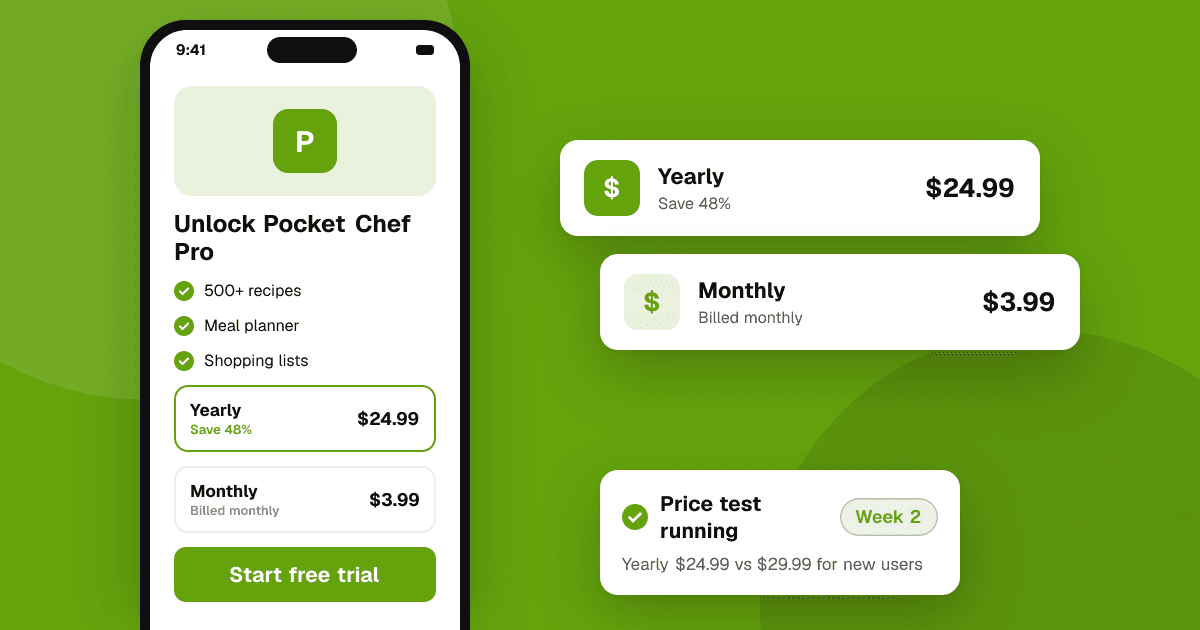
- Compare plans clearly: monthly vs yearly, with the yearly saving shown honestly.
- Explain what happens next: when a trial ends, when renewals happen, how to cancel.
- Avoid fake urgency ("price goes up in 2 minutes!") unless it's true. Users notice and trust you less.
How do I test prices safely?
- Change one thing at a time (price, trial length, or plan layout) and compare over a few weeks with similar traffic.
- Watch more than revenue: retention, refunds and reviews mentioning price.
- Use tools the stores provide where available, such as Google Play's pricing experiments for in-app products, and introductory offers on both stores.
- Grandfather existing users when you raise prices where possible. Both stores have rules about notifying subscribers of price increases; check them first.
What mistakes do indie developers make with pricing?
- Pricing too low because they're nervous. A very low price can signal low quality and may not cover costs after fees.
- Charging before the app is good. Fix what reviewers complain about first. Getting honest feedback is worth more than an early sale.
- Locking the core feature. If nobody can see why the app is useful, nobody upgrades.
- Rewarding ratings with discounts. Never offer cheaper prices or free upgrades in exchange for store ratings; both stores forbid incentivized reviews.
Next steps
Write down your one-sentence paid value, compare with similar apps, pick a starting price and set local prices in your top countries. Get real people using the app first: submit it to TrueLaunch for free and read what reviewers say they'd pay for. This is general guidance, not financial or tax advice.
Frequently asked questions
Is it better to make my app free or paid?
For most new indie apps, free with a paid upgrade works better than a paid download, because people can try the app before deciding to pay.
Should I charge the same price in every country?
Usually not. Both stores let you set local prices. Start with their suggested local prices and adjust in countries where most of your users are.
Can I raise my app's price later?
Yes, but be careful with existing subscribers. Both stores have rules for notifying subscribers about price increases, so check them in Play Console and App Store Connect first.