Beta testing platforms for indie developers: TestFlight, Google Play and more
Compare TestFlight, Google Play testing tracks and Firebase App Distribution for beta testing your app, and learn where to find testers who give real feedback.
· 4 menit baca
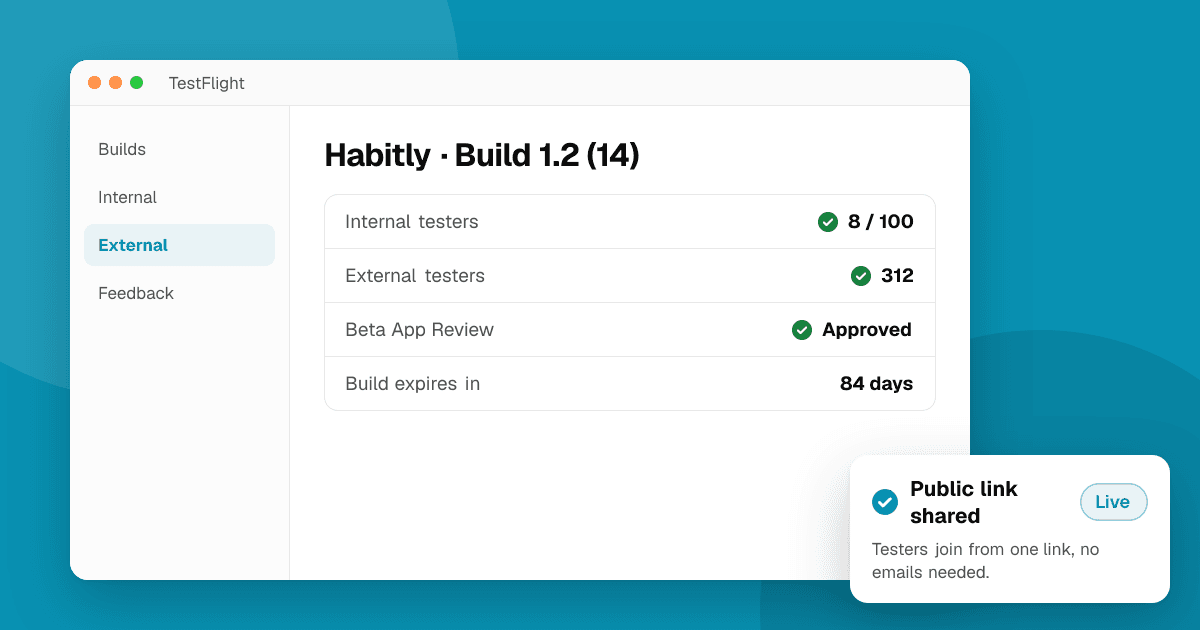
Short answer: for most indie developers the free, built-in tools are enough: TestFlight for iOS and Google Play's internal, closed and open testing tracks for Android. Firebase App Distribution is useful when you want to send early builds to a small group on both platforms without going through the stores. None of these tools finds testers for you, so pair them with communities and feedback sites where real people try new apps.
How do the main tools compare?
| Tool | Platforms | Cost | Best for |
|---|---|---|---|
| TestFlight | iOS, iPadOS, macOS, watchOS, tvOS, visionOS | Free with an Apple Developer account | Any iOS beta, from a few friends to thousands of external testers |
| Google Play internal testing | Android | Free with a Play developer account | Fast builds to your own team (up to 100 testers) |
| Google Play closed testing | Android | Free | Invited testers by email list or Google Group; required for new personal accounts before production |
| Google Play open testing | Android | Free | Public betas anyone can join from your store page |
| Firebase App Distribution | Android and iOS | Free | Pre-store builds to a small group of known testers |
TestFlight (iOS)
Apple's own beta tool and the default choice for iOS.
- Internal testers: up to 100 people from your App Store Connect team. Builds are available right away.
- External testers: up to 10,000 people, invited by email or a public link. The first build for external testing goes through a short Beta App Review.
- Builds expire after 90 days, so keep uploading new ones during a long beta.
- Testers can send screenshots and comments from inside the app, which land in App Store Connect.
Watch out for: the public link makes it easy to share widely, but people who join from a random post often install and never open the app. Ask for specific feedback (see below).
Google Play testing tracks (Android)
Play Console has three tracks, all free:
- Internal testing: up to 100 testers, builds available within minutes. Great for your own team.
- Closed testing: invite testers by email list or Google Group. New personal developer accounts (created after November 13, 2023) must run a closed test with at least 12 testers opted in for 14 days before applying for production. Our guide explains how to get 12 testers for closed testing.
- Open testing: a public beta anyone can join from your store listing. Useful once the app is stable and you want lots of feedback.
Testers give private feedback through the Play Store, and crashes show up in Android vitals.
Firebase App Distribution (Android and iOS)
Good for sending builds to a small, known group before anything is on a store track.
- Distributes Android APKs/AABs and iOS builds to testers you invite by email.
- Works with CI tools, so every build can go to testers automatically.
- iOS builds need the testers' devices registered in your provisioning profile (ad hoc distribution), which makes it better for small groups than for public betas.
Which one should I use?
- Just you and a few teammates: Play internal testing and TestFlight internal testers.
- A wider beta on iOS: TestFlight external testing with a public link.
- A new personal Android account: Play closed testing, because it is required anyway.
- Builds from every commit to a small QA group: Firebase App Distribution.
- A stable app that wants lots of feedback: Play open testing and TestFlight public links.
Where do testers come from?
The tools deliver builds; they don't bring people. Good sources:
- Your own audience: email lists, Discord, social media and users of your other apps.
- Communities for your app's topic, where your future users already are.
- Developer communities that share and test each other's betas honestly.
- Discovery sites and launch boards. On TrueLaunch, people try new apps and games and write structured reviews: what worked, what could be better and which bugs they found.
How do I get useful feedback from beta testers?
- Give two or three tasks to complete, not "play around".
- Ask what worked, what could be better and what broke, with device and OS version for bugs.
- Reply and ship fixes during the beta, so testers see their feedback matters.
- Never reward testers for store ratings. Ask for private feedback instead; incentivized ratings break Apple's and Google's rules.
More tips in our guide on getting honest feedback on your app.
Frequently asked questions
Is TestFlight free?
Yes. TestFlight is included with an Apple Developer Program membership. You can have up to 100 internal testers and up to 10,000 external testers, and each build is available for 90 days.
What is the Android equivalent of TestFlight?
Google Play's testing tracks in Play Console: internal testing for your team, closed testing for invited testers and open testing for public betas. Firebase App Distribution is another option for pre-store builds.
Where can I find beta testers for my app?
Start with your own audience and communities about your app's topic, then use developer communities and discovery sites. On TrueLaunch, people try new apps and games and leave structured reviews.