How to choose an app name people remember and can find
A practical guide to naming your app or game: short and memorable, easy to spell, searchable, available in the stores and safe from trademark problems.
· 5 menit baca
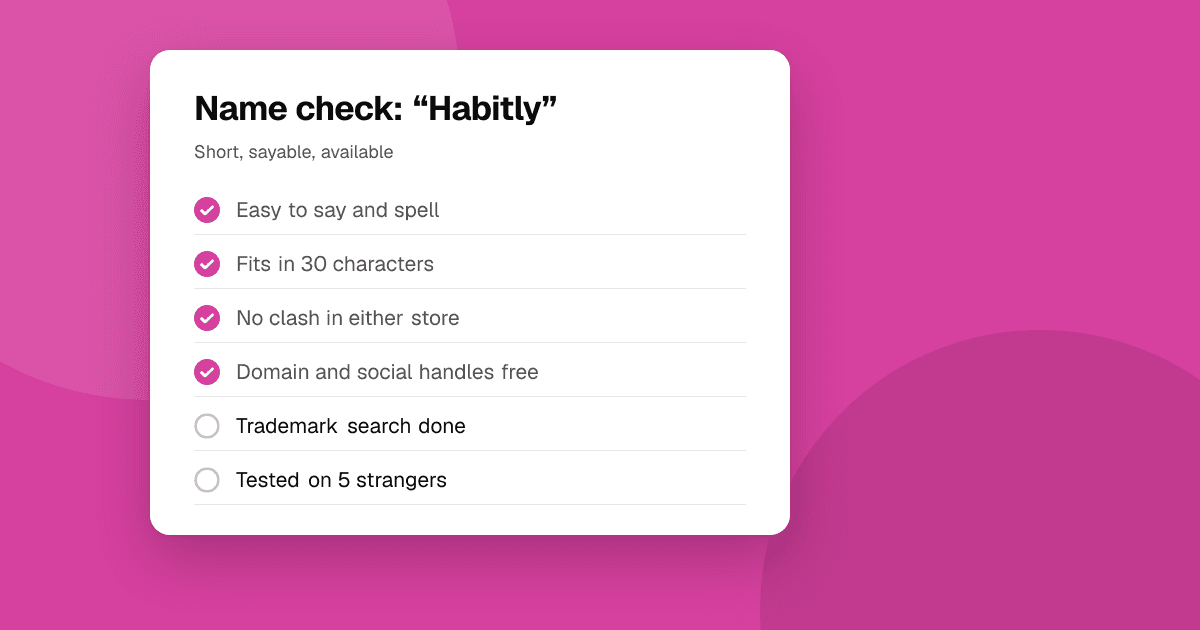
Short answer: a good app name is short, easy to say and spell, says something about what the app does or how it feels, and isn't already used by another app or protected as a trademark. Brainstorm widely, shortlist five to ten names, check each in both app stores, on the web and in trademark databases, then say them out loud to people who don't know your app. Many apps pair a short brand name with a few descriptive words in the store title, like "Brand: what it does".
What makes a good app name?
- Short. Store titles have character limits (Apple and Google both currently allow 30 characters for the app name; confirm in the consoles), and long names get cut off under icons on home screens.
- Easy to say and spell. If someone hears it, can they type it into a store search? Avoid odd spellings that people will get wrong.
- Distinct. It shouldn't sound like a big existing app or be too generic to stand out.
- Meaningful or evocative. It either hints at what the app does ("Budget Buddy") or creates a feeling or image people remember.
- Works internationally. Check that it doesn't mean something embarrassing in other languages you'll reach.
What kinds of names are there?
| Type | Example style | Pros | Cons |
|---|---|---|---|
| Descriptive | "Photo Scanner" | Clear, helps search | Hard to stand out or protect |
| Invented | A new made-up word | Unique, easy to protect | Needs explaining |
| Compound | Two real words joined | Memorable and hints at meaning | Many good ones are taken |
| Metaphor | A word that evokes the feeling | Strong brand | Less obvious what it does |
Games often use evocative names; utility apps often benefit from a brand plus a descriptive phrase.
How do I brainstorm names?
- Write down what the app does in one sentence and the feeling you want people to have.
- List words related to the task, the audience, the feeling and the result. Include synonyms and words in other languages.
- Combine and shorten: join two words, cut letters, add a prefix or suffix.
- Generate many, at least 30 to 50, before judging any of them.
- Shortlist five to ten that are short, easy to say and fit the app.
How do I check if a name is available?
For each name on your shortlist:
- Search both app stores for the exact name and similar spellings.
- Search the web and social platforms. If a well-known product uses it, move on.
- Check trademark databases in your main markets, such as the USPTO in the United States, EUIPO for the EU and WIPO's global database. A name that is trademarked for apps or software can lead to removal requests or legal trouble later. This isn't legal advice; for a name you plan to build a business around, a trademark lawyer is worth it.
- Check domain names and social handles you'd want for a website and community.
Never use another company's trademark in your name or title (for example a famous game's name to attract its players). Both stores reject or remove apps that impersonate others or misuse trademarks.
Should I put keywords in my app name?
The store title is one of the strongest signals for store search, so many developers use a short brand followed by a few descriptive words, for example "Brand: Habit Tracker". Do it carefully:
- Keep the brand first and the description short and true.
- Don't stuff keywords. Long lists of search terms in titles look spammy and both stores have rules against it.
- Don't use words like "best", "#1" or "free" in the title, and don't mention prices or rankings; store rules discourage or forbid them.
See app store optimization for indie developers for how the title works with your other store fields.
How do I test a name?
- The radio test: say the name to someone and ask them to spell it. If they can't, people won't find you in search.
- The memory test: mention three names to a few people, then ask them a day later which ones they remember.
- The fit test: show the name with your icon and one screenshot, and ask what they think the app does.
- Ask your target users, not only friends. A name that works for developers might confuse your actual audience.
What naming mistakes should I avoid?
- Names that are too close to a big app. Even if it's legal, people will think you're a copy, and the stores may treat it as impersonation.
- Hard-to-pronounce or ambiguous spellings, such as swapping letters for numbers, which make store search harder.
- Names that only make sense to you, like an inside joke or the project's code name.
- Names that limit you, like a specific year or a single feature you may outgrow.
- Falling in love too early. Check availability before you design a logo or buy a domain.
Can I change my app's name later?
Yes, you can update the name in a new store listing update. But changing it after you have users and links means losing some recognition, so it's worth getting right before launch. If you do change it, tell your users clearly in the update notes and in your community.
Next steps
Brainstorm 30 names today, shortlist five, and run the availability checks before you fall in love with one. Then build your store page around it with how to write an app description that converts and app screenshots and icons that convert. When you're ready, list your app on TrueLaunch.
Frequently asked questions
How long can an app name be?
Both Google Play and the App Store currently allow up to 30 characters for the app name. Check the current limits in Play Console and App Store Connect before you decide.
Can two apps have the same name?
The stores may reject or remove names that copy or impersonate another app, and trademarked names can lead to removal requests. Choose a distinct name and check trademarks first.
Should my app name include keywords?
A short brand followed by a few honest descriptive words can help people find and understand your app. Avoid stuffing keywords, and avoid words like best or free in the title.