How long does App Store review take? (And Google Play)
How long App Store and Google Play review take, what each review status means, how to request an expedited review and how to avoid slow rejections.
· 5 min read
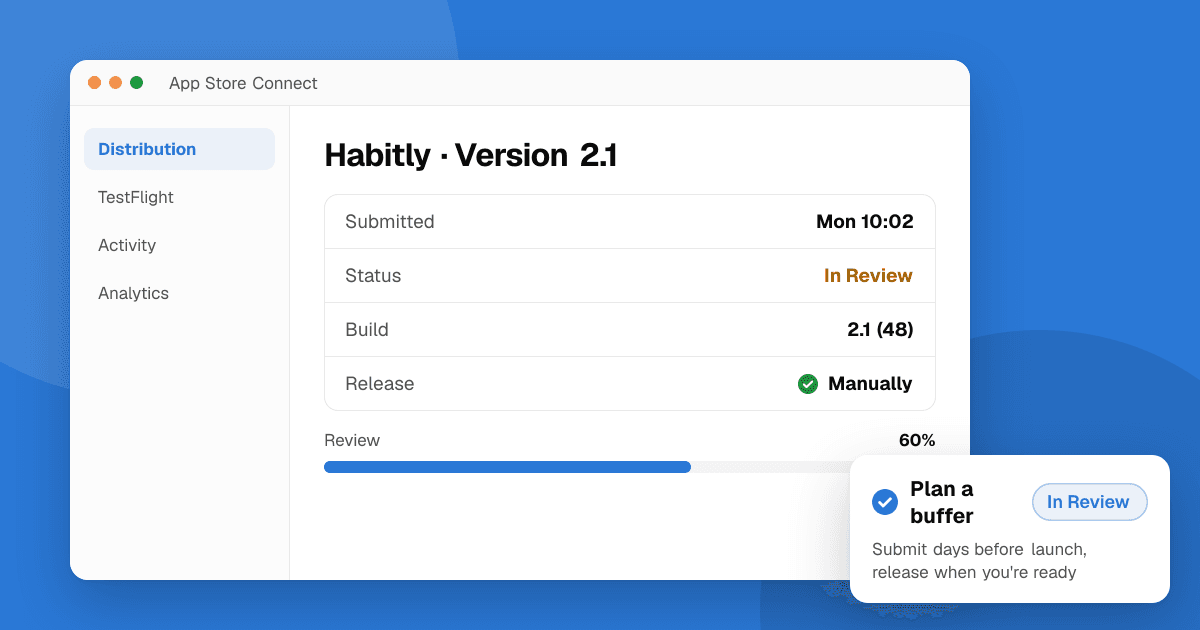
Short answer: Apple says that on average, 90% of App Store submissions are reviewed in less than 24 hours, though waits of several days happen, especially around holidays and for new apps. Google Play reviews are often done within a few days, but Google says review can take up to 7 days or longer in exceptional cases, and new developer accounts can take longer. Plan for a buffer of at least a few days before any launch date, and avoid the common rejection reasons so you don't have to wait twice.
How do App Store reviews work?
Every new app and every update goes through App Review before it appears on the App Store. A reviewer installs your build, checks it against the App Store Review Guidelines and looks at your metadata: name, description, screenshots, privacy details and in-app purchases. They may use the demo account you provide to sign in.
Your submission moves through a few statuses in App Store Connect:
- Waiting for Review: your submission is in the queue. Most of the wait happens here.
- In Review: a reviewer is looking at it now. This part is usually short.
- Pending Developer Release: approved, waiting for you to release it (if you chose manual release).
- Ready for Distribution: approved and live, or scheduled to go live.
- Rejected: the reviewer found an issue. You'll get a message citing the guideline, and you can reply or resubmit.
How long does App Store review take?
Apple's stated figure is that, on average, 90% of submissions are reviewed in less than 24 hours. In practice:
- Simple updates to established apps are often reviewed within a day.
- New apps, apps with in-app purchases or subscriptions, and apps in sensitive categories (health, finance, kids) can take longer.
- Queues get longer before major holidays and around big iOS releases. Apple sometimes announces holiday schedules in advance.
- If the reviewer needs more information, the clock effectively restarts while they wait for your reply.
If your app has been in "Waiting for Review" for several days, check that your contact details and demo account are correct. Resubmitting usually puts you at the back of the queue, so avoid it unless you need to change the build.
Can I request an expedited App Store review?
Yes, but only for urgent cases. Apple says you can request an expedited review if you face extenuating circumstances, such as fixing a critical bug in a live app or releasing to coincide with an event. You submit the request through the App Review contact form in App Store Connect and explain why it's urgent.
Expedited reviews are granted on a limited basis. Don't use them for normal launches or to make up for a missed deadline, and don't request them often: save them for real emergencies like a crash affecting all users.
How long does Google Play review take?
Google reviews new apps and updates before they go live. Many reviews finish within hours to a few days, but Google's help pages say that for some developer accounts review can take up to 7 days or longer in exceptional cases. Factors that make it longer:
- New developer accounts that don't have a track record yet.
- New apps rather than updates.
- Sensitive permissions or content that needs extra checks, such as SMS, call log, location in the background or health data.
- Policy declarations that are incomplete, such as the Data safety form, target audience or ads declaration.
The Play Console shows your status in Publishing overview. If you use managed publishing, approved changes wait until you press publish.
Before review even starts, new personal developer accounts created after November 13, 2023 must complete a closed test with at least 12 testers opted in for 14 days in a row. That step often takes longer than review itself. See how to get 12 testers for Google Play closed testing.
How long does TestFlight Beta App Review take?
Internal TestFlight testers can install a build as soon as it finishes processing, without review. For external testers, the first build of a version must pass Beta App Review. It's usually quicker than a full App Store review, but it isn't instant, so submit your beta a few days before you need testers to have it.
Why do apps get rejected, and how do I avoid the delay?
A rejection means another round in the queue, so the fastest review is the one that passes first time. Common reasons include:
- Crashes or obvious bugs on the reviewer's device.
- Missing or broken demo login.
- Incomplete metadata, placeholder text or screenshots that don't match the app.
- Missing privacy policy or privacy details that don't match what the app collects.
- In-app purchases that aren't set up or digital goods sold outside the store's payment system where that isn't allowed.
- Apps with very little functionality.
Our guide to common App Store review rejections covers each one with fixes.
How can I plan a launch around review times?
- Submit early. Aim to be approved several days before launch, then use manual release (App Store) or managed publishing (Google Play) to go live on your date.
- Test the release build on real devices before submitting, not just the debug build.
- Provide a working demo account and notes for the reviewer explaining anything non-obvious.
- Roll out gradually. Phased release on the App Store and staged rollouts on Google Play let you stop an update if something breaks. See how to ship app updates safely.
Next steps
If this is your first release, follow our step-by-step guides for publishing on the App Store and publishing on Google Play. While you wait for approval, list your app on TrueLaunch for free and line up honest feedback from real people for launch day.
Frequently asked questions
How long does App Store review take?
Apple says that on average, 90% of submissions are reviewed in less than 24 hours. New apps, apps with purchases and busy periods such as holidays can take several days.
How long does Google Play review take?
Often a few days or less, but Google says review can take up to 7 days or longer in exceptional cases, and new developer accounts can take longer than established ones.
How do I expedite an App Store review?
Request an expedited review through the App Review contact form in App Store Connect and explain the urgency, such as a critical bug fix or an event. Apple grants these on a limited basis.
Does resubmitting speed up review?
No. Resubmitting usually puts your app back at the end of the queue. Only resubmit when you need to change the build or fix a rejection.