How to build a community for your app or game
A small, active community gives you feedback, testers and word of mouth. How to start one with Discord, an email list and devlogs, and keep it alive.
· 5 min read
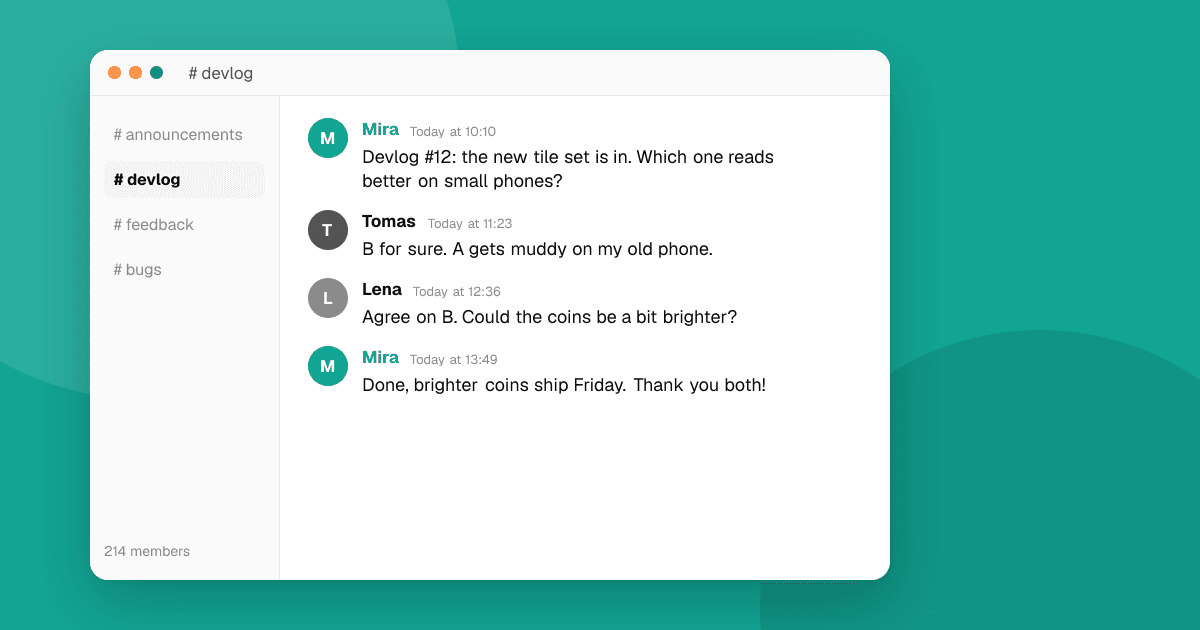
Short answer: start small and personal. Pick one home for your community (usually a Discord server or an email list), invite the people who already use or follow your app, and give them a reason to come back: regular updates, early builds and a real say in what you build. Show up yourself every week. A community of 50 people who care is worth more than 5,000 who joined and went silent.
Why build a community at all?
A community turns users into collaborators. It gives you:
- Fast feedback on new features before they reach everyone.
- Ready testers for every beta, including the 12 testers Google Play needs for closed testing.
- Word of mouth, because people talk about things they feel part of.
- Motivation, which matters more than it sounds when you're building alone.
Where should the community live?
Choose one main home. Spreading yourself across five platforms usually means none of them feels alive.
| Option | Good for | Watch out for |
|---|---|---|
| Discord server | Games, hobbies, real-time chat, beta testing | Empty channels feel dead; start with few channels |
| Email list | Any app; you own the list | One-way unless you invite replies |
| Subreddit | Larger games and apps with lots of discussion | Needs moderation and steady activity |
| Telegram or WhatsApp group | Regions where these are the default chat apps | Can get noisy fast |
| Social media account | Reaching new people | You don't own the audience |
A common, solid combination: an email list for updates everyone gets, plus a Discord server for the people who want to talk.
How do I get the first members?
- Invite existing users. Add a "Join our community" link in your app's settings or about screen, your store description and your website.
- Invite people personally. Anyone who sent you feedback, reported a bug or wrote a thoughtful review is a perfect first member. Message them one by one.
- Add the link wherever you post. Devlogs, short videos, launch posts and your developer profile.
- Start before launch. A community that exists on launch day gives you your first wave of players and reviewers.
Don't worry about size at first. Ten active people make a server feel alive; a hundred silent ones don't.
How do I keep people active?
Give members reasons to come back that they can't get elsewhere:
- Devlogs. A short weekly or biweekly post about what you built, what broke and what's next. Screenshots and short clips help a lot.
- Early access. Members try new builds first, through TestFlight, a Google Play testing track or a beta branch.
- A real say. Ask members to vote between two features, name a new level or pick an icon. Then show the result.
- Credit. Thank members by name in release notes when their bug report or idea made it into an update.
- Show your face. Answer questions yourself. A developer who replies personally is the main reason small communities work.
How should I set up a Discord server?
Keep it simple at the start:
- #announcements for updates (only you post here).
- #general for chat.
- #feedback and #bugs, with a pinned message saying what to include: device, OS version and steps to reproduce.
- #showcase if players create things, like builds, screenshots or high scores.
Add clear rules (be kind, no spam, no piracy, no harassment), a welcome message that says what the server is for, and more channels only when the existing ones get busy. Find one or two trusted members to help moderate as you grow.
How do I run a good email list?
- Ask for permission. Only add people who signed up, and include an easy unsubscribe link in every email. Many countries require this by law.
- Send when you have something real: a new update, a beta, a behind-the-scenes story. Monthly is enough for most apps.
- Invite replies. End each email with a question. Replies are some of the best feedback you'll get.
- Keep it short, with one main link.
How do I handle criticism in the community?
Criticism in your own community is a gift: it's private-ish and early. Thank people, ask follow-up questions, and say what you'll do about it. If you decide not to change something, explain why. People accept "no" much better than silence.
Remove spam, harassment and hateful content quickly, though. A community feels safe only when the rules are enforced.
What should I avoid?
- Rewarding store ratings. Don't run giveaways, roles or perks in exchange for a Google Play or App Store rating or review. It breaks store policies.
- Fake activity. Bots and fake members fool no one and hurt trust.
- Too many channels too soon. Twenty empty channels make a new server feel abandoned.
- Disappearing. A community without its developer slowly stops.
Next steps
Pick one home for your community this week, write a welcome message, and personally invite the ten people who've given you the most feedback so far. To meet new people who like trying apps and games, list your app on TrueLaunch, then invite your best reviewers to join you.
Frequently asked questions
Is Discord or an email list better for an app community?
They do different jobs. An email list reaches everyone and you own it; Discord is better for conversation and beta testing. Many indie developers use both: email for updates, Discord for discussion.
How big does a community need to be to be useful?
Not big. A few dozen active members can give you regular feedback, testers for every beta and early word of mouth. Activity matters more than size.
Can I give community members perks for rating my app?
No. Rewarding Google Play or App Store ratings or reviews breaks both stores' policies. Reward members for real contributions like bug reports and ideas instead.