How to build a landing page for your app that people actually use
A simple landing page helps people find, trust and install your app. Here is what to put on it, in what order, and how to keep it fast and findable.
· 5 min read
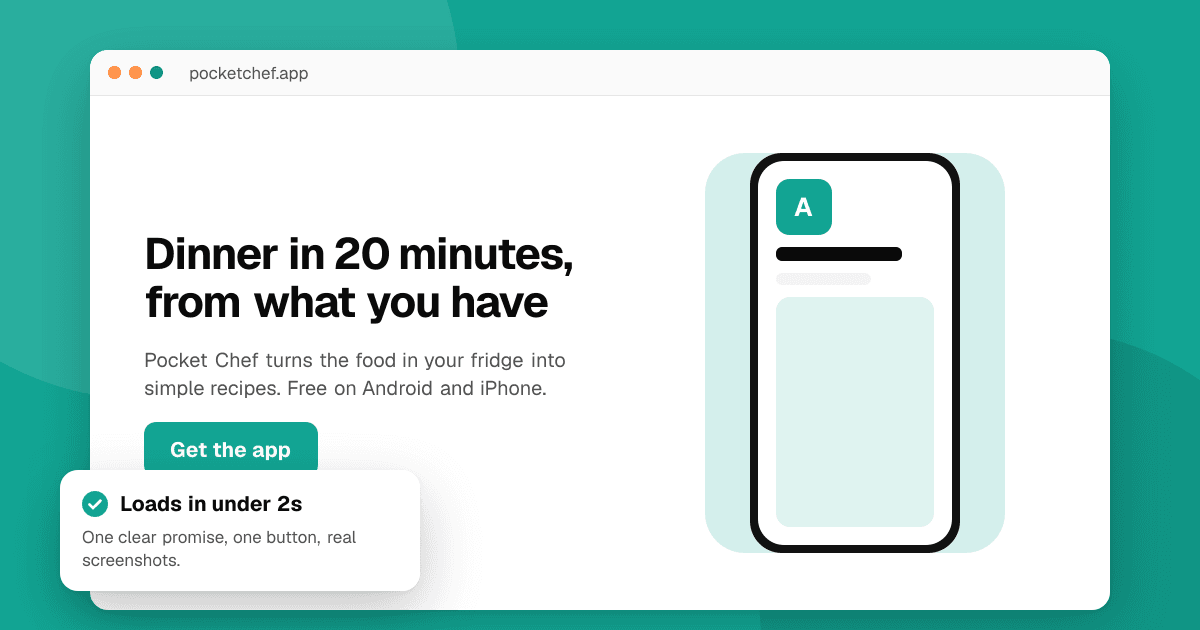
Short answer: one page is enough. Put a clear headline about what the app does for the visitor at the top, a real screenshot or short video next to it, and store buttons right below. Follow with three key benefits, more screenshots, a short FAQ, a contact address and links to your privacy policy and support page. Keep it fast, readable on a phone and honest. Before launch, swap the store buttons for an email sign-up.
Why does an app need a landing page?
Store pages are great for installs but limited for everything else. A landing page gives you:
- A link you control for social profiles, press kits, launch posts and email signatures.
- Search traffic for your app's name and the problem it solves.
- A home for required pages, like the privacy policy and support contact both stores ask for.
- A place to collect emails before launch.
What should go at the top of the page?
Visitors decide in a few seconds whether to keep reading. The top of the page (what shows without scrolling on a phone) should answer three questions:
- What is it? A headline about the outcome, not the technology: "Split bills with friends in seconds" rather than "A modern expense-sharing platform".
- Is it for me? One sentence under the headline that names who it's for or the situation it fits.
- How do I get it? Official Google Play and App Store badges linking to your store pages, or an email form before launch.
Next to or under that, show the app itself: a real screenshot in a device frame, or a short looping clip. Avoid stock photos; people want to see the actual app.
What goes below the fold?
Keep the rest short and scannable:
- Three key benefits, each with a one-line explanation and a screenshot.
- How it works, in three steps if your app has a process.
- Social proof you can honestly show: quotes from press coverage, a few words from real users with their permission, or a link to independent reviews such as your TrueLaunch listing. Never invent testimonials or copy store ratings into the page as if they were yours to control.
- A short FAQ answering the questions people really ask: price, platforms, offline use, data and privacy.
- A final call to action with the store badges again.
- A footer with contact email, privacy policy, terms if you have them, and social links.
How do I make it rank in search?
- Use your app name and its main use in the page title and the top heading, naturally: "Tally: shared expenses and bill splitting".
- Write a unique meta description of about 150 characters that says what the app does.
- Add a FAQ section in real questions and answers; it helps both search engines and AI assistants understand the page.
- Describe images with alt text that explains what the screenshot shows.
- Link to your store pages, and link to the site from your store listing where the store allows a website field.
- Get a few genuine links from places that mention you: press coverage, launch boards, directories and your own social profiles.
How fast and accessible does it need to be?
Very. Many visitors arrive on a phone over a mobile connection.
- Compress images and use modern formats. A landing page rarely needs more than a few hundred kilobytes of images above the fold.
- Avoid heavy scripts. A static page or a simple site builder template is usually enough.
- Readable text: at least 16px body text, good contrast in light and dark backgrounds.
- Big tap targets for store buttons and links.
- Test on a cheap phone and check it with a page speed tool.
What tools can I use?
Any of these work:
- Website builders with app landing page templates, if you want no code.
- A static site built with a framework you already know, hosted on a free or low-cost static host.
- A single HTML page, honestly enough for many apps.
Use your own domain if you can. It looks more trustworthy and keeps your links working if you change hosts.
What about analytics and cookies?
Measure what matters (visits, store button clicks, sign-ups) without collecting personal data. Prefer privacy-friendly analytics, and if you use tools that set non-essential cookies, ask for consent first where the law requires it, with an equally easy way to say no. Our guide on app metrics that matter explains what to track.
Common mistakes to avoid
- A headline that describes features instead of the benefit.
- Store buttons hidden at the bottom of the page.
- Screenshots of an old version.
- Missing privacy policy or contact details.
- Pop-ups that cover the page on a phone.
Next steps
Write your headline and pick your three benefits today; the page itself can be built in an afternoon. Then add the link everywhere you talk about the app, list it on TrueLaunch for independent reviews you can link to, and start collecting launch sign-ups with our guide to building an email list before launch.
Frequently asked questions
Do I need a website if my app is already on the store?
It isn't required, but it helps. A landing page gives you a link you control, search traffic for your app's name, and a place for your privacy policy and support contact.
What is the most important part of an app landing page?
The top of the page: a clear headline about what the app does for the visitor, a real screenshot or clip, and store buttons that are easy to tap on a phone.
Can I show my store rating on my landing page?
Store ratings change and belong to the stores' own systems, so avoid presenting them as a fixed claim. Link to independent reviews and use real quotes you have permission to share instead.