Push notifications users keep on: permission, timing and frequency
Ask for notification permission at the right moment, send fewer and better messages, and avoid the mistakes that make users turn them off or uninstall.
· 3 min read
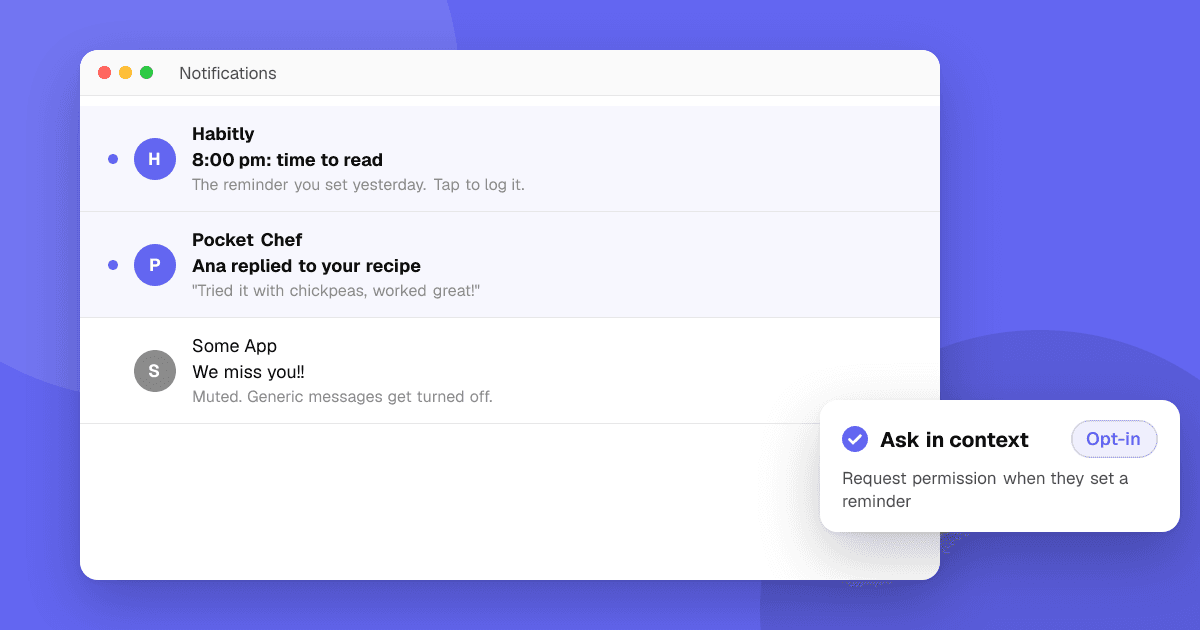
Short answer: ask for permission only when the user can see why notifications help them, usually right after an action that needs one (setting a reminder, following a match). Send messages that are personal, timely and useful, let people choose what they get, and send fewer than you think. Every notification spends trust; one annoying message can lose the permission forever.
When should I ask for notification permission?
On iOS and on Android 13 and later, apps must ask before sending notifications, and the system prompt can't be shown again after a "no" on iOS (on Android, after a second "no"). So timing matters:
- Don't ask on first launch before the user has done anything.
- Ask in context: when someone sets a reminder, tracks an order or follows a game, that's the moment.
- Explain first with your own screen ("We'll remind you at 8 pm. Turn on notifications?") and show the system prompt only if they tap yes.
- Handle "no" gracefully. The app should still work, and you can offer a link to settings later where it makes sense.
What makes a notification worth sending?
A good notification is something the user would be glad to get even if they weren't using the app right now:
- Asked for: a reminder they set, a reply to their message, a price they're watching.
- Timely: it loses value if it arrives an hour later.
- Specific: "Ana replied to your recipe" beats "You have new activity".
Weak notifications are generic ("We miss you!"), promotional without a reason, or sent at the same time to everyone.
How often should I send notifications?
There's no universal number, but a simple rule works: only send what the user chose to get, and cap marketing messages to a few per week at most. Watch these signals in your analytics:
- Opt-out rate after each campaign or type of message,
- Uninstalls in the days after a send,
- Open rate per message type (low opens mean low value).
If a message type has low opens and high opt-outs, stop sending it.
How do I give users control?
- Channels and categories. On Android, use notification channels so people can turn off "Promotions" but keep "Reminders". On iOS, offer the same choices in your own settings screen.
- Quiet hours. Respect the user's time zone and avoid nights.
- An easy off switch inside the app, not just in system settings.
What should I avoid?
- Dark patterns such as fake urgency or messages that look like system alerts.
- Notifications that ask for store ratings or offer rewards for them. Never reward ratings; both stores forbid incentivized reviews. See how to ask for reviews the right way.
- Sending personal data in notification text that shows on a lock screen.
- Notifications as the only fix for retention. If people don't come back, the app's core loop is usually the problem. Read app retention: how to keep users coming back.
Next steps
List every notification your app sends, mark which ones users asked for, and cut or rewrite the rest. Move your permission prompt to the first moment it's clearly useful. Then ask real users whether the timing feels right: list your app on TrueLaunch and read what reviewers say.
Frequently asked questions
Should I ask for notification permission on first launch?
Usually not. Ask when the user does something that clearly benefits from notifications, such as setting a reminder, and explain why first. Users who understand the value say yes more often.
Do Android apps need permission to send notifications?
Yes, since Android 13 apps must request the POST_NOTIFICATIONS runtime permission. On older Android versions notifications are on by default but users can still turn them off.
How many push notifications are too many?
It depends on what users asked for. Messages they chose, like reminders or replies, can be frequent; marketing messages should be rare. Rising opt-outs or uninstalls after a send mean you're sending too many.