How to get 12 testers for Google Play closed testing
New Google Play developer accounts need 12 testers opted in for 14 days before production. Here is how the rule works and where to find real testers.
· 5 min de lectura
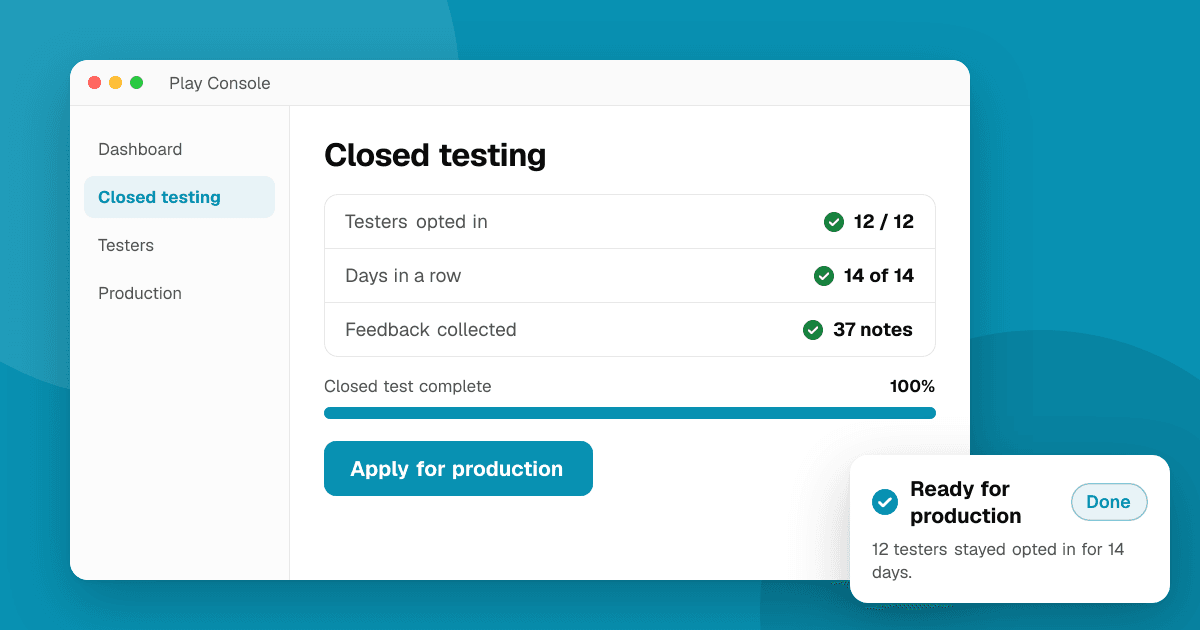
Short answer: if your personal Google Play developer account was created after November 13, 2023, you must run a closed test with at least 12 testers who stay opted in for 14 days in a row before you can apply for production access. The easiest testers to find are people who already care about you or your kind of app: friends who use Android, your existing users, and communities of other developers and players. Ask them to actually use the app, because Google also asks what you learned from the test.
What exactly does Google require?
Google Play added this rule for new personal accounts so that apps are tested before they reach everyone. In short:
- It applies to personal developer accounts created after November 13, 2023. Organization accounts are not covered by it.
- You need a closed testing track (not internal testing) with at least 12 testers opted in.
- Those testers must stay opted in for at least 14 consecutive days. Someone who leaves on day 9 doesn't count toward the 14 days.
- After that, you apply for production access in Play Console and answer questions about your test: how you recruited testers, what feedback you got and what you changed.
The tester count was 20 when the rule launched and was lowered to 12 in late 2024. Play Console's Dashboard shows your current requirement and progress, so check it there first if anything has changed.
How do I set up closed testing?
- In Play Console, open Test and release → Testing → Closed testing and create a track (or use the default "Closed testing - Alpha" track).
- Upload an app bundle and complete the store listing basics the track asks for.
- Under Testers, add an email list (Google accounts) or a Google Group. A Google Group is easier when people join over time: anyone you add to the group becomes a tester.
- Send the track's opt-in link to every tester. Being on the list is not enough; each person has to open the link and accept.
- Ask testers to install the app from Google Play using that same Google account.
Tip: keep a simple sheet of who has opted in and on which day. If someone opts out early, invite a replacement right away so you don't restart the clock.
Where can I find 12 real testers?
Aim for 15 to 20 people, so a few dropping out doesn't sink your 14 days.
- People you know who use Android. Friends, family and colleagues are the fastest start. Explain that you need them to stay opted in for two weeks and to open the app a few times.
- Your existing audience. A mailing list, a Discord server, an X or Instagram following, or users of your other apps. Post the Google Group link and a one-line description of what you want tested.
- Developer communities. Many indie developers are in the same position, and communities on Reddit, Discord and forums for Android developers regularly share closed tests. Testing someone else's app properly while they test yours is fine; just make it real use and honest feedback.
- Communities for your niche. A language-learning app belongs in language-learning groups; a puzzle game belongs where puzzle players hang out. These testers give the most useful feedback because they are your real audience.
- Discovery sites for new apps. You can list your app on TrueLaunch to put it in front of people who like trying new apps and games, and to collect honest, structured reviews on the site.
How do I make the test count for production access?
Google's production access form asks what you learned. A test where 12 people installed the app and never opened it gives you nothing to write. To get useful answers:
- Give testers two or three concrete tasks, like "create an account and finish the first level" or "set up one reminder and tell me if it fired".
- Ask specific questions: what confused you, where did you stop, what would make you keep using it?
- Fix something based on what you hear and ship an update during the test. Then you can describe real changes in the form.
- Keep notes of bugs, crashes (Play Console's Android vitals helps) and suggestions.
What should I avoid?
- Don't pay for fake opt-ins or use tester farms that install and never open the app. Google looks at engagement, and a test with no real use is a weak case for production access.
- Don't ask testers for Google Play ratings or reviews in exchange for testing, and never offer rewards for a store rating. Incentivized ratings break Google Play's policies. Feedback should come to you privately, in a form, a chat or a feedback site.
- Don't remove testers before the 14 days end, even after you've got their feedback.
Next steps
Set up the closed track today, invite a few more people than you need, and give them clear tasks. When the 14 days are up, write down what you changed because of their feedback and apply for production. Once you're live, keep the feedback coming: submit your app to TrueLaunch and read our guide on getting honest feedback on your app.
Frequently asked questions
Do internal testers count toward the 12 testers?
No. The requirement is for a closed testing track. Internal testing is useful for your own quick checks, but only testers opted in to a closed test count.
What happens if a tester opts out before 14 days?
They stop counting. You need at least 12 testers opted in for 14 consecutive days, so invite a few extra people and replace anyone who leaves as early as possible.
Does the rule apply to organization accounts?
The closed-testing requirement applies to personal developer accounts created after November 13, 2023. Organization accounts are not covered by it, but testing before launch is still a good idea.
Can I ask my testers to rate my app on Google Play?
Don't tie testing to store ratings, and never reward anyone for a rating or review. That is against Google Play's policies. Ask testers for private feedback instead.