How to handle bugs users report: triage, reproduce, fix, reply
A simple process for bugs users report: collect the right details, triage by severity, reproduce, fix, reply and write release notes people actually read.
· 4 min read
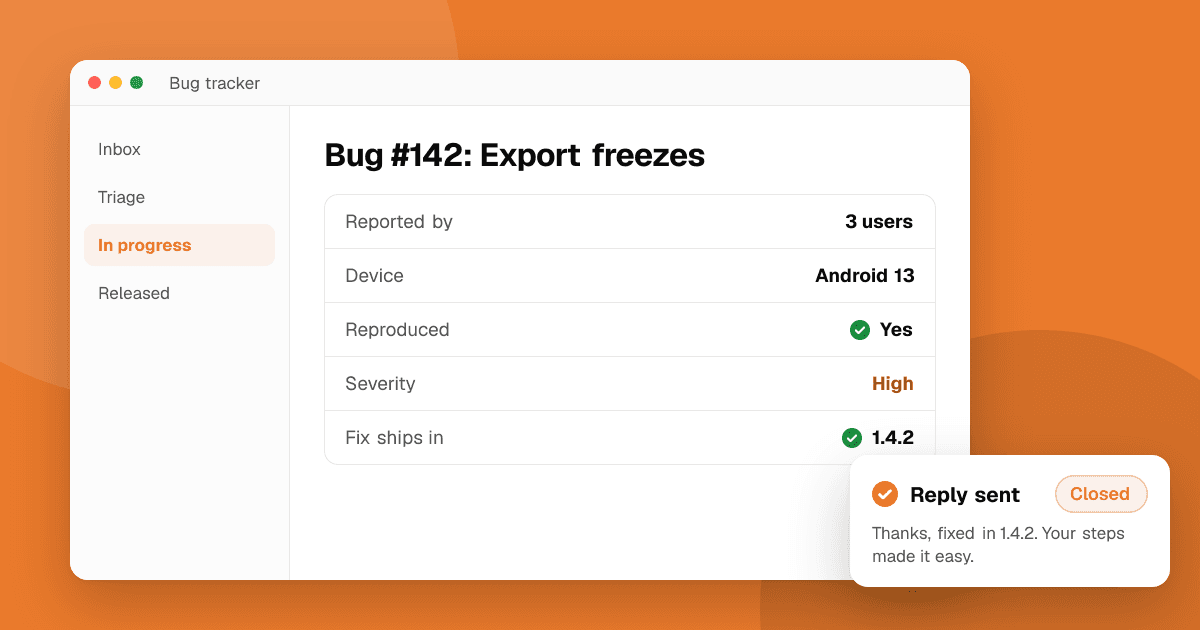
Short answer: treat every bug report as a gift and run it through the same five steps: collect the details you need (device, OS version, app version, steps), triage by severity and reach, reproduce it yourself, fix it with a test so it doesn't come back, and reply to the person and mention the fix in your release notes. A clear process turns annoyed users into your most loyal testers.
What details do I need in a bug report?
Most reports arrive as "it doesn't work". Ask for these, ideally with a short form or a template in your feedback channel:
- What happened, and what they expected to happen.
- Steps to reproduce: what they tapped, in order.
- Device model and OS version.
- App version (show it in your settings screen so people can find it).
- Screenshot or screen recording, if possible.
- When it happened, so you can match it with crash logs.
Make it easy: add a "Report a problem" item in your app that opens an email or form with the device, OS and app version already filled in. Only include what you need, and tell users what you collect.
How do I triage bugs?
Triage means deciding what to fix first. Sort each bug into a severity level:
| Severity | Examples | When to fix |
|---|---|---|
| Critical | Crash on launch, data loss, payments failing, security or privacy issue | Now, with a hotfix |
| High | A core feature broken for many users | Next release |
| Medium | A feature broken for some users or with a workaround | Soon |
| Low | Visual glitches, typos, rare edge cases | When convenient |
Then consider reach: a medium bug that hits half your users can matter more than a high bug on one rare device. Crash reporting tools show how many users each crash affects; see crash reporting for indie developers.
How do I reproduce a bug I can't see?
If you can't reproduce it, you can't be sure you fixed it. Try:
- Follow the steps exactly, on the same OS version and a similar device. Emulators help; our guide on testing on many Android devices covers options.
- Match the conditions: slow or no network, low storage, large font, another language, dark mode, battery saver.
- Check logs and crash reports from the time it happened.
- Try different data: very long names, emojis, empty fields, many items, an old account created before a migration.
- Ask the user one more question if you're stuck. A short recording often solves it instantly.
How do I fix it so it stays fixed?
- Fix the cause, not the symptom. A null check that hides a crash may leave the feature broken.
- Write a test that reproduces the bug before you fix it, then watch it pass. That test guards against the bug coming back.
- Check related places. The same mistake is often copied elsewhere in the code.
- Release in stages where possible. Both stores support gradual rollouts (staged rollouts on Google Play, phased release on the App Store), so a fix that causes new problems reaches fewer people.
How should I reply to the person who reported it?
Reply at two moments:
- When you receive it: "Thanks, I can see the problem and I'm looking into it." Even a short reply makes people feel heard.
- When it's fixed: "Fixed in version 2.4, which is rolling out now. Thanks for the clear report."
If the bug came from a public review, reply there too, calmly and specifically. Other people read your replies to judge how you treat users. Our guide on responding to negative app reviews has reply templates.
How do I write release notes people read?
- Lead with what users notice: "Fixed a crash when opening photos on some Android 14 phones."
- Use plain language, not internal ticket names.
- Group fixes and improvements; keep each line short.
- Thank your community for reports, if it fits your style.
"Bug fixes and performance improvements" tells users nothing. Specific notes show that you listen, and they encourage more good reports.
What should I avoid?
- Ignoring reports you can't reproduce. Keep them open and look for patterns.
- Blaming the user's device in public replies.
- Shipping big fixes without testing on a slow device.
- Asking for store ratings in return for a fix. A fix is the job; never link it to a rating.
Next steps
Add a "Report a problem" option with device and version details this week, and set up a simple severity label for your bug list. To find bugs before users do, list your app on TrueLaunch: every review has a section for bugs found, with steps and device, and you can reply to each one.
Frequently asked questions
What should a good bug report include?
What happened, what was expected, steps to reproduce, the device model, OS version, app version and, if possible, a screenshot or recording.
Which bugs should I fix first?
Crashes on launch, data loss, payment failures and security or privacy issues come first. Then weigh each bug's severity against how many users it affects.
What if I can't reproduce a bug?
Match the user's device, OS version and conditions such as network, storage and settings, check logs from that time, and ask the user for a short recording if you're still stuck.