How to respond to negative app reviews (with reply templates)
A calm, practical way to answer one-star and critical app reviews: what to say, what never to say, and reply templates for bugs, missing features and rants.
· 5 min read
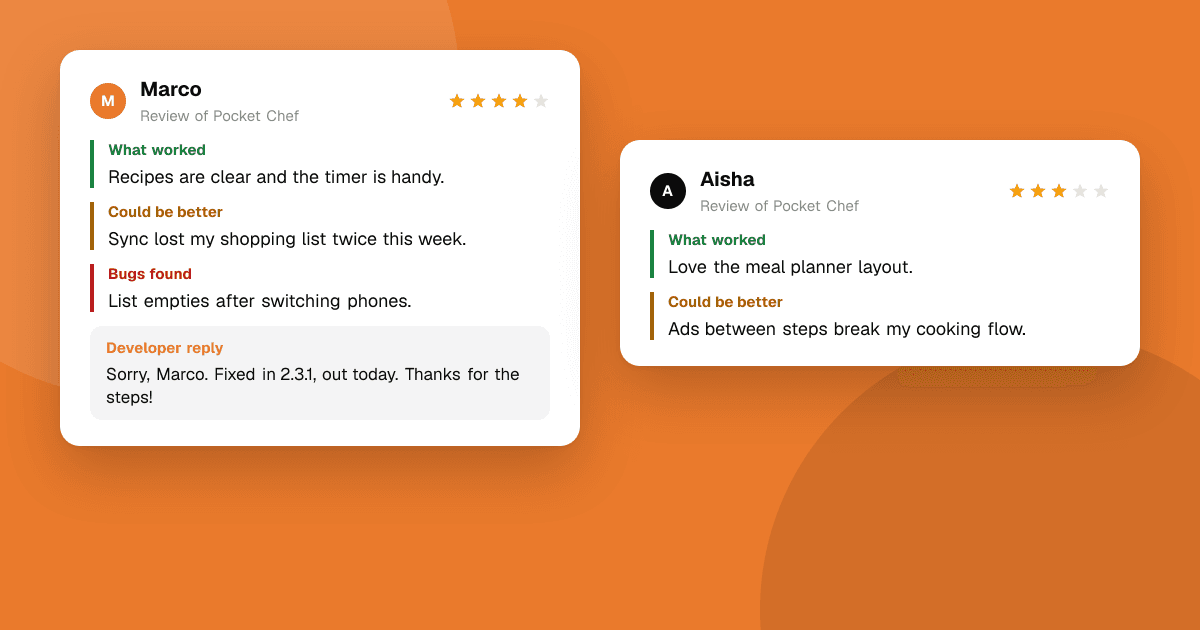
Short answer: reply quickly, calmly and specifically. Thank the person, show you understood the actual problem, say what you are doing about it, and give them a way to reach you privately. Keep it short, never argue, and never ask them to change their rating. When you ship a fix, come back and say so. Your reply is read by everyone who visits the page later, so write it for them as much as for the reviewer.
Why should I reply to negative reviews at all?
A critical review with no answer looks like nobody is home. A critical review with a clear, helpful reply shows that the app is maintained and that problems get fixed. Replies also help you:
- Find real bugs. Many negative reviews describe a crash or a confusing screen you didn't know about.
- Win people back. Someone who felt ignored and then got a fix often becomes one of your most loyal users.
- Set the record straight. If a review is based on a misunderstanding, a polite explanation helps the next reader.
What makes a good reply?
Use this simple structure for almost every reply:
- Thank them for taking the time. One short sentence, not a paragraph.
- Name the specific problem in your own words, so they know you read it.
- Say what happens next: you're investigating, it's fixed in the next version, or here's how to do it.
- Offer a private channel (an email address or in-app support) for details you can't handle in public.
- Sign with a name, if you can. "Priya, developer" feels human; "The Team" feels like a bot.
Keep replies under about 80 words. Long replies read as defensive.
Reply templates you can adapt
Edit these so they sound like you and match the actual review. Copy-pasting the same reply everywhere is easy to spot.
For a bug or crash
Thanks for reporting this, and sorry the app crashed when you opened your saved projects. We've found the cause and the fix is in version 2.3, coming this week. If it still happens after updating, please email us at support@example.com with your phone model so we can look closer. – Sam
For a missing feature
Thanks for the honest feedback. You're right that there's no dark mode yet. It's one of the most requested features and we've started on it. I'll reply here when it's out. – Sam
For something that already exists but is hard to find
Thanks for writing this. You can export your data from Settings → Account → Export, but you're right that it's hard to find. We're moving it to the main menu in the next update. – Sam
For a pricing or ads complaint
Thanks for the feedback on ads. We keep the app free with one ad between levels and never during play. If they appear more often than that for you, please email support@example.com so we can check what's going wrong. – Sam
For a vague or angry review
Sorry the app let you down. I'd really like to fix what went wrong. Could you tell me a bit more at support@example.com? Even one sentence about what you were doing helps a lot. – Sam
After you ship the fix
Update: the crash you reported is fixed in version 2.3. Thanks again for flagging it, it helped other people too. – Sam
What should I never do in a reply?
- Never ask them to change or raise their rating, and never offer anything (a refund, coins, premium features) in exchange for updating a review. Google Play and the App Store both forbid incentivizing ratings. Fix the problem; whether they update the review is their choice.
- Never argue or blame the user. "You're using it wrong" makes you look worse, even if it's true. Explain the right way instead.
- Never reveal personal details about the reviewer or their account in public.
- Never use the same reply on every review. It signals you didn't read them.
- Never reply in anger. If a review stings, wait an hour before answering.
How do I handle reviews that are unfair or abusive?
Most critical reviews are honest, even when they're harsh. A few are not:
- Factually wrong: correct it politely, once. "The app doesn't collect your contacts; it only asks for camera access to scan receipts."
- Meant for a different app or the store itself: say so briefly and point to the right place.
- Abusive, spam or off-topic: don't reply. Report it through the store's own reporting option, which follows the store's content rules.
On TrueLaunch, reviews that break the review guidelines can be reported to moderators, the same way.
How do I turn negative reviews into improvements?
Replies are only half of the job. The other half is using what you learn:
- Tag every critical review with a topic: crash, performance, onboarding, pricing, missing feature.
- Count the tags every week or two. One person's complaint is a note; the same complaint from several people is a priority.
- Fix the top item and mention the fix in your release notes.
- Go back and reply to the reviews it affected.
Over a few months, this loop does more for your rating than any reply template ever will.
How fast should I reply?
As soon as you reasonably can, ideally within a day or two for bugs and crashes. A fast reply to a crash report can stop several more people from leaving the same review. For feature requests, a reply within a week is fine. What matters most is consistency: answer the critical reviews every time, not only when you have spare time.
Next steps
Pick the five most recent critical reviews of your app, tag them, and reply to each one using the structure above. If you want honest feedback before it shows up in a store review, list your app on TrueLaunch, where every review answers what worked, what could be better and which bugs showed up, and you can reply and mark the most useful reviews. For more on collecting feedback early, read how to get honest feedback on your app.
Frequently asked questions
Should I reply to every negative review?
Reply to every review that describes a real problem, a misunderstanding or a feature request. Skip abusive or spam reviews and report them through the store's own reporting tools instead.
Can I ask a user to update their rating after I fix a bug?
You can tell them the bug is fixed, but don't ask them to change their rating and never offer anything in return. Incentivizing ratings breaks Google Play and App Store policies.
How long should a reply to a review be?
Short: usually two to four sentences, under about 80 words. Thank them, name the problem, say what happens next and offer a private contact for details.
Is it okay to use reply templates?
Yes, as a starting point. Always edit them to mention the specific problem in the review, so the reply reads like a person who actually read it.