Using AI in your indie game: disclosure, store rules and player trust
How indie developers can use generative AI in a game without losing player trust: Steam and itch.io disclosure, Google Play and Apple rules, and honest credits.
· 6 min read
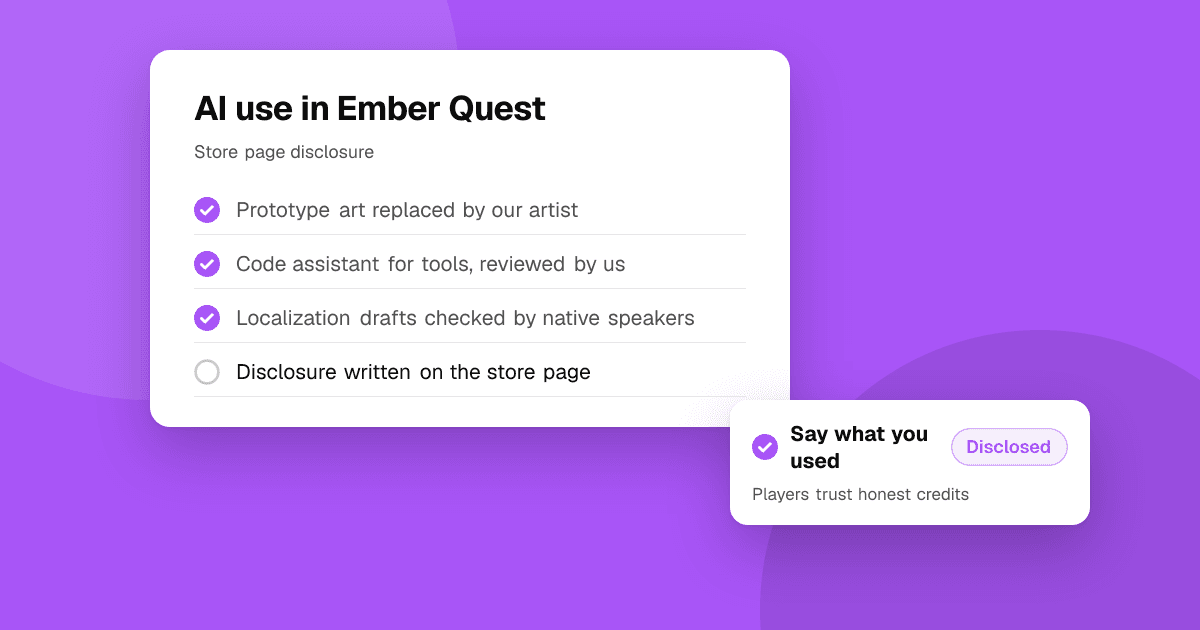
Short answer: you can use AI tools in an indie game, but be open about it and follow each store's rules. Steam asks you to disclose AI-generated content and to explain your guardrails if the game generates content while it runs. itch.io asks asset creators to disclose generative AI. Google Play requires in-app reporting for apps that generate content with AI, and Apple requires clear consent before personal data goes to a third-party AI service. Players tend to accept AI that helps a team work faster, and react badly when it replaces the art, voices or writing they came for, especially when it's hidden.
Why is AI in game development such a heated topic?
Many players value games as handmade work, and many artists, writers and voice actors worry about their jobs and about how AI models were trained. At the same time, studios of every size use AI tools for code, testing and internal work. The two views collide in public often.
In October 2026 the topic trended again after Brandon Stirrup, a senior business strategy manager at Xbox, posted on his personal X account that developers who don't embrace AI shouldn't be in the business. The posts drew a large negative reaction and his account was gone within about a day (PC Gamer, Insider Gaming). Coverage described the posts as personal opinion, not Xbox policy. For an indie developer, the lesson is simple: how you talk about AI matters as much as whether you use it.
Where does AI help an indie team?
These uses rarely bother players, because they don't replace what people see, hear or read in the finished game:
- Prototyping: quick mockups, placeholder sprites and test levels that you replace before release.
- Code assistance: autocomplete, refactoring help and writing tests, reviewed by you like any other code.
- Internal work: brainstorming, task lists, bug report summaries and marketing spreadsheets.
- Localization drafts: a first pass that a fluent human then checks and fixes. See app localization for indie developers.
- Playtest analysis: grouping feedback so you can see patterns faster.
Where do players react badly?
The strongest reactions come when AI output is the product:
- Final art, especially key art, characters and store screenshots.
- Voice acting that imitates or replaces performers.
- Story and dialog presented as hand-written.
- Credits that hide it, or a team that denies AI use and is later found out.
None of these is banned everywhere, but each one needs honest disclosure and a quality bar you would accept from a human artist. If you can't say openly that you used AI for something, don't ship it.
What does Steam require?
Since January 2024, Valve's Content Survey asks developers about AI in two categories (GeekWire, VGC):
- Pre-generated content: art, code, sound or other content made with AI tools during development. Valve reviews it like any other content, and you promise it isn't illegal or infringing.
- Live-generated content: content an AI creates while the game runs. You also describe the guardrails that stop it producing illegal content, and players can report such content from the Steam overlay.
Much of your answer appears on the store page, so write it in plain words players understand. Valve has since clarified that it cares most about content players actually see, rather than internal tools (Outlook Respawn). Check the current Steamworks documentation before you submit, because the wording can change.
What about itch.io, Google Play and the App Store?
- itch.io: since November 2024, asset pages must answer a generative AI disclosure question, with types such as graphics, sound, text and code. Untagged AI assets can lose visibility in browse pages (GamingOnLinux). Many game creators fill it in too, and players filter by it.
- Google Play: apps that generate content with AI must let users report or flag offensive output inside the app, and must prevent restricted content (Google Play policy). This applies if your game creates text, images or voices with AI while people play.
- App Store: since November 2025, guideline 5.1.2(i) explicitly covers sharing personal data with third-party AI. If your game sends player data, such as chat messages or voice, to an outside AI service, say so clearly in the app and get permission first. A line in your terms isn't enough.
Do I need to worry about copyright?
Read the terms of every AI tool you use. Check whether you may use the output commercially, whether the provider claims any rights, and what the tool says about its training data. Copyright rules for AI output differ by country and are still changing, so keep records of which tools made which assets. For anything central to your game, such as the main character or logo, ask a lawyer. This guide isn't legal advice.
How do I disclose AI use honestly?
- Store page: one or two plain sentences, for example "We used AI tools to help write code and draft translations. All art, music and writing in the game were made by our team."
- Credits: name the people who made, edited or checked each part of the game. If AI helped, say where.
- Devlog or FAQ: a short post explaining what you used AI for and why gives your community something to point to.
- Stay consistent: your store answers, credits and public comments should all say the same thing.
How do I keep quality high?
Treat AI output as a first draft. Review generated code like a stranger's pull request, check translations with fluent speakers, and look at art at full size for errors in hands, text and perspective. Players notice inconsistent style quickly, and a single bad asset in your screenshots can define the game in reviews.
How should I answer players who ask about AI?
Answer quickly, honestly and without arguing. Say what you used and what you didn't. If someone doesn't want to play games made with any AI, accept that it's their choice. Don't delete honest questions or criticism, and never claim "no AI" if that isn't true. Being found out later damages trust far more than an honest answer today. For handling tough conversations, see how to build a community for your app or game.
Next steps
Write down every place AI touches your game today, decide what stays, and draft your store disclosure from that list. Then ask real players what they think before launch: list your game on TrueLaunch for free and get honest, structured reviews. Planning the release? Read how to launch an indie mobile game and from game jam prototype to mobile release.
Frequently asked questions
Do I have to disclose AI use on Steam?
Yes, if your game contains content made with AI tools or generates content with AI while it runs. Valve's Content Survey asks about both, and much of your answer is shown on the store page.
Can I use AI art in my indie game?
Stores generally allow it if you have the rights to the output and disclose it where required. Many players react badly to AI in final art, so be open about it and hold it to the same quality bar as hand-made art.
Does my mobile game need a report button if it uses AI?
On Google Play, apps that generate content with AI must let users report or flag offensive output inside the app. It's a good practice on iOS too.
Should I hide AI use to avoid backlash?
No. Hidden AI use that comes out later causes much bigger reactions than honest disclosure, and it can break store rules. Say what you used and what you didn't.