App store optimization (ASO) for indie developers: the basics
ASO helps people find your app in Google Play and App Store search and decide to install it. The basics that matter for indie developers, field by field.
· 5 min de lectura
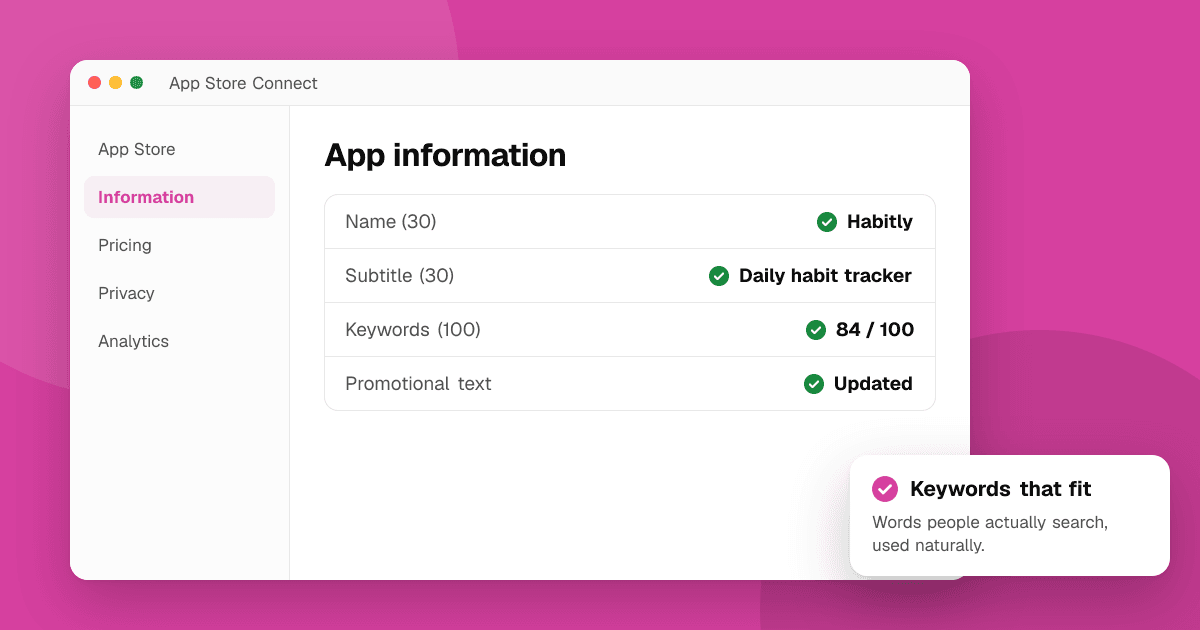
Short answer: app store optimization (ASO) has two jobs: help the right people find your app in store search, and convince them to install it once they see your page. For the first, put the words your users actually search for in the fields the stores index, mainly the title and, on the App Store, the subtitle and keyword field; on Google Play, the short and full description. For the second, make your icon, screenshots and first lines clear. Then test changes one at a time.
How do people find apps in the stores?
Most installs from the stores come from two places:
- Search: someone types "habit tracker" or "offline chess" and picks from the results.
- Browsing: charts, categories, editorial features and "similar apps" sections.
Indie developers rarely control browsing, so search is where ASO pays off. Each store decides which words your app ranks for using the text fields you fill in, and decides the order using signals like relevance, installs, engagement and ratings.
How do I find the right keywords?
- Write down how users describe the problem, not how you describe the app. Users search "split bills with friends", not "collaborative expense ledger".
- Type those words into the store's search bar and look at the autocomplete suggestions. They show what people actually type.
- Look at the apps that rank for each phrase. If the top results are giant brands, pick a more specific phrase.
- Prefer specific phrases ("cozy farming game offline") over broad ones ("game"). Fewer people search them, but you have a real chance to rank.
- Use your own feedback. Words reviewers and users use to describe your app are often good keywords.
Keep a short list of 10 to 20 phrases and focus on the most relevant ones.
Which fields matter on the App Store?
- App name (up to 30 characters): the strongest field for search. Use your brand plus a short descriptor when it fits naturally, like "Pebble: Habit Tracker".
- Subtitle (up to 30 characters): shown under the name and also used for search. Use it for your main benefit or a key phrase.
- Keyword field (up to 100 characters): hidden from users, used only for search. Separate words with commas, don't repeat words already in your name or subtitle, and don't add competitors' trademarks.
- Promotional text (up to 170 characters): can be updated anytime without a new app version; good for news and events. It isn't used for search ranking.
- Description: important for convincing people, but Apple doesn't use it for search ranking, so write it for humans.
Which fields matter on Google Play?
- App name (up to 30 characters): the strongest field. Same advice: brand plus a short descriptor if it reads naturally.
- Short description (up to 80 characters): shown on the store page and used for search. Make it a clear one-line pitch.
- Full description (up to 4,000 characters): Google Play reads it for search, so use your important phrases naturally a few times. Don't stuff keywords; Google's policies forbid it and it reads badly.
Google Play has no hidden keyword field. What you write in the visible text is what counts.
How do I turn visitors into installs?
Ranking only gets people to your page. Then the visuals do the work:
- Icon: simple, readable at small sizes, and different from the competing apps next to it in search results.
- Screenshots: the first two or three do most of the work. Show the main benefit, add short captions and use real app screens.
- Video: optional, but useful for games and apps that are easier to show than explain.
- Ratings and reviews: people check them. Earn them by making the app good and asking neutrally at a good moment, never with rewards.
Our guide on app screenshots and icons that convert covers this in detail, and how to write an app description that converts covers the text.
How do I test what works?
Both stores let you test your listing:
- Google Play store listing experiments in Play Console let you test different icons, screenshots, videos and descriptions on a share of your visitors.
- App Store product page optimization in App Store Connect lets you test alternative icons, screenshots and app previews against your original page.
Test one big change at a time and run tests long enough to get a clear result. With little traffic, results take longer, so start with the changes most likely to matter: the icon and the first screenshot.
What about ratings?
Ratings affect both ranking and whether people install. Earn them the right way:
- Use the official in-app review prompts (Google Play In-App Review API, Apple's StoreKit review request) after a positive moment.
- Never ask for a specific number of stars, never offer rewards, features or coins for a rating, and never trade ratings with other developers. Both stores forbid it and can remove ratings or apps.
- Reply to reviews, especially critical ones, and fix what people report.
How often should I update my listing?
Review your keywords and screenshots every few months, and whenever you ship a big feature. Check which search terms bring visitors (App Store Connect and Play Console both show some of this) and adjust. ASO is ongoing, not a one-time setup.
Next steps
Write your keyword list today, update your title and short description or subtitle, and refresh your first two screenshots. Then send people to the page from outside the store: list your app on TrueLaunch and read how to promote your app for free.
Frequently asked questions
Does the App Store use the app description for search?
Apple uses the app name, subtitle and keyword field for search, not the description. On Google Play there's no keyword field, and the title, short description and full description all matter.
How long does ASO take to show results?
Store rankings can take a few weeks to settle after you change keywords. Changes to icons and screenshots affect installs right away, which is why testing them is worth it.
Can I use competitor names as keywords?
Avoid it. Using other companies' trademarks in your listing can break store rules and get your update rejected. Focus on what your users search for to describe the problem.
Do ratings affect app store ranking?
Ratings are one of the signals stores use, and they strongly affect whether people install. Earn them with a good app and neutral, official review prompts, never with rewards.