Why apps get rejected on the App Store and Google Play (and how to avoid it)
The most common reasons the App Store and Google Play reject apps, from crashes and missing logins to privacy forms and misleading listings, and how to fix it.
· 5 min de leitura
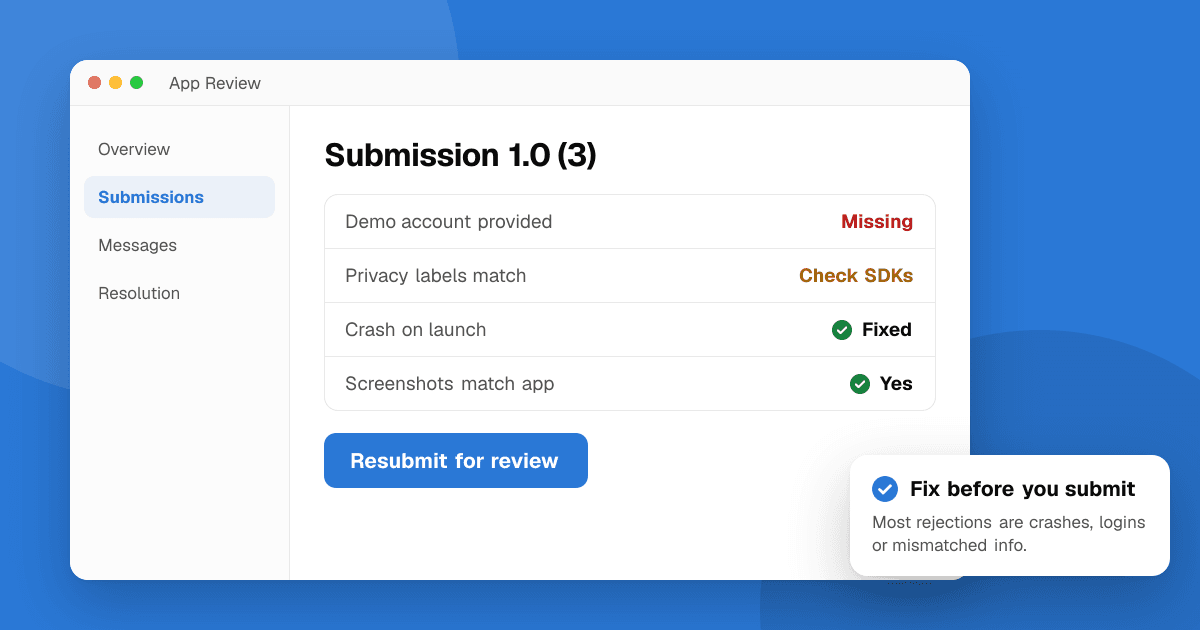
Short answer: most rejections come from a handful of avoidable problems: the app crashes or is unfinished, reviewers can't log in, the listing doesn't match the app, privacy declarations don't match what the app collects, or the app breaks a payment or content rule. Test on real devices, give reviewers a working demo account, declare data honestly (including what your SDKs collect), and read the rejection message carefully, because it usually names the exact rule.
Why do the stores review apps at all?
Apple reviews every app and update against the App Review Guidelines. Google reviews apps against the Developer Program Policies, using a mix of automated checks and human review. Both want the same things: apps that work, are honest about what they do, protect user data and don't mislead people. Reading the official documents once is worth an hour of your time; they are shorter than they look.
1. Does the app crash or look unfinished?
The most common rejection on the App Store is App Completeness (Guideline 2.1): crashes, broken links, empty screens or placeholder text like "Lorem ipsum" and "Coming soon".
How to avoid it:
- Test the release build, not just debug builds, on at least one older device.
- Tap through every screen and button in the listing's screenshots.
- Remove features that aren't ready instead of hiding them behind "coming soon".
- Run a short beta first. See how to write a beta test plan.
2. Can the reviewer actually get in?
If your app needs an account, reviewers need a demo login that works, with sample data in it. Without one, both stores often reject the app or mark it as inaccessible.
- On the App Store, add credentials under App Review Information.
- On Google Play, fill in App access under App content.
- If login uses a one-time code, a QR code or special hardware, explain how the reviewer can get past it, or provide a demo mode.
3. Does the listing match the app?
Rejections for misleading metadata are common on both stores:
- Screenshots that show features the app doesn't have, or mockups instead of real screens.
- Names or keywords that use other companies' trademarks ("like Instagram", "WhatsApp tool").
- Descriptions with claims you can't support ("#1 app", "best in the world") or lists of unrelated keywords.
- Using Apple or Google logos and device frames in ways their brand rules don't allow.
Show real screens, describe what the app really does, and keep your title clean.
4. Do your privacy declarations match the app?
This is now one of the biggest causes of trouble:
- Missing privacy policy, or a link that is broken or doesn't mention the app.
- Data safety (Google Play) or App Privacy (Apple) answers that don't match what the app sends. Reviewers and automated scans check network traffic and SDKs.
- Permissions without a clear reason, such as asking for location or contacts when the feature doesn't need them. On iOS each permission needs a purpose string that explains why.
- Tracking without consent: on iOS, tracking users across other companies' apps or sites requires the App Tracking Transparency prompt.
Make a list of every SDK in your app (analytics, ads, crash reporting, login) and what each one collects, then answer the forms from that list.
5. Are you following the payment rules?
Both stores have rules for selling digital goods and features inside the app, which generally must use the store's own billing (with regional exceptions that change over time). Common problems:
- Unlocking digital content with an external payment link where the rules don't allow it.
- Subscriptions without clear pricing, terms and a way to restore purchases.
- Paywalls that hide what the user is paying for.
Payment rules vary by country and change often, so check the current guidelines before you design your paywall.
6. Does the app do enough?
Apple rejects apps under Minimum Functionality (Guideline 4.2) when they're simply a website in a wrapper, a single static page or a near-copy of many similar apps (Spam, Guideline 4.3). Google also removes repetitive or low-value apps.
Give the app something that makes it worth installing: offline use, notifications, native features or a genuinely better experience than the website.
7. Are you breaking review and rating rules?
Both stores forbid manipulating ratings and reviews. That includes:
- Offering coins, features, discounts or giveaways in exchange for a rating.
- Asking only happy users to rate (and sending unhappy ones elsewhere) in ways that are designed to game ratings.
- Buying reviews or swapping ratings with other developers.
Use the official in-app review prompts at a natural moment, never ask for a specific star rating, and never reward a rating.
8. Is the content suitable for its rating and audience?
- Answer the content rating questionnaires honestly.
- If your app targets children, follow the extra rules (Google Play's Families policy, Apple's Kids category rules): no unsuitable ads, strict limits on data collection.
- User-generated content needs reporting, blocking and moderation features.
What should I do if my app is rejected?
- Read the message carefully. It usually names the guideline or policy and often includes a screenshot.
- Fix the actual problem, not just the symptom the reviewer noticed.
- Reply politely if you believe the reviewer misunderstood. On the App Store, use the Resolution Center; on Google Play, follow the appeal link in the email or Policy status page.
- Explain clearly what you changed when you resubmit.
Repeated or serious policy violations can affect your developer account, so treat every rejection as worth fixing properly.
Next steps
Go through this list before your next submission, and get a few people to test the release build. If you're publishing for the first time, follow our step-by-step guides for Google Play and the App Store.
Frequently asked questions
What is the most common App Store rejection reason?
App Completeness (Guideline 2.1): crashes, bugs, broken links, placeholder content or missing information such as a demo account. Testing the release build on real devices prevents most of these.
Can I appeal a Google Play rejection?
Yes. The rejection email and Play Console's Policy status page link to an appeal form. Explain what you changed or why you think the decision is wrong.
Will my app be rejected for asking users to rate it?
Not for asking neutrally with the official prompts. It can be rejected or penalized for rewarding ratings, asking for specific stars or buying and swapping reviews.