Flutter, React Native or native? How to choose a framework for your app
Flutter, React Native, Kotlin Multiplatform or fully native: a practical way for indie developers to pick a mobile stack by skills, app type and upkeep.
· 3 min de leitura
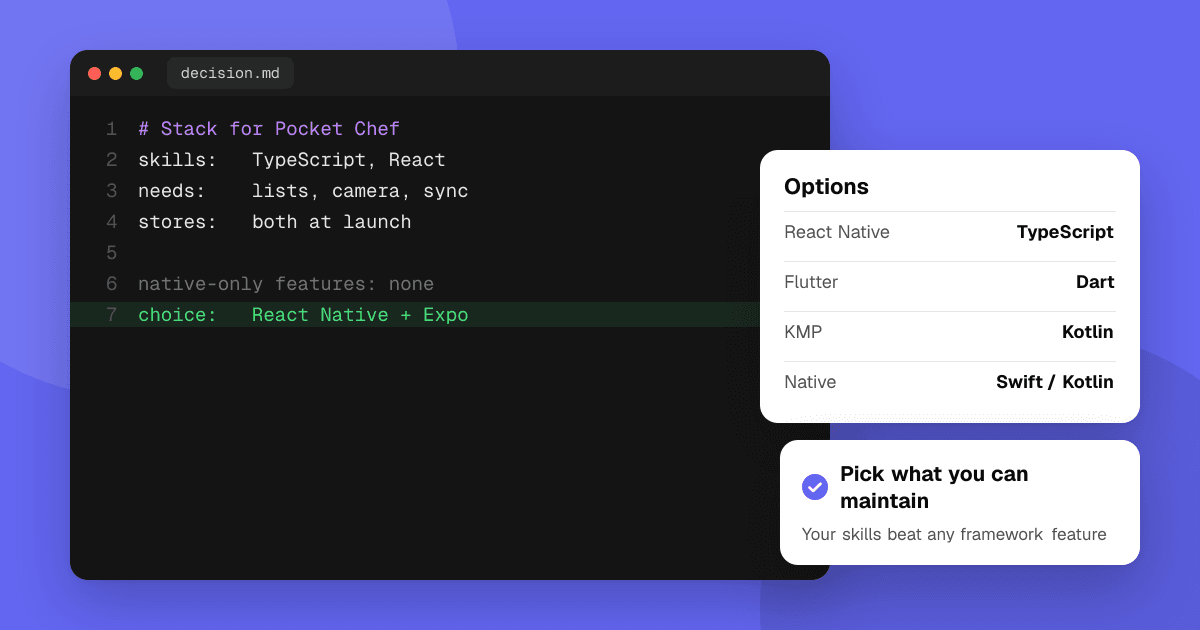
Short answer: pick the stack you can ship and maintain alone. If you already know JavaScript or TypeScript, React Native (usually with Expo) is the fastest path. If you want one codebase with pixel-identical UI on both platforms, Flutter is a strong choice. If your app leans on platform features (widgets, watch apps, background work, heavy camera or AR), or you only target one store, go native with Swift or Kotlin. Kotlin Multiplatform fits when you want shared Kotlin logic, with either native UI or shared UI through Compose Multiplatform (stable on iOS since 2025). Games are a separate case: use a game engine.
What should decide the choice?
Ask these four questions in order:
- What do I already know well? Your existing skills save more time than any framework feature.
- What does the app need from the phone? Lists, forms and network calls work everywhere. Widgets, Live Activities, watch apps, deep background tasks and custom camera pipelines are easier natively.
- Do I need both stores at launch? If not, ship native on one platform first and learn from real users.
- Who will maintain it in two years? Framework upgrades, plugin breakage and OS changes are ongoing work.
How do the main options compare?
| Option | Language | Best for | Watch out for |
|---|---|---|---|
| React Native + Expo | TypeScript | Web developers, content and form apps | Native modules for unusual features, upgrade churn |
| Flutter | Dart | Custom-designed UI on both platforms | Larger app size, platform look needs extra work |
| Kotlin Multiplatform | Kotlin | Shared logic, with native UI or shared Compose Multiplatform UI | Smaller ecosystem, iOS UI tooling still maturing |
| Native (Swift / Kotlin) | Swift, Kotlin | Platform features, best performance | Two codebases if you need both stores |
| Game engine (Unity, Godot) | C#, GDScript | Games | Engine licensing terms, app size |
When is native the better choice?
- Your core feature is a widget, watch app, keyboard, share extension or background sync.
- You need the newest OS features on day one; cross-platform plugins often lag behind.
- You're building for one platform first. Two native apps cost more, but one native app is often simpler than one cross-platform app.
When is cross-platform the better choice?
- Your app is mostly screens, lists, forms and API calls.
- You want both stores at launch and you're one or two people.
- You want to share code with a web app (React Native and TypeScript) or want one design system everywhere (Flutter).
What about performance and app size?
For typical apps, users won't notice the difference between a well-built cross-platform app and a native one. Problems usually come from heavy screens, large images and slow startup work, not the framework. Read how to reduce app size and startup time before blaming the stack, and test on a cheap Android phone, not just your own device.
Can I switch later?
Yes, but it's usually a rewrite. You can lower the cost by keeping business logic separate from UI, keeping API contracts clean and writing down why you chose the stack. Many successful apps started cross-platform and moved single screens or features to native code later.
Next steps
Write down your skills, the three phone features your app needs most and whether you need both stores at launch. Build one real screen in your top choice before committing. When you have a first version, submit it to TrueLaunch and ask testers whether anything feels slow or out of place on their device.
Frequently asked questions
Is Flutter or React Native better for indie developers?
Neither is better for everyone. React Native suits developers who know TypeScript and want to share code with the web; Flutter suits those who want one custom UI that looks identical on both platforms.
Do users notice if an app is cross-platform?
Rarely, if the app is built well. Slow startup, janky scrolling and controls that don't match the platform are what users notice, and those can happen in native apps too.
Should I build a mobile game with Flutter or React Native?
Usually not. For games, a game engine such as Unity or Godot gives you rendering, physics, input and tooling built for games, and exports to both stores.