How to write a beta test plan for your app (with a simple template)
A one-page beta test plan gets you useful feedback instead of silence. Here is what to include: goals, testers, tasks, questions and timeline, plus a template.
· 5 min de leitura
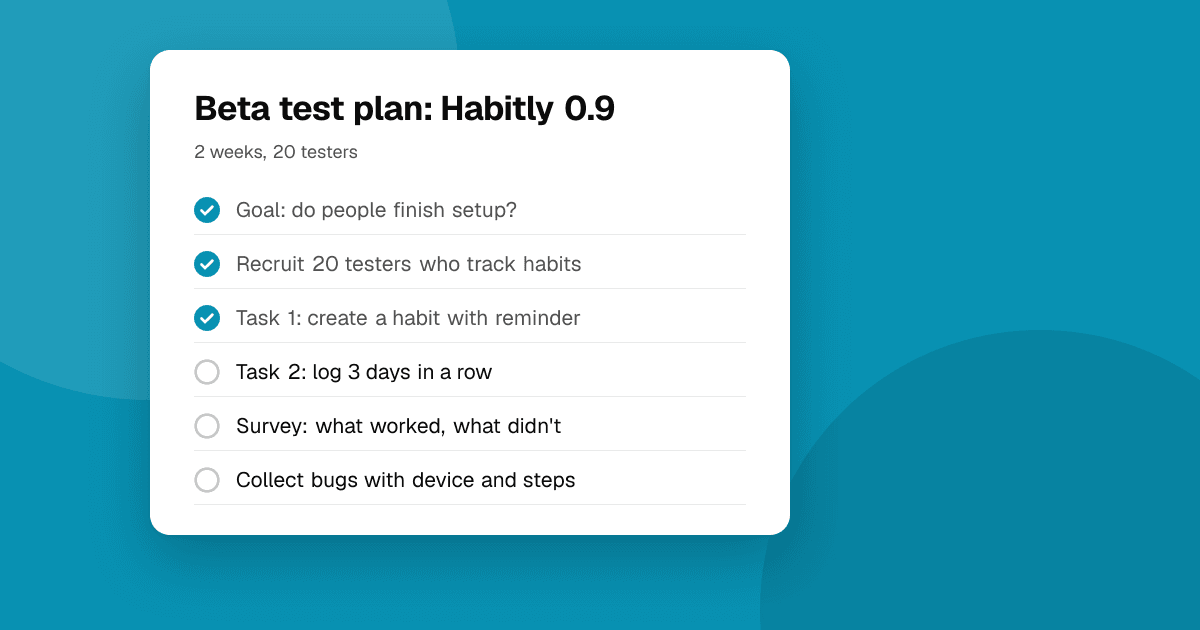
Short answer: a beta test plan fits on one page. Write down what you want to learn (two or three goals), who should test, the tasks testers should do, the questions you'll ask afterwards, how they'll send feedback and the timeline. Then send testers a short, friendly version of it. A clear plan is the difference between "it's nice" and a list of bugs and ideas you can act on.
Why do I need a plan for a small beta?
Without a plan, most beta testers install the app, open it once and forget about it. You get no feedback and don't know whether that's good or bad. A plan helps you:
- Ask testers to do the things you actually need tested.
- Get answers you can compare between testers.
- Know when the beta is finished and what "good enough" looks like.
Step 1: What do I want to learn?
Choose two or three goals, not ten. Good goals are specific:
- "Can new users create their first project without help?"
- "Does the app crash on Android 10 and older?"
- "Do players understand the upgrade system by level 5?"
- "Would people open the app again on day two?"
Write a success measure for each, such as "8 of 10 testers finish onboarding without asking for help".
Step 2: Who should test?
Match testers to your goals:
- Onboarding and clarity: people who have never seen the app, ideally your target users.
- Device coverage: testers with older phones, small screens, tablets or different OS versions.
- Depth and balance (games): players who know the genre and will play for hours.
Aim for 10 to 20 active testers for a small app. Invite more than you need, because some won't take part. On Google Play, new personal accounts also need 12 testers for 14 days in a closed test.
Step 3: Which tasks should testers do?
Give two to four concrete tasks, each with a clear end point:
- "Install the app and create an account."
- "Add three habits and set a reminder for one of them."
- "Come back tomorrow and check off yesterday's habits."
- "Try to change your reminder time."
Avoid telling testers how to do the task. Where they get stuck is exactly what you want to find.
Step 4: What will I ask afterwards?
Keep it to five questions or fewer. Mix a few scales with open questions:
- What worked well?
- What could be better, and why?
- Did anything break? What were you doing, and on which device and OS version?
- Where did you get stuck or have to guess?
- How likely are you to keep using it (1 to 5), and what would change your answer?
These match the three questions every TrueLaunch review asks: what worked, what could be better and which bugs showed up. That structure works because it's easy to answer and easy to compare.
Step 5: How will testers send feedback?
Make it one place and as easy as possible:
- A short form (Google Forms, Tally or similar) linked from the invitation and inside the app.
- A Discord or Slack channel for quick questions and bug reports.
- Built-in tools: TestFlight lets testers send screenshots with comments, and Google Play testers can send private feedback.
- Crash reporting so you see crashes even when nobody reports them. See crash reporting for indie developers.
Step 6: What's the timeline?
A typical small beta:
- Day 0: invite testers, send the plan and the opt-in link.
- Days 1 to 3: first tasks, onboarding feedback. Fix any blocking bugs fast.
- Day 4 to 7: follow-up tasks and the questionnaire. Ship one update based on feedback.
- Days 8 to 14: check whether people still open the app, and send a final short survey.
Tell testers how long the beta lasts and when they'll hear from you again.
A one-page template
App and version: Habit Tracker 0.9 (build 14)
Goals: 1) New users can set up three habits without help. 2) No crashes on Android 10 or older. 3) At least half of testers open the app on day two.
Testers: 15 people: 10 new to the app, 5 with older Android phones.
Tasks: create an account; add three habits; set a reminder; come back tomorrow and check in.
Questions: what worked; what could be better; what broke (device, OS, steps); where did you get stuck; how likely are you to keep using it (1 to 5).
Feedback channel: form link plus #beta on Discord. Crashes via crash reporting.
Timeline: 14 days. Update on day 5. Final survey on day 12.
How do I keep testers engaged?
- Thank people personally and reply to every report.
- Share what you fixed in each update ("Fixed the reminder bug Priya found").
- Keep asks small. One task at a time beats one long list.
- Don't offer rewards for store ratings. If you want to thank testers, credit them in the release notes or the app's about screen.
Next steps
Copy the template, fill in your goals and tasks, and send it to your first ten testers. To reach people who don't know you, list your app on TrueLaunch, and use our guide on getting honest feedback to make the answers useful.
Frequently asked questions
How many beta testers do I need?
For a small app, 10 to 20 active testers find most big problems. Invite a few more than you need, since some won't take part. Google Play closed testing for new personal accounts needs at least 12.
How long should a beta test last?
One to two weeks is enough for most small apps: long enough to see whether people return, short enough to keep testers engaged. Google Play's closed testing requirement is 14 days.
What questions should I ask beta testers?
Keep it to five or fewer: what worked, what could be better, what broke (with device and steps), where they got stuck, and whether they'd keep using the app.