What to do after launching your app: the first 30 days
Launch day is the start, not the finish. Here is what indie developers should do in the first 30 days after launch to fix problems, keep users and grow.
· 4 min read
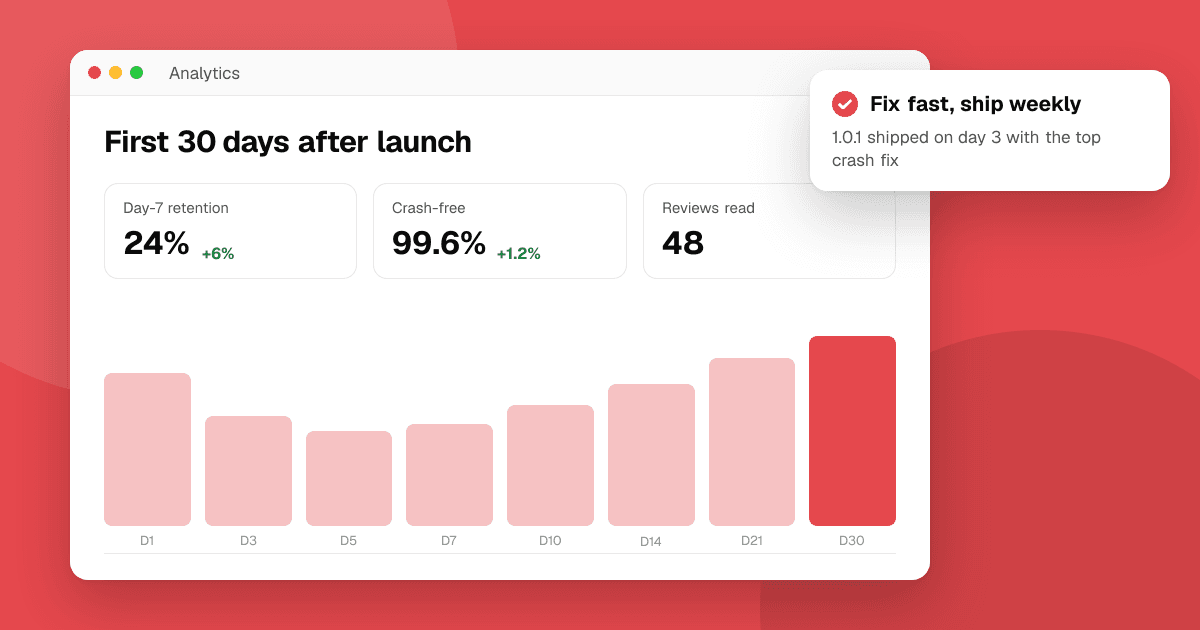
Short answer: in the first week, watch crashes and reviews closely, reply to everyone and ship a fix update fast. In weeks two to four, find where new users drop off and improve that one step, keep posting genuine updates, and start a regular release rhythm. Write down what worked on launch day, thank the people who helped, and plan your next moment, like a major update, so growth doesn't stop when launch traffic fades.
Why do the first 30 days matter so much?
Launch traffic is at its peak, and every new user forms a first impression. Bugs found now affect the most people. Early reviews shape what later visitors see. And the habits you set (fast replies, frequent updates) are what keep a small app growing after the launch buzz is gone.
Days 1 to 3: what should I watch?
- Crashes and freezes. Check Google Play Console's Android vitals and Xcode Organizer or your crash reporting tool several times a day. Fix crashes that affect many users first.
- Reviews and comments on the stores, launch boards, social posts and community threads. Reply to every one, briefly and politely.
- Support email. Answer quickly. Early users who get a fast, human reply often become your biggest supporters.
- Sign-up and onboarding problems. If people mention being stuck, test that flow yourself on a fresh install.
Keep a single list of every bug and complaint, with how many people mentioned it.
Days 3 to 7: how fast should I ship a fix?
As fast as you safely can. A focused bug-fix release in the first week shows users you're listening.
- Fix the top problems only. Don't mix in new features; keep the update small and safe.
- Test it on a few real devices before submitting.
- Write clear release notes: "Fixed a crash when opening settings on some Android 13 phones. Thanks to everyone who reported it."
- Reply to the reviews that reported the fixed issues, saying it's fixed in the new version. Don't ask them to change their rating; just let them know.
Week 2: where are users dropping off?
Now look at the numbers. Our guide on app metrics that matter explains each one:
- Store conversion: are visitors installing? If not, revisit your screenshots and description.
- Activation: are new users reaching the first useful moment?
- Day-1 and day-7 retention: are they coming back?
Pick the weakest step and improve just that. Often it's onboarding: too many screens, a required sign-up before any value, or unclear first steps. A short usability test with five people will show you why.
Weeks 2 to 4: how do I keep momentum?
- Share real updates, not repeated announcements: what you fixed, what you learned, what users asked for.
- Start a release rhythm, such as an update every two weeks. Regular updates give you reasons to post and show the app is alive.
- Keep collecting feedback from people who don't know you. List your app on TrueLaunch if you haven't yet, so real people can review what worked, what could be better and which bugs they found.
- Talk to your best users. Find a few people who use the app often and ask what they love and what's missing.
- Ask for store reviews the right way, using the official in-app review prompt after a positive moment, without conditions or rewards. Our guide on asking for store reviews the right way has the details.
What should I write down from launch day?
While it's fresh, record:
- Which channels brought visits and installs (launch boards, communities, email, press).
- Which posts and messages got the best response.
- What went wrong and what you'd do differently.
- Who helped you: testers, friends, writers, communities. Thank them personally.
This becomes your playbook for the next launch or big update.
How do I plan the next growth moment?
Growth after launch comes in steps. Plan the next one:
- A major update with a feature users asked for.
- A new platform or language.
- A seasonal moment that fits your app, like New Year for habit trackers or exam season for study apps.
Each is a new reason to email your list, post in communities, pitch writers and, when it's a meaningful milestone, launch again on launch boards that allow it.
What mistakes should I avoid after launch?
- Going silent once launch traffic drops.
- Building big new features before fixing the problems early users reported.
- Arguing with critical reviews. Fix and reply calmly instead.
- Buying installs or reviews to make numbers look better. It doesn't help real growth and can get the app removed.
- Burning out. Plan sustainable work; a steady month beats a frantic week.
Next steps
Make your bug list today, ship a focused fix within the week and pick one drop-off step to improve this month. For more on keeping users, read how to respond to negative app reviews, and when your next big update is ready, plan a day on the launches board.
Frequently asked questions
How soon after launch should I release an update?
Ship a focused bug-fix update within the first week if early users report crashes or blockers. Then settle into a regular rhythm, such as every two weeks.
Can I relaunch my app later?
Yes. A major update, new platform or new language is a good reason to announce again. On TrueLaunch you can pick a launch day at most once every 30 days.
Should I ask users to update their review after a fix?
You can reply to say the problem is fixed in the new version, but don't ask for a different rating or offer anything for one. Let users decide on their own.