App launch checklist: what to do before, during and after launch
A practical launch checklist for indie app developers, from beta testing and the store listing to launch day and the first month, without an ad budget.
· 5 min de lectura
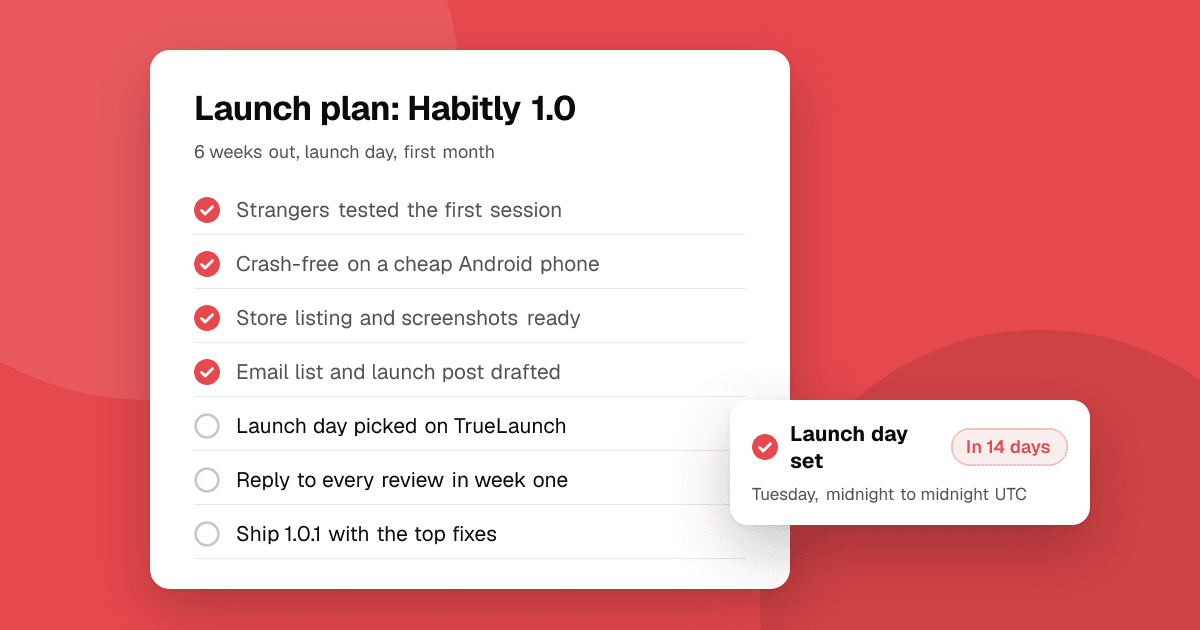
Short answer: a good app launch is mostly preparation. Six weeks out, get the app tested by strangers and fix what they find. Four weeks out, finish your store listing and a simple website. Two weeks out, line up the people and places you'll tell. On launch day, focus all your announcements into one day and stay online to reply. In the month after, fix bugs fast, answer every review and keep shipping updates.
6 weeks before: is the app ready?
- Beta test with real people. Use TestFlight on iOS and Google Play testing tracks on Android. See beta testing platforms for indie developers.
- On a new personal Google Play account, start closed testing now. You need 12 testers opted in for 14 days before you can apply for production. See how to get 12 testers for closed testing.
- Run a quick usability test with five people. Our guide to running a usability test takes an afternoon.
- Add crash reporting (Android vitals, Xcode Organizer, or a crash reporting SDK) so you see problems after launch.
- Test the first-run experience as a brand-new user: install, sign up, reach the main value. Remove every step you can.
- Test on an older phone and on slow mobile data.
4 weeks before: is the listing ready?
- App name and subtitle that say what the app does, not only the brand.
- Icon that is simple and readable at small size.
- Screenshots: the first two show the main benefit, with a short caption on each.
- Description: the first lines answer "what is it and who is it for?"
- Privacy policy URL and accurate data safety (Google Play) and privacy label (App Store) answers.
- Support contact: an email address you actually read.
- A simple website or landing page with a short description, screenshots and store links.
- Submit for review early if you can. App Store review and Play review can take time, and a rejection on launch week is stressful. On the App Store you can release manually once approved; on Google Play you can use managed publishing to control when an approved update goes live.
2 weeks before: who will hear about it?
- Write down 20 places where your future users already are: communities, newsletters, forums, social accounts.
- Read each community's rules about self-promotion before you post anything.
- Prepare your launch post and a short demo video or GIF. See how to write a launch post.
- Message people who said they'd try it: beta testers, waitlist, friends who match your users.
- Pick your launch boards and dates. See where to launch your app.
- List the app on TrueLaunch and pick a launch day. You can submit it from its Google Play or App Store link and choose a launch day up to 60 days ahead.
Launch day: what should I do?
- Release the app (or confirm it's live in every country you want).
- Post on your launch boards early in the day.
- Email your list and message your testers with the link and one clear ask, like "try it and tell me what's confusing".
- Post in your chosen communities, one at a time, adapted to each.
- Stay online all day. Reply to every comment, question and review.
- Watch crash reports and fix anything urgent immediately.
On TrueLaunch, launch day runs midnight to midnight UTC, and apps on the launches board are ranked by the upvotes they get that day. The top three earn a Launch of the Day badge.
First week after launch
- Ship a bug-fix update for anything people reported.
- Reply to every review, especially critical ones. See how to respond to negative app reviews.
- Thank everyone who shared or helped.
- Write down what worked: which posts brought people and which didn't.
First month after launch
- Talk to your first users. Ask what made them try it and what would make them stay.
- Ship one improvement based on what you heard, and tell people about it.
- Ask for store reviews the right way: use the official in-app review prompt (SKStoreReviewController on iOS, the In-App Review API on Android) after a positive moment. Never ask for a specific rating and never reward a rating.
- Keep posting progress in the communities that responded well.
What mistakes should I avoid?
- Launching with nobody waiting. Even 30 interested people make launch day very different.
- Spreading announcements over weeks. One focused day helps attention add up.
- Buying installs, ratings or reviews. It wastes money, breaks store policies and can get the app removed.
- Disappearing after launch. The first month of updates and replies matters more than the first day.
Next steps
Copy this checklist into your notes, put your launch date at the top and work backwards. Then submit your app to TrueLaunch to start collecting honest reviews and schedule your launch day. Making a game? Use our indie mobile game launch checklist instead.
Frequently asked questions
How far in advance should I start preparing an app launch?
About six weeks is a good minimum: enough time for beta testing, a usability test, fixing what you find, finishing the store listing and lining up the people and places you'll tell.
Should I submit my app for store review before launch day?
Yes, if you can. Submitting early leaves time to fix a rejection. Release manually after approval on the App Store, or use managed publishing on Google Play to control when it goes live.
Can I launch an app with no marketing budget?
Yes. Beta testers, communities, launch boards, a simple website and a focused launch day cost time rather than money, and they're how most indie apps get their first users.
How do I ask users for store reviews after launch?
Use the official in-app review prompt after a positive moment. Never ask for a specific rating and never offer anything in return, which breaks Google Play and App Store policies.