App metrics that matter for indie developers (and how to track them privately)
Downloads alone don't tell you if your app works. These are the few metrics indie developers should track, where to find them and how to respect privacy.
· 5 min de leitura
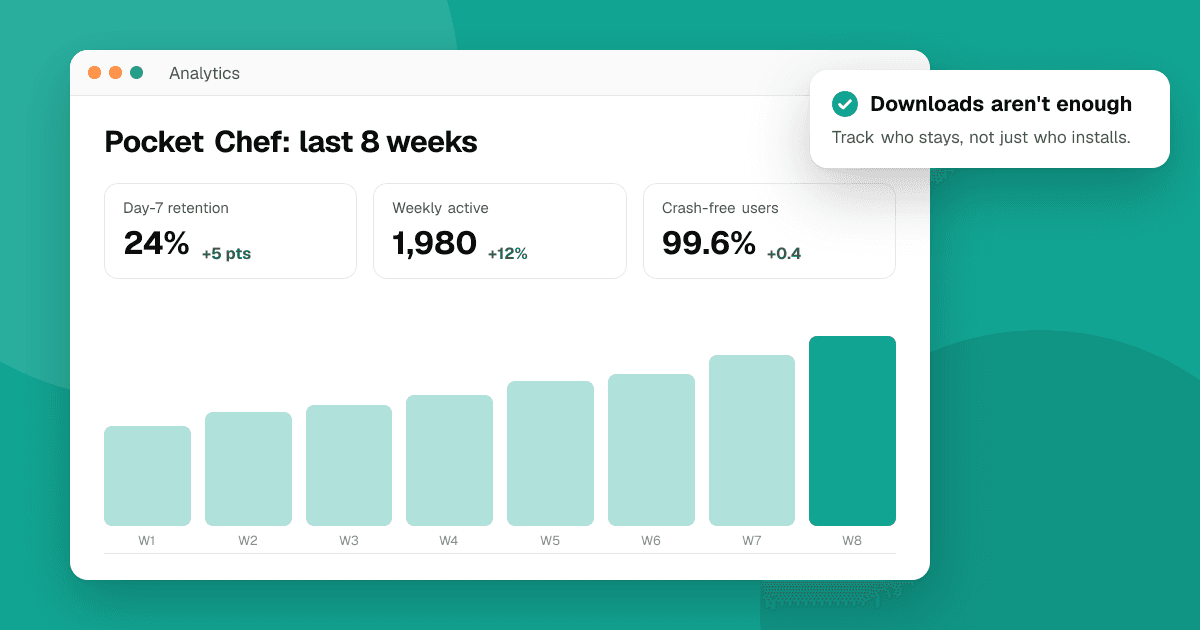
Short answer: track a handful of numbers that tell you whether people find, start and keep using your app: store listing conversion, activation (did new users reach the first useful moment?), retention on day 1, 7 and 30, crash-free users, and revenue if you charge. Start with the free consoles you already have, Google Play Console and App Store Connect, and add in-app analytics only for the few events you actually need. Collect as little personal data as possible, ask for consent where the law requires it, and say what you collect in your privacy policy.
Why not just watch downloads?
Downloads measure how well your store page and marketing work. They say nothing about whether the app is good. An app with 10,000 installs and almost no one returning after a day has a product problem that more marketing won't fix. The metrics below help you see where people drop off, so you know what to fix first.
Which metrics should I track?
Think of the path a user takes, and measure each step.
1. Store listing conversion
The share of people who view your store page and then install. Both consoles show store listing visitors and conversion. If it's low, work on your icon, screenshots and description before spending time on promotion. Our guide on app store optimization covers how.
2. Activation
The share of new users who reach the first moment where the app proves its value: creating a first budget, finishing the first level, sending the first message. Define this moment for your app and measure it as one event. Low activation usually means onboarding is too long or unclear.
3. Retention
The share of users who come back on day 1, day 7 and day 30 after installing. Retention is the clearest sign of whether people find lasting value. Compare it over time, release by release, rather than against numbers from other apps, which vary hugely by category.
4. Stability
Crash-free users or sessions, and on Android also the ANR (app not responding) rate. Google Play Console's Android vitals and Xcode's Organizer show these. Crashes quietly destroy retention and ratings. See our guide on crash reporting.
5. Revenue (if you charge)
Paying users, revenue per user, and for subscriptions, how many renew. Both consoles report sales, and subscription tools add detail. Look at revenue together with retention: people who stay are people who pay.
6. Feedback signals
Not a number from a dashboard, but just as important: what reviews and support emails say. Tag feedback by theme (bugs, confusion, missing feature) and count the themes each month.
Where do I find these numbers for free?
- Google Play Console: store listing acquisition and conversion, installs and uninstalls, Android vitals (crashes, ANRs), ratings and reviews, revenue.
- App Store Connect: App Analytics with impressions, product page views, conversion, sessions and crashes for users who share analytics with developers, plus sales and trends.
- Your own server or backend, if you have one: sign-ups and key actions are often already in your database. Count them in aggregate.
These cover the basics with no extra code in your app.
Do I need an analytics SDK?
Only if the consoles don't answer your questions, usually for activation and in-app funnels. If you add one:
- Track a few events, not everything. Five to ten well-named events (onboarding completed, first project created, purchase started) are enough for most apps.
- Never send personal data in event names or properties: no emails, names, free text or precise location.
- Check the SDK's data practices, because you must declare them in Google Play's Data safety section and Apple's App Privacy details.
- Consider privacy-focused or self-hosted options that work with aggregated, anonymous data.
How do I respect privacy and the law?
- Ask for consent where the law requires it before collecting analytics, especially for users in places like the EU and UK, and make "no" as easy as "yes".
- On iOS, tracking users across other companies' apps and websites requires permission through App Tracking Transparency. Most indie analytics needs don't involve tracking at all; keep it that way.
- Minimize: collect only what answers a real question, keep it for a limited time, and delete what you don't use.
- Be transparent: your privacy policy should name what you collect and why, in plain language.
How often should I look at the numbers?
Weekly is enough for most indie apps. Make a simple sheet with this week's numbers next to last week's, and note what you shipped. After each release, check whether activation, retention or crash-free users moved. One change at a time makes the cause easier to see.
What mistakes should I avoid?
- Vanity metrics: total downloads and page views feel good but rarely guide decisions.
- Tracking everything: it slows the app, raises privacy risk and buries the signal.
- Reacting to one day's data: small apps have noisy numbers. Look at trends over weeks.
- Ignoring qualitative feedback: numbers tell you where people drop off; reviews tell you why.
Next steps
Open your Play Console and App Store Connect dashboards this week, write down your current conversion, day-7 retention and crash-free users, and decide on your activation moment. To learn why users drop off, pair the numbers with honest reviews: list your app on TrueLaunch and read our guide on getting honest feedback on your app.
Frequently asked questions
What is a good day-7 retention rate?
It varies widely by category, so compare against your own past releases rather than other apps. If your retention improves release after release, you are moving in the right direction.
Do I need consent for app analytics?
Often, yes. In places like the EU and UK, non-essential analytics generally needs consent. Collect as little as possible, ask clearly, and describe it in your privacy policy.
Which free tools show app metrics?
Google Play Console and App Store Connect both show store conversion, installs, crashes and revenue for free. Add an analytics SDK only for the few in-app events you really need.