How to ask for app store reviews the right way
Use Google Play's In-App Review API and Apple's review prompt correctly: when to show them, how often, and why you must never gate, steer or reward ratings.
· 5 min de leitura
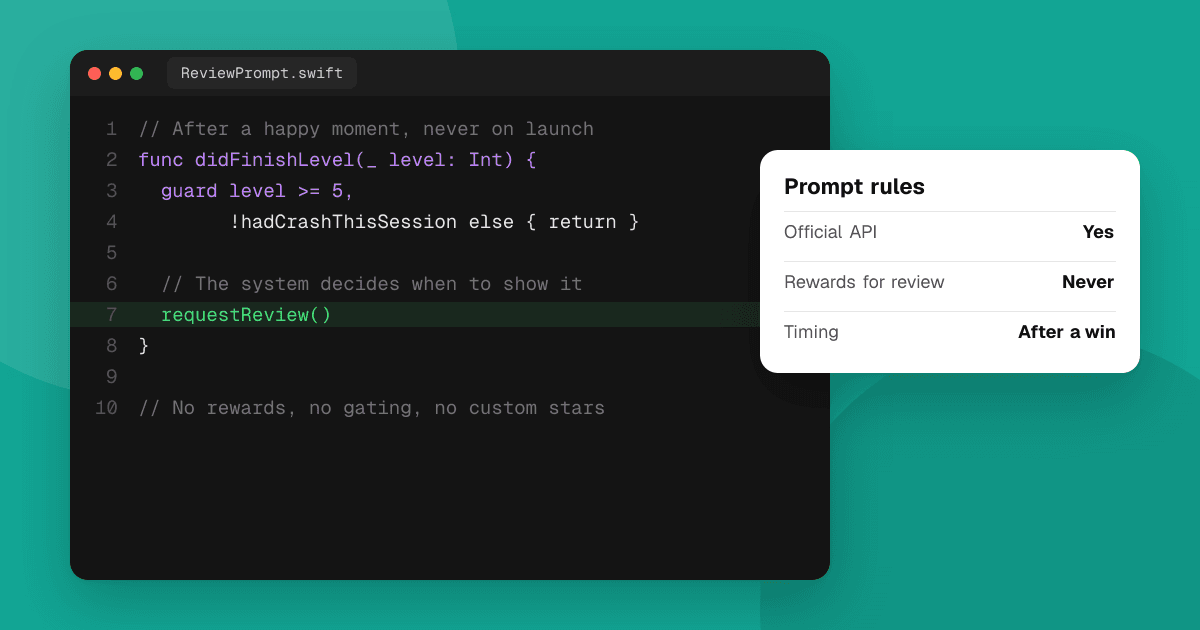
Short answer: use the official prompts: Google Play's In-App Review API on Android and Apple's review request (SKStoreReviewController, or requestReview in SwiftUI) on iOS. Trigger them after a positive moment, such as finishing a task or a level, never during onboarding or in the middle of something. Don't ask a question first, don't ask for a specific star rating and never offer anything in return. The stores control when the prompt actually appears, so ask at good moments and let the system decide.
Why use the official prompts?
Both stores provide a native prompt that lets users rate without leaving your app. That matters because:
- It's easy for users, so more people actually leave a rating.
- It's what the stores expect. Apple's App Review Guidelines say to use its API for review prompts and disallow custom review prompts. Google's in-app review guidelines describe how its prompt should be used.
- It's neutral. The prompt asks for an honest rating, not a happy one.
How does Google Play's In-App Review API work?
You request a review flow from the Play Core library and launch it at a natural moment in your app.
- Google controls whether the card appears. A time-bound quota limits how often a user is shown it, so a call doesn't guarantee a prompt. Don't design your app to depend on it.
- There's no result telling you what the user did. Your app can't know whether the user rated or what they gave, so continue the flow either way.
- Don't ask questions first. Google's guidelines say not to ask the user anything before or while showing the review card, including "Do you like the app?" or which rating they'd give.
- Don't put a call to action in front of it, like a custom "Rate us" button that leads to the card. Trigger it at a natural point instead.
- Test it with internal app sharing or an internal test track, as described in Google's documentation.
How does Apple's review prompt work?
On iOS you call Apple's request review API (SKStoreReviewController's requestReview, or the requestReview environment action in SwiftUI).
- Apple limits how often the prompt appears: at most three times within a 365-day period for each user, no matter how often you call it.
- The system decides whether to show it, so never call it from a button. Users tapping "Rate us" and seeing nothing is a bad experience. For a manual "Write a review" option in settings, link to your App Store page with the write-review action instead.
- Users can turn prompts off in their settings.
- During development the prompt always appears but submits nothing; in TestFlight it doesn't appear.
When should I trigger the prompt?
After a moment of success, when the user has had enough time with the app to have an opinion:
- After finishing a task: a workout logged, a document exported, a booking confirmed.
- After completing a level or winning a match, not after losing one.
- After the user has used the app several times over a few days, not on first launch.
Avoid:
- Onboarding and first sessions.
- The middle of a task, a purchase or a timed game.
- Right after an error or a crash recovery.
- Every launch. Even with system limits, add your own spacing: a few sessions and some days between requests.
What must I never do?
These can break store policies and damage trust:
- Never ask for a specific rating. No text that asks for a particular number of stars, before, after or around the prompt.
- Never reward a rating. No coins, extra lives, features, discounts or giveaway entries in exchange for reviewing.
- Never gate reviews. Don't ask "Are you enjoying the app?" and send only happy users to the prompt while unhappy ones go to email. Google's guidelines don't allow questions before the prompt, and filtering users this way distorts your rating.
- Never trade ratings with other developers, and never use fake accounts or paid review services. Read why you should never buy app reviews.
What about unhappy users?
Give everyone an easy, separate way to contact you: a "Send feedback" or "Report a problem" option in your menu or settings, available at any time, not just in place of the review prompt. Users who can reach you easily are less likely to vent in a public review, and you'll learn what to fix.
When people do leave critical reviews:
- Reply calmly and specifically using the Play Console and App Store Connect reply tools.
- Fix the problem and mention the fix in your reply.
- Don't argue or ask them to change their rating in exchange for anything.
How do I get more feedback beyond the stores?
Store ratings are short and anonymous. For detailed feedback, ask specific questions in a beta, watch new users try the app, or list your app on TrueLaunch, where reviewers describe what worked, what could be better and which bugs they found. Ratings on TrueLaunch come only from reviews written on the site and are separate from your store ratings.
Next steps
Pick one or two positive moments in your app, trigger the official prompt there with sensible spacing, and add an always-available feedback option. For more ways to hear from users, read how to get honest feedback on your app.
Frequently asked questions
How often can I show Apple's review prompt?
Apple shows the system prompt at most three times in a 365-day period for each user, regardless of how often your app requests it. Users can also turn prompts off.
Does the Google Play In-App Review API always show the review card?
No. Google applies a quota, so the card may not appear. The API also doesn't tell you whether the user rated, so your app should continue normally either way.
Can I ask users if they like my app before showing the review prompt?
No. Google's guidelines say not to ask questions before or while showing the review card, and filtering users this way (review gating) distorts ratings.
Can I offer a reward for leaving a review?
No. Both stores forbid incentivized ratings and reviews. Never offer coins, features, discounts or giveaway entries in exchange for a rating.