How to monetize a free app: the main models and how to choose
Ads, in-app purchases, subscriptions or a paid upgrade? Compare the main ways to make money from a free app and pick the one that fits what your app does.
· 4 min de leitura
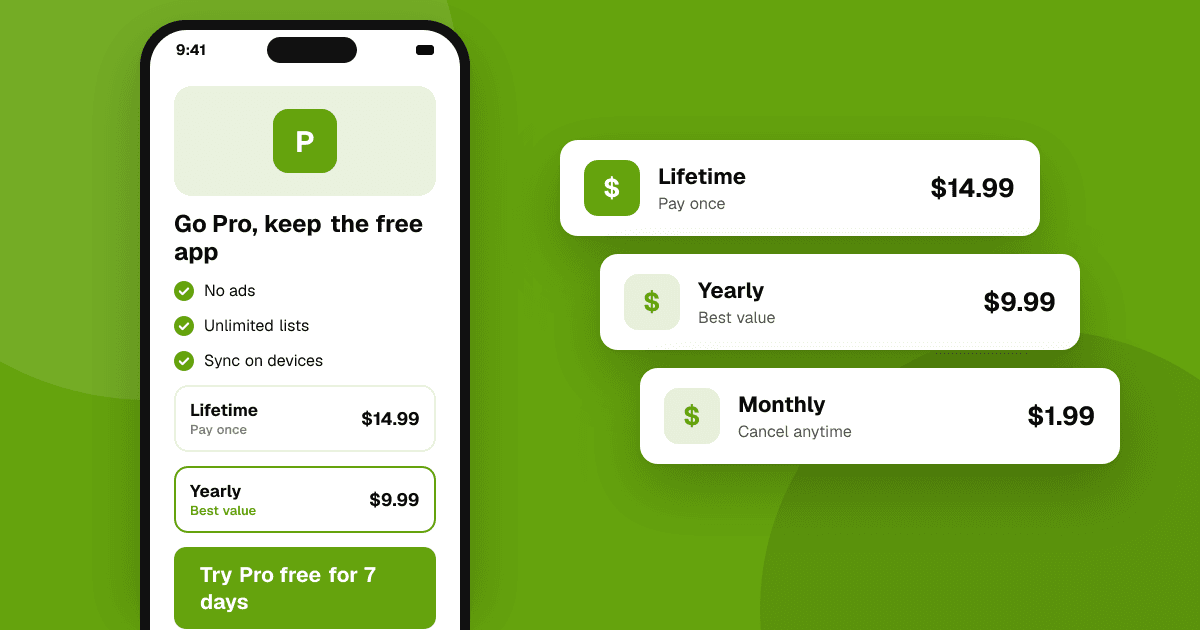
Short answer: a free app usually makes money in one of four ways: ads, in-app purchases (one-time unlocks or consumables), subscriptions, or a paid upgrade to a premium version. Pick the model that matches how people get value from your app. Apps used briefly and often suit ads; apps with a clear "pro" feature suit a one-time unlock; apps that keep delivering new value (content, sync, cloud features) suit subscriptions. Start simple with one model, measure it, and only add a second once the first works.
What are the main ways to make money from a free app?
| Model | How it works | Fits best when |
|---|---|---|
| Ads | You show ads and earn per view or click | Lots of short sessions, broad audience, low willingness to pay |
| One-time in-app purchase | Users pay once to unlock features or remove ads | A clear premium feature, a tool used for years |
| Consumable purchases | Users buy items they use up (coins, hints, lives) | Games and apps with repeat, optional boosts |
| Subscription | Users pay weekly, monthly or yearly | Ongoing value: new content, cloud sync, services that cost you money to run |
| Paid upgrade / freemium | Free version with limits, paid version without | Productivity and utility apps |
Many apps combine two: for example, ads plus a one-time purchase to remove them. That is a common, fair combination because people who dislike ads have a clear way out.
How do I choose the right model for my app?
Ask three questions:
- Does your app cost you money per user? If you pay for servers, AI calls or content, a one-time price may not cover a user who stays for years. A subscription matches ongoing costs.
- How often do people open it? Ads earn from attention, so they need frequent sessions. An app opened once a month earns little from ads but can still sell a useful one-time unlock.
- Is there an obvious "worth paying for" feature? If you can describe the premium version in one sentence ("unlimited projects and export to PDF"), freemium or a one-time unlock is easy to explain.
When unsure, look at successful apps in your category and note what they charge for, not just how much. Then talk to your users: ask which feature they'd miss most if it disappeared.
How do I add payments without hurting the experience?
- Let people get value first. Show the paywall after someone has used the core feature, not on the first screen.
- Be clear about what's free and what isn't. Hidden limits that appear halfway through a task feel like a trap.
- Make restoring purchases easy. Both stores expect a "Restore purchases" option for non-consumable purchases and subscriptions.
- Use the store's billing for digital goods. Google Play and the App Store generally require their own billing systems for digital content and features sold inside apps. Rules vary by country and change over time, so confirm current policy in Play Console and App Store Connect.
- Show prices from the store, not hard-coded ones, so users see the right local currency and taxes.
How should ads be used in a free app?
Ads work best when they don't interrupt what the user came to do:
- Prefer banners in natural breaks or rewarded ads the user chooses to watch.
- Avoid ads that appear in the middle of a task, cover controls, or are hard to close.
- Ask for consent where the law requires it (for example in the EU and UK) before showing personalized ads.
Our guide to ads in mobile games done right covers placement and frequency in detail.
What mistakes should I avoid?
- Monetizing before anyone uses the app. Get feedback and retention first; money follows people who keep coming back. See how to keep users coming back.
- Too many models at once. Ads, coins, a subscription and a pro unlock all together confuse users.
- Tying rewards to store ratings. Never offer coins, features or discounts in exchange for a rating or review. Both stores forbid it.
- Ignoring fees. Store commission and taxes come out of every sale. Read Google Play and App Store fees explained.
How do I know if monetization is working?
Track a few numbers from your store consoles and analytics:
- Revenue per daily active user, to compare models fairly.
- Conversion to paid, the share of users who buy anything.
- Retention after you add payments. If retention drops sharply after a change, the paywall or ads may be too aggressive.
Change one thing at a time and compare over a few weeks. This is general guidance, not financial or tax advice.
Next steps
Pick one model that fits how people use your app, add it after the core experience works, and watch retention closely. Before you monetize, make sure people actually love the app: list it on TrueLaunch to get honest, structured reviews, then read in-app purchases vs subscriptions and how to price your app.
Frequently asked questions
What is the easiest way to monetize a free app?
For many apps, ads plus a one-time purchase to remove them is the simplest start. It is easy to explain and gives users who dislike ads a fair way out.
Do I have to use Google Play or App Store billing?
For digital goods and features sold inside apps, both stores generally require their own billing systems, with some exceptions by country and app type. Check the current rules in Play Console and App Store Connect.
When should I start monetizing my app?
Once people use it regularly and give positive feedback. Adding payments before you have retention usually earns little and can slow growth.