Android developer verification explained: what indie developers need to do
What Android developer verification means for indie developers: who must verify, the 2026 and 2027 timeline, the $25 fee, limited distribution and package names.
· 4 min read
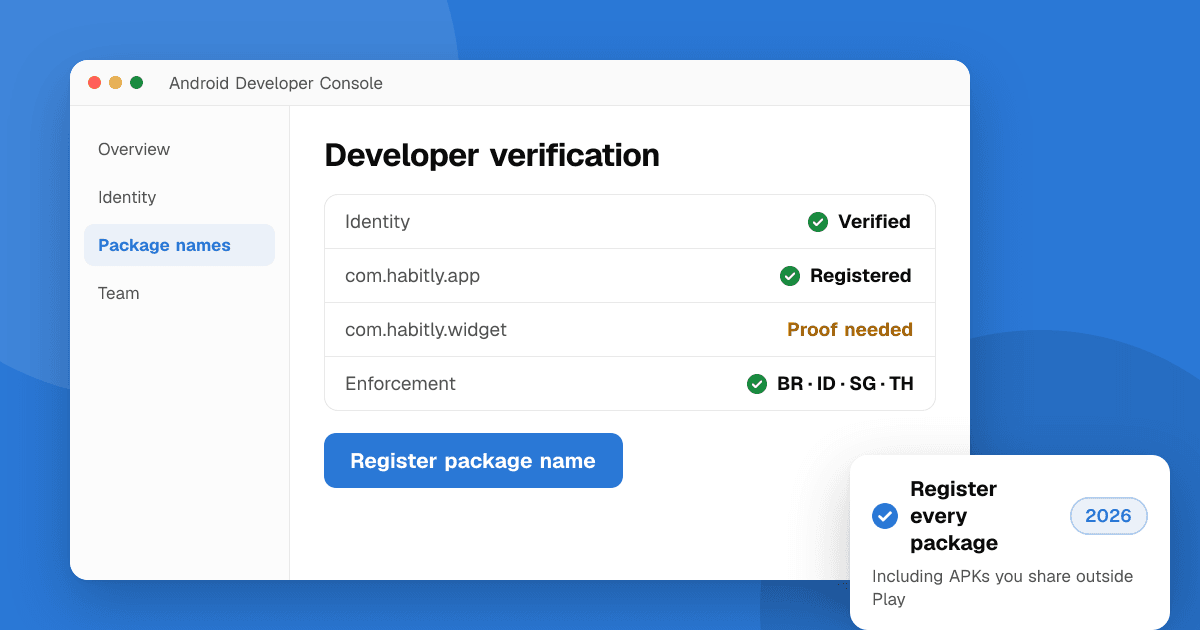
Short answer: Google now links Android apps to verified developers. On certified Android devices, apps must come from a developer who verified their identity and registered the app's package name. Enforcement started on September 30, 2026 in Brazil, Indonesia, Singapore and Thailand, and Google plans to expand it worldwide in 2027. If you already publish on Google Play and passed Play Console identity checks, most of the work is done: confirm your package names are registered. If you distribute outside Play, you verify in the new Android Developer Console.
This guide reflects the rules as of October 2026. Google is still publishing details, so check the official Android developer verification page before you act.
What is Android developer verification?
It's an identity requirement for apps installed on certified Android devices (phones with Google Play services). Google's stated goal is to make it harder for scammers to spread malware by repeatedly creating anonymous apps. It doesn't review your app's content the way Play review does. It ties each package name, such as com.example.habits, to a known developer.
Google announced the program in August 2025 and confirmed in March 2026 that verification was rolling out to all developers in Play Console and the new Android Developer Console.
Who needs to verify?
- Google Play developers: your Play Console account already went through identity verification. You still need to make sure each app's package name is registered to your account. Play Console guides you through it.
- Developers who only distribute outside Play, for example on your own website, F-Droid-style catalogs or other app stores: create an account in the Android Developer Console, verify your identity and register your package names.
- Students and hobbyists: a free limited distribution account lets you share apps with a small number of devices (up to 20, according to Google's announcement) without full identity verification.
Organizations verify with business details, usually including a D-U-N-S number, the same way they do for an organization account on Play. See how to publish your first app on Google Play for the Play side.
What is the timeline?
- August 2025: Google announces the program.
- 2026: early access, then verification opens to all developers in Play Console and the Android Developer Console.
- September 30, 2026: enforcement starts in Brazil, Indonesia, Singapore and Thailand on certified devices running Android 7 or later.
- 2027: Google plans a gradual global rollout.
Reports differ on how strictly the first phase applies to apps installed outside participating stores, so read Google's own FAQ rather than third-party summaries.
How much does it cost?
Play developers already paid the one-time $25 registration fee. Full verification in the Android Developer Console also costs $25 according to Google's documentation. The limited distribution account for hobbyists and students is free.
How do I register my package names?
You prove that you own a package name by showing you hold its signing key. In practice:
- Open Play Console or the Android Developer Console and find the package name registration section.
- Add each package name you ship, including old apps you still distribute.
- Prove ownership, typically by uploading a small APK signed with the app's key or by providing the certificate fingerprint.
If you use Play App Signing, keep track of which key is your upload key and which is the app signing key. Our guide to Android app signing, Play App Signing and upload keys explains the difference and how to back them up.
What happens if I don't verify?
In the countries where enforcement is active, users on certified devices may be unable to install your app, or will see extra warnings. Google has described an advanced flow that lets experienced users install unverified apps, and developer tools such as adb keep working for testing. Don't rely on either for real users.
Does this affect my Google Play listing?
Not directly. Play already required identity verification, and Play's own policies and review still apply. The main risk for Play developers is an unregistered package name, especially for apps you also distribute as APKs on your website or in other stores.
Checklist for indie developers
- Confirm your Play Console identity verification is complete and your contact details are current.
- Register every package name you distribute, on Play and elsewhere.
- Back up your signing keys and keystore passwords in two safe places.
- If you sideload test builds to friends, consider a limited distribution account or use Play's internal, closed and open testing tracks.
- Update your website's download instructions if you ship APKs directly.
Next steps
Once your account is in order, get people trying your app. List it on TrueLaunch for free and collect honest reviews from other developers, and read how to get 12 testers for Google Play closed testing if you're still before your first production release.
Frequently asked questions
Do I need Android developer verification if I only publish on Google Play?
Your Play Console account is already identity verified, but you should still confirm that each app's package name is registered to your account. Play Console walks you through it.
When does Android developer verification start?
Enforcement started on September 30, 2026 in Brazil, Indonesia, Singapore and Thailand. Google plans to roll it out globally during 2027.
Can I still sideload apps for testing?
Yes. Developer tools such as adb keep working, and Google offers a free limited distribution account for sharing apps with a small number of devices.
How much does Android developer verification cost?
Google Play developers already paid the one-time $25 registration fee. Full verification in the Android Developer Console costs $25, and the limited distribution account is free.