How to write app release notes people actually read (with examples)
How to write "What's New" release notes for the App Store and Google Play: length limits, structure, examples and when to tell users about a change in the app.
· 4 min read
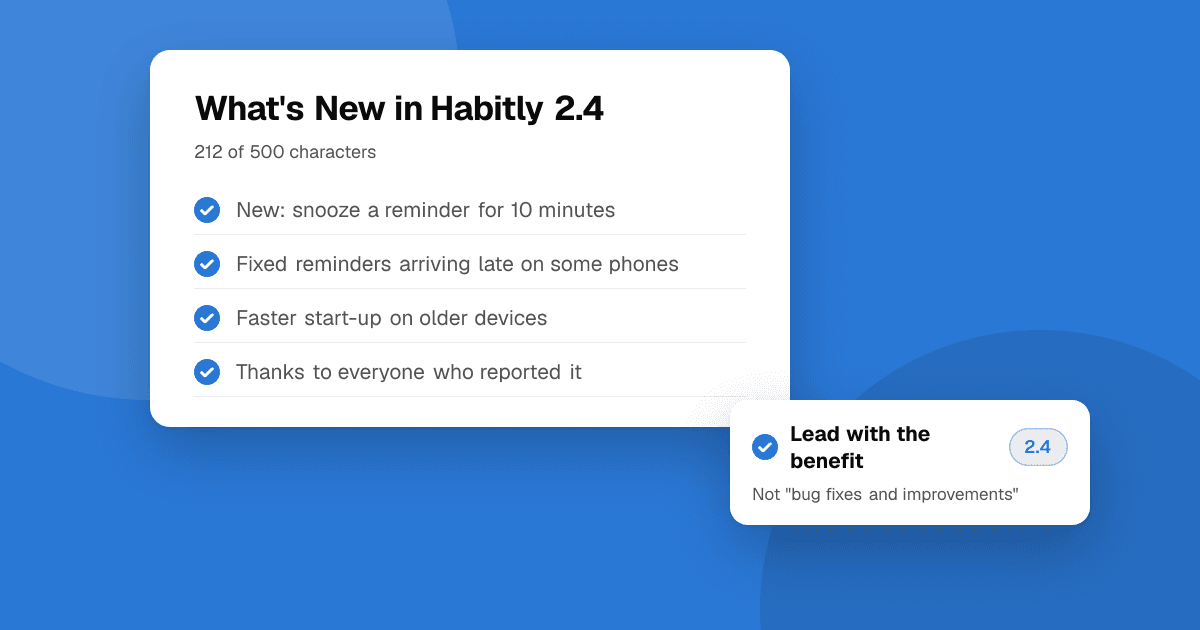
Short answer: good release notes tell users what changed for them, in plain words, with the most useful change first. Lead with one benefit, list two or three specific changes, mention any fixed bug people reported, and thank them if feedback shaped the update. Google Play allows 500 characters per language and the App Store's "What's New" allows 4,000, but short notes get read more. "Bug fixes and performance improvements" on every update wastes a free chance to show the app is alive.
Why do release notes matter?
Most users never read them, but the ones who do are often your most engaged users, the people who reported bugs and anyone deciding whether to install. Specific notes show the app is maintained, close the loop with people who sent feedback, and give you something to share on social media and in your newsletter.
What should release notes include?
- A headline benefit: "You can now export your habits to CSV."
- Two or three specific changes, each starting with a verb: Added, Improved, Fixed.
- Fixes people noticed: "Fixed a crash when opening the app offline." Skip internal fixes no user would notice.
- Credit to users when feedback led to a change: "Thanks to everyone who asked for this."
- Anything users must do, such as signing in again or updating permissions.
Release notes template
New: [main benefit in one sentence].

• Added [feature]
• Improved [thing] so you can [benefit]
• Fixed [problem people saw]

Thanks for your feedback. Reply from Settings › Send feedback.
Examples: before and after
Before: "Bug fixes and performance improvements."
After: "Reminders are back on time. • Fixed reminders arriving late on some Android phones • Faster start-up on older devices • New: snooze a reminder for 10 minutes. Thanks to everyone who reported the late reminders."
Before: "Version 2.4. Various updates."
After: "Dark mode is here. • Follows your system setting, or choose it in Settings • Easier-to-read charts • Fixed the keyboard covering the save button on small screens."
How long should release notes be?
- Google Play: up to 500 characters per language.
- App Store "What's New": up to 4,000 characters, but only the first lines show before "more".
Aim for under 300 characters for routine updates. Put the most important line first, because that's often all people see.
Should I translate release notes?
If your store listing is translated, yes. Users who see a translated listing and English notes may think the app isn't really supported in their language. Keep notes short so translation stays cheap. See app localization for indie developers.
Do release notes help ASO?
Not much directly. The App Store doesn't index "What's New" text for search, and Google Play's listing text matters far more. Their value is in conversion and trust: a recent, specific update reassures people who are about to install. For search, focus on your title, keywords and description.
When should I tell users inside the app instead?
Release notes are easy to miss. For a change that affects how people use the app, such as a redesigned screen, a removed feature or a price change, also show a short message inside the app the first time they open the new version. Keep it to one screen with a clear "Got it". Never use that screen to ask for a store rating; the right way to ask for reviews is separate and neutral.
What about TestFlight and beta notes?
Beta notes are different: tell testers exactly what to test and what you already know is broken. "Please try the new export from the History tab. Known issue: long names are cut off." This gets far more useful reports than "Please test the new build." See how to write a beta test plan.
Next steps
Keep a running changelog while you work so notes take two minutes at release time, and pair them with a staged rollout. Shipped something big? Update your TrueLaunch listing so reviewers can try the new version and tell you what they think.
Frequently asked questions
What is the character limit for Google Play release notes?
Google Play allows up to 500 characters of release notes per language for each release.
How long can App Store What's New text be?
Up to 4,000 characters, but only the first few lines show before users tap "more", so put the most important change first.
Is "bug fixes and performance improvements" okay?
It's allowed, but it wastes a chance to show the app is maintained. Name at least one specific fix or improvement users will notice.
Do release notes affect App Store search ranking?
Not directly. What's New text isn't used for App Store search. It mainly helps conversion and trust for people looking at your listing.