Best platforms to launch an indie game: stores, launch sites and communities
Where to launch an indie game in 2026: Steam, itch.io, Google Play, the App Store and web portals, plus the launch sites and communities that bring first players.
· 6 min read
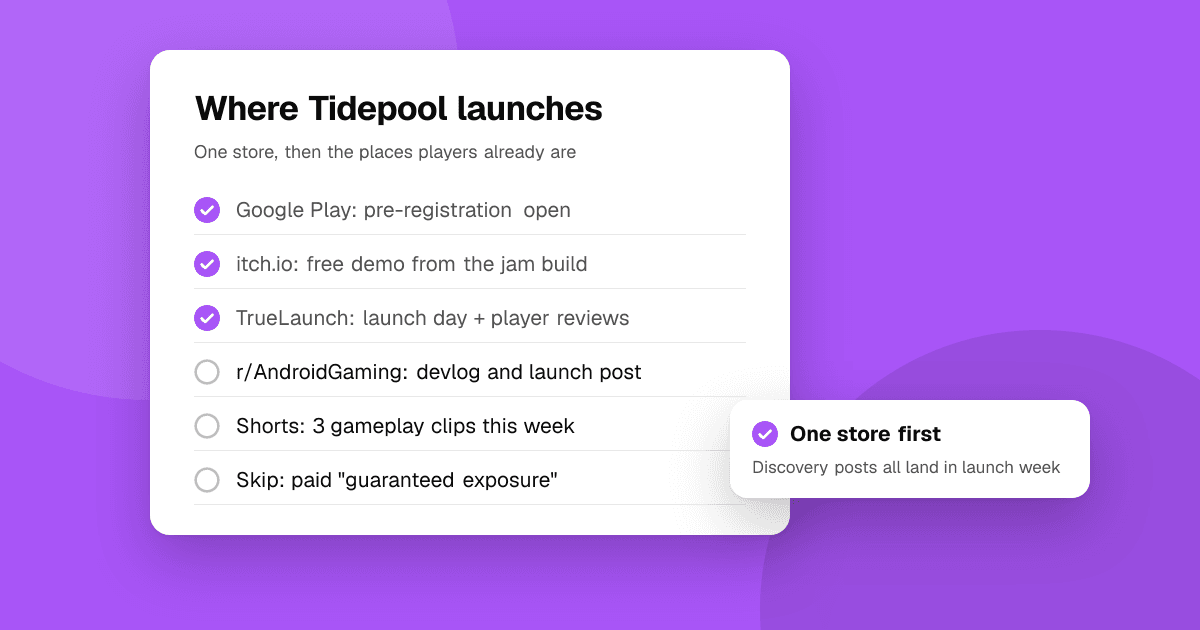
Short answer: an indie game launch needs two kinds of places. A store where people get the game (Steam or itch.io on PC, Google Play and the App Store on mobile, itch.io or a web portal for browser games), and discovery places that send players to it: launch and discovery sites like TrueLaunch and IndieDB, the subreddits and Discords for your genre, short gameplay videos and events like Steam Next Fest or game jams. Pick one store that fits your platform first, then concentrate your discovery posts on launch week.
This guide is published by TrueLaunch, which is one of the options below. Fees and rules change, so check each platform's current terms before you publish.
Which store should I launch my indie game on?
The store decides who can buy or install your game and how much of each sale you keep. Most small teams launch on one store first and add others once the game has proved itself.
| Store | Best for | Cost to publish (at the time of writing) | Good to know |
|---|---|---|---|
| Steam | PC games, paid or free | $100 per game, paid back once the game earns $1,000 | Wishlists and Next Fest drive most launches |
| itch.io | Prototypes, jams, experimental and pay-what-you-want games | Free; you choose the revenue share | Small audience per game, very friendly to new developers |
| Epic Games Store | PC games with an existing following | $100 per game | 88/12 revenue split; less browsing than Steam |
| Google Play | Android games | $25 once | New personal accounts must run a closed test first |
| App Store | iPhone and iPad games | $99 a year | App Review before every release |
| Web portals (CrazyGames, Poki, Newgrounds) | Short browser games | Free; some are curated | Big audiences, revenue from ads |
Steam
The biggest PC store and the default for most paid indie games. Your store page should be public as "Coming Soon" well before launch (Valve requires at least two weeks) so people can wishlist it: wishlisters get an email when the game releases, and Steam's own recommendations lean on early sales and reviews. Plan a demo for Steam Next Fest, which runs several times a year and is one of the few free spotlights on the store.
itch.io
Free to publish, no review step, and you set your own price and revenue share. It's the home of game jams and the best place to put an early build or a prototype in front of players. Few games get big sales here, but it's ideal for finding your first fans and testing an idea before a Steam release.
Google Play and the App Store
For a mobile game, these are the only stores most players use. Google Play asks new personal developer accounts to run a closed test with 12 testers for 14 days before production access, so start that early. Both stores let you open pre-registration or pre-orders so interested players get the game the moment it launches. See how to launch an indie mobile game for the full checklist.
Web portals
Short, instant-play games do well on browser portals, which bring large audiences and share ad revenue. Some are curated, so read their submission rules. You can also host the game on itch.io and link it from your own site.
Where can players discover a new indie game?
A store page alone rarely finds players. These places send people to it.
TrueLaunch
A free launch and discovery site for apps and games, including mobile and web games.
- How it works: list your game by pasting its Google Play or App Store link (or add a web game by hand), then pick a launch day. On launch day your game is on the launches board, ranked by that day's upvotes, and it stays listed in games afterwards.
- What you get: structured reviews from players (what worked, what could be better, which bugs they hit) that you can reply to. Reviews never ask for store ratings.
- Cost: free, with no waiting queue and no paid upgrade to launch sooner.
IndieDB
A long-running database of indie games with developer pages and news posts. Useful for a permanent profile and for posting devlogs that people can follow.
Product Hunt and general launch boards
Built for tech products, so many games reach the wrong audience there. Tools for game developers, or games with a strong tech angle, can do well. See Product Hunt alternatives for apps and games for boards that suit games better.
Which communities work for indie game launches?
Communities bring the most engaged first players, as long as you join in rather than only post links.
- Reddit: r/IndieGaming and r/playmygame for indie games in general, r/AndroidGaming and r/iosgaming for mobile, r/WebGames for browser games, and above all the subreddit for your genre. Read each one's self-promotion rules first; see how to promote your app on Reddit without getting banned.
- Discord: genre servers and indie developer servers often have a channel for sharing projects. Start your own server early so launch day has people in it.
- Social: weekly hashtags like #screenshotsaturday on Bluesky, X and Mastodon put progress clips in front of players and other developers.
- Short video: TikTok, YouTube Shorts and Reels are where many players now find games. See how to promote your indie game with short videos.
Do game jams and festivals help a launch?
Yes, mostly before launch. A game jam (Ludum Dare, the GMTK Game Jam or any of the jams on itch.io) gives you a deadline, honest feedback and a small audience for a prototype; see from game jam prototype to mobile release. Festivals and showcases, from Steam Next Fest to online indie showcases and local game events, put a demo in front of players and press. Apply early: many have submission windows months ahead.
How do I choose where to launch my game?
- Start from the platform your game runs best on. A touch game belongs on mobile stores; a keyboard-and-mouse game on Steam or itch.io.
- Pick one store for launch day. Splitting your attention across stores splits your reviews and your momentum too.
- Pick three or four discovery places where your genre's players already are, and post in all of them on launch week.
- Get feedback before you launch. Find playtesters and fix what they find, so first reviews are about the game and not about bugs.
What should I avoid?
- Buying installs, wishlists, reviews or ratings. It wastes money, breaks store rules and can get the game removed.
- Posting the same link in dozens of communities on one day without taking part in any of them.
- Launching a Steam page the same week as the game, with no time to collect wishlists.
- Paying for "guaranteed exposure" services that can't say where your game will be shown.
Next steps
Choose your store, set up its page early, and plan one launch week across the discovery places above. List your game on TrueLaunch to get a launch day and honest reviews from players, and read how to make a mobile game trailer to give every post something worth watching.
Frequently asked questions
Is Steam or itch.io better for an indie game?
Steam has far more buyers, so it's the main store for most paid PC games. itch.io is free, has no review step and suits prototypes, jam games and pay-what-you-want releases. Many developers start on itch.io for feedback and launch on Steam later.
Where can I promote my indie game for free?
Your genre's subreddits and Discord servers, weekly hashtags like #screenshotsaturday, short gameplay videos, game jams, Steam Next Fest demos, and free launch and discovery sites such as TrueLaunch and IndieDB.
Can I launch a mobile or web game on TrueLaunch?
Yes. Paste a Google Play or App Store link, or add a web game by hand, and pick a launch day. It's free, there's no waiting queue, and players can leave structured reviews you can reply to.