How to get your app ready for iPhone Duo (Apple's foldable)
Prepare your iOS app for iPhone Duo: rebuild with the iOS 27.1 SDK, use size classes, handle uneven safe areas, test every pose, plus Android foldable tips.
· 7 min read
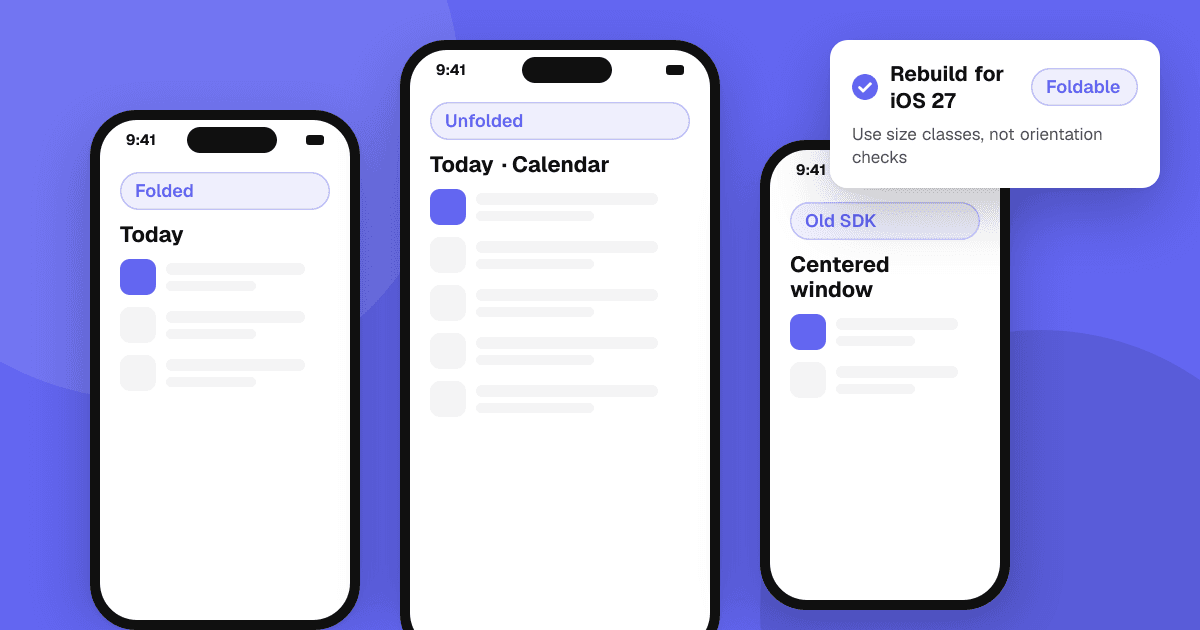
Short answer: rebuild your app with the iOS 27.1 SDK in Xcode 27.1, make layout decisions with size classes instead of orientation or device checks, treat every safe area inset as its own value, and lean on system containers such as split views and tab views that already adapt. Then test every pose in the iPhone Duo simulator. Apps that skip this still run, but Apple says they "won't adapt to all layouts" and appear in a centered window with empty space on the inner display.
What happens to existing apps on iPhone Duo?
Your app runs on iPhone Duo without changes, but how well it fits depends on the SDK it was built with. Based on Apple's Tech Talk "Prepare your app for iPhone Duo" and reporting on it:
- Built with the iOS 26 SDK or earlier: on the inner display the app appears at a familiar size in a centered window, with empty space around it. On the outer display it sits beside the status bar and camera.
- Built with the iOS 27 SDK: the app fills most of the inner display but still stays clear of the status bar edge.
- Built with the iOS 27.1 SDK: the app extends to the screen edge, and standard navigation and toolbar buttons lay out vertically under the status bar.
So the first step is simple: install Xcode 27.1, build against the iOS 27.1 SDK and see what breaks.
How do I test my app for iPhone Duo in Xcode?
Xcode 27.1 adds an iPhone Duo simulator. Run your app in it and use the on-screen controls to open, close, rotate and fold the device. Apple's advice is to test every pose, not just the open and closed states. On the inner display, also try Split View: drag your app by the home indicator to one side, then the other, and check that vertically laid out bars and content still work on either side.
A quick checklist for each pose:
- Nothing important is hidden behind the status bar, camera or fold.
- Text is readable and buttons are reachable.
- Lists, grids and images resize instead of stretching or letterboxing.
- State survives the change: an open form or a playing video should not reset when the device opens or closes.
Should I use size classes or orientation for iPhone Duo layouts?
Size classes. Apple's guidance is to base layout decisions on size classes rather than interface orientation or device idiom:
- Outer display: behaves like other iPhones. Portrait is compact width and regular height; landscape is compact in both directions.
- Inner display: regular width and regular height, with room for a sidebar.
The inner display also doesn't honor your supported interface orientations, so an app locked to portrait will still be shown in other shapes there. In SwiftUI, read the horizontal and vertical size classes from the environment; in UIKit, read them from the trait collection and react when they change.
Why are hardcoded screen sizes a problem on iPhone Duo?
A two-display phone breaks the idea of "the screen". Apple calls referencing the main screen ambiguous on iPhone Duo and plans to deprecate it. Instead:
- Get sizes from the view, scene or window you are laying out, not from the device.
- Read the display scale from the trait collection.
- If you truly need the screen object, ask the current window scene for it.
- Remove fixed widths, fixed aspect ratios and checks such as "if this is an iPhone, use a single column".
Both iPhone Duo displays are much less tall and narrow than most phones, so a layout tuned for one phone shape will show gaps or crop content.
How do I handle safe areas and the fold?
Two rules from Apple's talk matter most:
- Keep interactive controls inside the safe area, let background art extend past it. System navigation bars, toolbars and tab bars avoid the status bar and camera automatically.
- Never assume insets are symmetrical. On iPhone Duo, vertical bars can sit on the left in landscape or in Split View, so the left and right insets often differ. Code that subtracts "left inset times two" from the width will be wrong; inset each edge by its own value instead.
For custom bars and edge-to-edge designs, iOS 27.1 adds reserved regions (ReservedRegion in SwiftUI, UIViewReservedRegion in UIKit). They describe areas your custom UI should keep clear of so it doesn't collide with system UI, and the fold can be treated as a dividing region when you arrange content. Rounded screen corners are handled by the concentricity APIs introduced in iOS 26 (ConcentricRectangle in SwiftUI, UICornerConfiguration in UIKit), which Apple updated for iPhone Duo's display shapes.
Which system components adapt automatically?
The less custom layout you have, the less work iPhone Duo is:
- Split views (
NavigationSplitView,UISplitViewController) collapse to a single stack when the device is closed and show columns when it is open. - Tab views (
TabView,UITabBarController) adapt to every pose and can lay tabs out vertically. On the inner display you can opt into a sidebar. - Sheets, popovers, context menus and alerts adjust their position and layout on both displays.
Apple's design direction is that the inner display should feel like a natural extension of your iPad layout. If you already ship a good iPad app, reuse that structure instead of inventing a third design. Apple's App Resizability tool in Xcode 27.1 can also scan a project for layout assumptions and suggest fixes.
Do I need new App Store screenshots for iPhone Duo?
Reporting on Apple's announcement says App Store Connect accepts iPhone Duo screenshots, which let your listing show that the app is optimized for the device, and that they become required for new submissions in 2027. Check the screenshot specifications in App Store Connect for the current sizes and dates before you plan your shots, and show the inner display, where the extra space is most visible. Our guide to app screenshots and icons that convert covers what to put in them.
How is designing for iPhone Duo different from a Samsung Galaxy Z Fold?
The ideas are the same: one app, two or more window shapes, and a fold to respect. Android has supported foldables for years, and its guidance lines up closely with Apple's:
- Window size classes: Android groups available width into compact, medium and expanded classes. Base layout on these, not on the device model.
- Fold awareness: Jetpack WindowManager exposes the fold through
WindowInfoTracker, which reports aFoldingFeaturewith its position, orientation, posture (flat or half open) and whether it separates the window. Use it to keep content off the hinge, for example in tabletop posture. - Continuity: the activity can be resized or recreated when the device folds, so save and restore state.
If you build with a cross-platform framework, check its support for size classes, safe areas and fold information on both platforms before you start. Our guide on how to choose a cross-platform framework lists what to compare.
What should I fix first?
- Build with the iOS 27.1 SDK and run every screen in the iPhone Duo simulator.
- Replace orientation and device checks with size classes.
- Remove main-screen references and hardcoded sizes.
- Fix asymmetric safe area handling in custom views.
- Move custom navigation to system split and tab views where you can.
- Recheck accessibility in each pose, especially Dynamic Type and touch target size: see the mobile app accessibility checklist.
Ship the change like any other risky layout update, with a staged rollout and crash monitoring: how to ship app updates safely.
Next steps
Install Xcode 27.1 this week, open your three most used screens in the iPhone Duo simulator and write down every pose that looks wrong. When your update is out, ask real people how it feels on big and small screens: list your app on TrueLaunch for free and get structured feedback on what works and what to improve.
Frequently asked questions
Will my app work on iPhone Duo without an update?
Yes. Apple says existing apps run on iPhone Duo, but apps built with the iOS 26 SDK won't adapt to all layouts and appear in a centered window with empty space on the inner display. Rebuilding with the iOS 27.1 SDK lets the app use the full display.
Which Xcode version supports iPhone Duo?
Xcode 27.1 adds development support for iPhone Duo, including an iPhone Duo simulator where you can open, close, rotate and fold the device to test each pose.
Can I lock my app to portrait on iPhone Duo?
Only partly. Apple says the outer display honors your supported orientations, but the inner display doesn't, so your layout must adapt to its shape. Use size classes rather than orientation to decide the layout.
Do I need a separate design for the iPhone Duo inner display?
No. Apple's guidance is to adapt your existing layout rather than build a different app for each pose. The inner display should feel like a natural extension of your iPad layout, and system split views and tab views adapt automatically.