Deep links explained: Universal Links, Android App Links and deferred deep links
How deep links work in mobile apps: set up iOS Universal Links and Android App Links, fix common verification errors and replace Firebase Dynamic Links.
· 4 min read
Short answer: a deep link opens a specific screen in your app from a normal web link. On iOS you set up Universal Links with an apple-app-site-association file on your domain and the Associated Domains capability. On Android you set up App Links with an assetlinks.json file and an intent filter marked autoVerify. If the app isn't installed, the same link opens your website. Firebase Dynamic Links shut down in August 2025, so new projects use these platform features directly, plus a service only if they need deferred deep links.
What kinds of deep links are there?
- Custom URL schemes like
myapp://recipe/42. Easy to add, but any app can claim the same scheme, they don't work if the app isn't installed, and many apps and sites don't make them clickable. Use them only for internal flows such as OAuth callbacks. - Verified web links: Universal Links on iOS and App Links on Android, such as
https://example.com/recipe/42. The operating system checks that you own the domain, then opens your app directly. This is what you want for sharing, email and ads. - Deferred deep links: the user taps a link, installs the app, and lands on the right screen on first open. This needs extra work, covered below.
How do I set up Universal Links on iOS?
- In Xcode, add the Associated Domains capability with an entry like
applinks:example.com. - Host a file at
https://example.com/.well-known/apple-app-site-association(no file extension). It lists your app ID (Team ID plus bundle ID) and the paths the app handles. - Serve it over HTTPS with no redirects and a JSON content type.
- Handle the incoming URL in your app and route to the right screen.
Apple's CDN caches the file, so changes can take a while to reach devices. During development you can add ?mode=developer to the associated domain to bypass the cache on development builds.
How do I set up App Links on Android?
- Add an intent filter for your
httpsURLs to the activity, withandroid:autoVerify="true". - Host
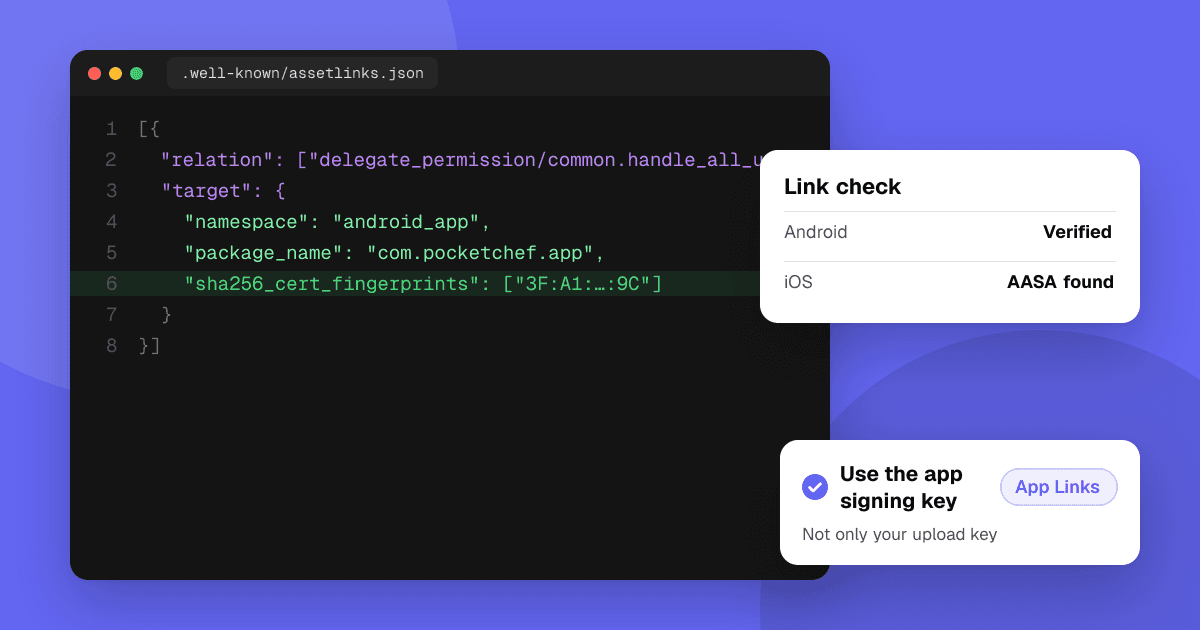
https://example.com/.well-known/assetlinks.jsonwith your package name and the SHA-256 fingerprint of your signing certificate. - Handle the incoming intent and route to the right screen.
The most common mistake: if you use Play App Signing, the fingerprint must be the app signing key from Play Console, not only your local upload key. You can list both. See Android app signing and upload keys for where to find them.
Why does my deep link open the browser instead of the app?
- The file is unreachable: it redirects, needs a login, returns HTML or is blocked by a firewall or bot protection.
- Wrong IDs: a typo in the Team ID, bundle ID, package name or fingerprint.
- Wrong domain:
www.example.comandexample.comare separate. List each one you use. - The tap came from inside the same domain: on iOS, a link from your own site in Safari can stay in the browser.
- The user chose the browser before: both systems remember a user's choice. Reinstall the app to reset it while testing.
- In-app browsers in some social apps open links themselves.
On Android you can check verification with adb shell pm get-app-links your.package.name. On iOS, test from Notes or Messages rather than typing the URL into Safari.
What about deferred deep links?
Neither platform passes the original link through an install on its own in a simple, universal way. Options:
- Android: the Google Play Install Referrer API can pass a referrer string from a Play Store link to the app on first open.
- Both platforms: a dedicated deep linking service handles matching and attribution for you. Compare price and what data it collects; you must disclose it in your privacy labels.
- Simple fallback: on first open, show the content most new users came for, or ask a short "What brought you here?" question.
Where should deep links point?
Make every important screen linkable: a shared item, an invite, a password reset, a promo. Make sure the web version of each link shows something useful to people without the app, with a clear install button. That page is also what search engines see, so it doubles as a landing page.
Next steps
Test every link on a fresh install, an existing install and a phone without the app before launch. Then share your app with people who will actually tap those links: list it on TrueLaunch for free and get honest feedback from other developers.
Frequently asked questions
What replaced Firebase Dynamic Links?
Firebase Dynamic Links shut down in August 2025. Use iOS Universal Links and Android App Links for normal deep links, and a dedicated deep linking service or the Play Install Referrer API if you need deferred deep links.
Why does my Android App Link open the browser?
Usually the assetlinks.json file is unreachable or has the wrong fingerprint. With Play App Signing, include the app signing key's SHA-256 fingerprint from Play Console, not only your upload key.
Should I use a custom URL scheme or Universal Links?
Use Universal Links and App Links for anything users share or tap. Custom URL schemes are fine for internal flows such as OAuth callbacks, but other apps can claim the same scheme.
Where does the apple-app-site-association file go?
At https://yourdomain/.well-known/apple-app-site-association, served over HTTPS with no redirects and no file extension.