How to validate an app idea before you build it
Validate an app idea in two weeks: check demand with search data, talk to real people, test a landing page and a clickable prototype before writing code.
· 4 min read
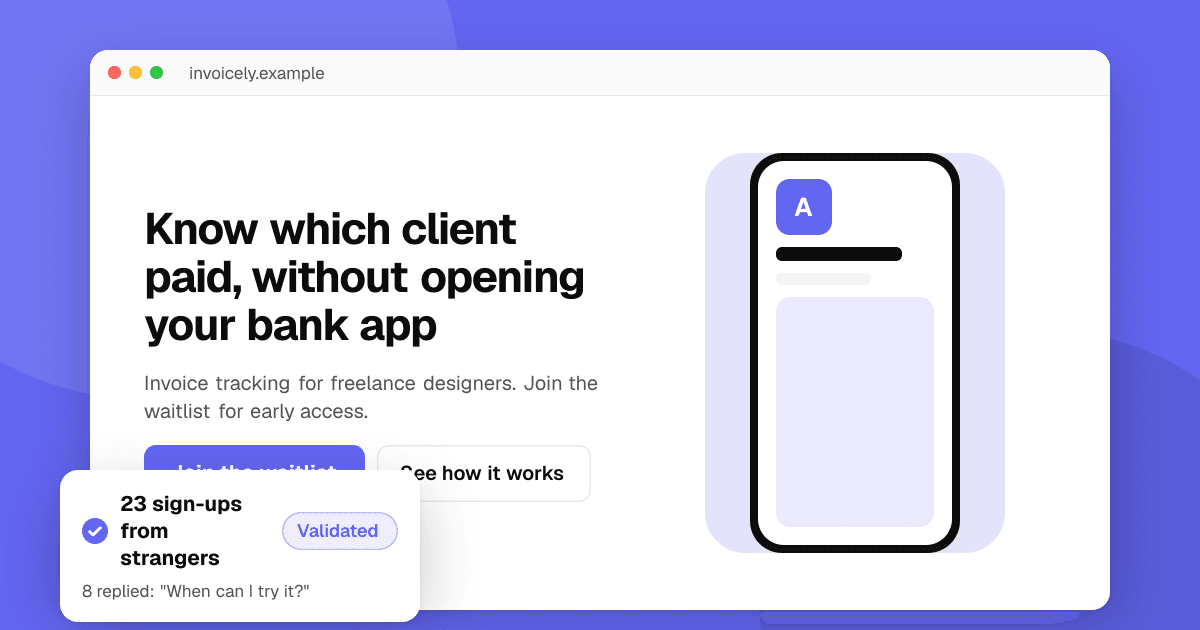
Short answer: an app idea is validated when strangers show they want it, not when friends say it sounds nice. In about two weeks you can check search demand and competitors, talk to ten people who have the problem, put up a landing page with a sign-up, and test a clickable prototype. If people describe the problem in their own words, sign up and come back to try the prototype, build the smallest version. If not, change the idea before you spend months on it.
Why validate first?
Most indie apps that fail don't fail because of bad code. They fail because too few people needed them, or because those people couldn't be reached. Validation is cheap compared with a six-month build, and it also gives you your first users, your first keywords and the words for your store listing.
Step 1: write the idea as a problem
Write one sentence: "[Who] struggles to [do what] because [why]." For example: "Freelance designers struggle to track unpaid invoices because their bank app doesn't show which client paid." If you can't fill in each part, the idea is still a feature, not a product.
Step 2: check search demand and competitors
- Store search: type your problem into Google Play and the App Store. Autocomplete shows what people search. Our guide to researching App Store and Google Play keywords shows free ways to do this.
- Competitors: list the top five apps. Competitors are a good sign: they prove demand. Read their low-rated reviews to find what people still miss, and note their pricing.
- Communities: search Reddit, forums and Discord servers for the problem. Count how often people ask for help, and save the exact words they use.
No competitors and no searches usually means no demand, not a hidden opportunity.
Step 3: talk to ten people who have the problem
Find people in the communities above and ask for 15 minutes. Ask about the past, not the future:
- "When did this last happen to you?"
- "What did you do about it?"
- "What have you tried? What did it cost?"
- "What was most annoying about it?"
Avoid "Would you use an app that…?" People say yes to be polite. A strong signal is someone who already pays for, or hacks together, a workaround.
Step 4: put up a landing page
Make a one-page site with the problem, your promise, three key features and an email sign-up. Share it in the places you found people, following each community's rules. See how to build a landing page for your app and how to build an email list before you launch.
A rough benchmark: if fewer than 1 in 20 interested visitors sign up, the message or the idea needs work. Small numbers are fine at this stage. Twenty sign-ups from strangers mean more than 200 page views.
Step 5: test a clickable prototype
Build the main screens in a design tool, or a quick no-code version, and ask five sign-ups to try one task while you watch. Our guide to running a usability test in one afternoon explains how. You're checking two things: can they finish the task, and do they ask when they can have it?
How do I know the idea is validated?
Look for several of these signals together:
- People describe the problem without you prompting them.
- They already spend money or time on a workaround.
- Strangers sign up and reply to your emails.
- Prototype testers ask for access or offer to pay.
- You found at least one channel where you can reach more of them.
If you get polite interest but none of the above, change one thing (the audience, the problem or the promise) and repeat steps 3 to 5.
What should the first version include?
Only what solves the problem from step 1, done well. Leave out accounts if you can, settings, social features and extra platforms. Pick a framework you can ship fast with; see Flutter, React Native or native. Then put it in front of testers early with a beta test plan.
Next steps
When you have a first build, get honest outside opinions before launch. List your app on TrueLaunch for free: other developers leave structured reviews about what works and what to improve. When you're ready for more users, read how to get your first 100 users.
Frequently asked questions
How long does it take to validate an app idea?
About two weeks is enough for a first answer: a few days for research, a week of conversations and a landing page, and a few days for prototype tests.
Is it bad if my app idea already has competitors?
Usually not. Competitors prove that people want a solution. Read their weakest reviews to find what users still miss, and aim at that gap.
Can I validate an app idea without coding?
Yes. Search research, conversations, a landing page and a clickable prototype all work without code, and they are faster and cheaper than building.
How many sign-ups do I need before building?
There's no fixed number, but 20 to 50 sign-ups from strangers who reply to your emails is a stronger signal than hundreds of page views or likes from friends.