SEO for your app's website: how to get found on Google
SEO for app websites: pick search phrases, structure pages, add app structured data and smart banners, and write helpful guides that bring installs from Google.
· 4 min read
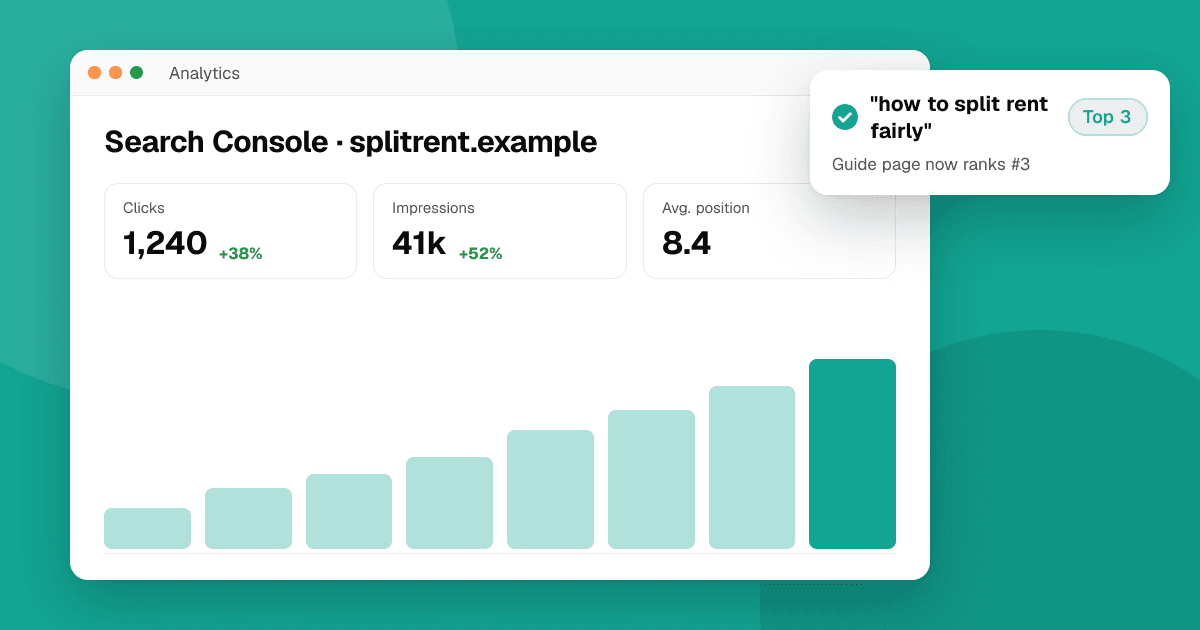
Short answer: your app's website can bring steady installs from Google long after launch. Pick the problems people search for, give each one its own page that answers it clearly, make every page fast and crawlable, add structured data for your app, and link to the stores with clear buttons. Then publish a few genuinely helpful guides around your topic and track what works in Google Search Console.
Why does an app need a website at all?
Store search only reaches people already in a store. Google reaches people while they describe a problem: "how to track freelance invoices", "split rent with roommates app". A website also gives you a home for your privacy policy, support page and press kit, which the stores ask for anyway. Start with how to build a landing page for your app.
Which search phrases should I target?
- Problem phrases: what people type before they know your app exists ("habit tracker without streaks").
- Category phrases: "best budget app for couples". Hard to rank for, but worth a comparison page if you're honest.
- Brand phrases: your app name, plus "[name] review", "[name] alternative" and "[name] login".
Use Google autocomplete, the "People also ask" box, Search Console and the store keyword ideas from how to research App Store keywords. Write down the exact words people use.
How should I structure the site?
- Home page: what the app does, who it's for, screenshots, store buttons.
- One page per main feature or use case, each answering one search phrase with a clear heading.
- Help and FAQ pages: they rank for real questions and cut support email.
- A small guides section for longer how-to content.
- Privacy policy and support page linked from the footer.
Give each page a unique title and meta description, one h1, descriptive URLs like /split-rent, and links between related pages.
What technical basics matter?
- Fast pages: compress images, avoid heavy scripts, and check Core Web Vitals in PageSpeed Insights.
- Rendered HTML: search engines should see your content without running a large JavaScript app. Server rendering or static pages are safest.
- Mobile first: most visitors to an app site are on phones.
- Sitemap and robots.txt, submitted in Google Search Console.
- HTTPS and one canonical domain (choose www or not, and redirect the other).
Should I add structured data?
Yes. Add SoftwareApplication (or MobileApplication) JSON-LD with the app's name, operating system, category and price. Add FAQPage markup to real FAQ sections. Only mark up what's visible on the page, and never copy store ratings into your markup: review markup should only describe reviews shown on that page, and misleading markup can lead to a manual action from Google.
How do I send visitors to the right store?
- Show both store badges, or detect the device and highlight the right one.
- On iPhone, the Smart App Banner meta tag (
<meta name="apple-itunes-app" content="app-id=…">) shows a native install banner in Safari. - Use Universal Links and App Links so links open the app for people who already have it.
- Avoid full-screen "install the app" pop-ups on mobile; Google treats intrusive interstitials as a poor experience.
What content should I write?
Guides that help your future users even if they never install: templates, checklists, how-tos and honest comparisons. A budgeting app could publish "a simple monthly budget template" or "how couples split bills fairly". Each guide should answer one question fully, start with a short direct answer and link to the app where it genuinely helps. A short direct answer also helps AI assistants quote you.
How do I measure SEO?
Google Search Console shows which searches show your pages, clicks and positions. Check it monthly, improve pages that appear on page two, and write new pages for questions you see often. To see which pages drive installs, give each page's store buttons its own campaign link (App Store Connect campaign tokens, Google Play referrer parameters); see app metrics that matter.
Next steps
SEO takes months, so start early, even before launch. A good extra backlink: list your app on TrueLaunch for free; your listing links to your website and stores, and real reviews help people decide.
Frequently asked questions
Does my app need a website for SEO?
If you want people to find it on Google, yes. Store listings rank for some searches, but a website lets you answer many more questions and gives you pages for support and privacy.
What structured data should an app website use?
SoftwareApplication or MobileApplication JSON-LD for the app, and FAQPage for visible FAQ sections. Don't copy store ratings into your markup.
How long does SEO take for a new app website?
Usually several months before steady traffic. Start before launch, publish helpful pages regularly and check Google Search Console monthly.
What is a Smart App Banner?
A banner Safari shows on iPhone when your page includes the apple-itunes-app meta tag. It lets visitors open or install your app from the App Store.