How to launch on Product Hunt: a launch guide for apps and games
How to launch a mobile app or game on Product Hunt: what to prepare, when to schedule it, what it costs, the first comment and how to spend launch day.
· 5 min read
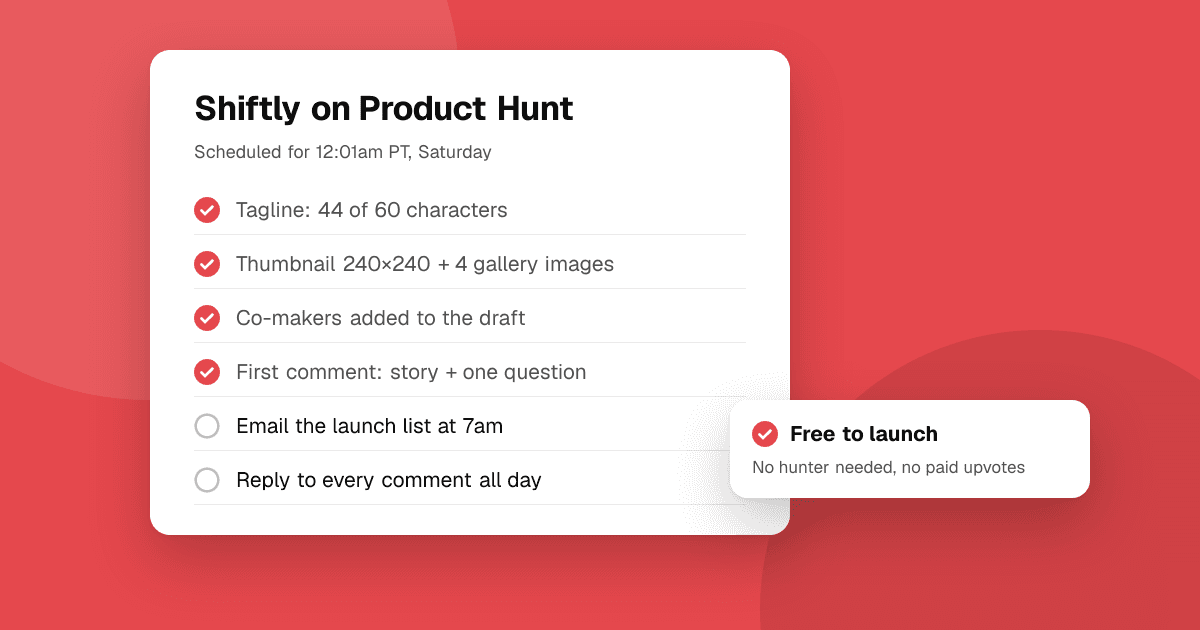
Short answer: launching on Product Hunt is free and you can post your own product; you don't need a hunter. Prepare a square thumbnail, at least two gallery images, a tagline of up to 60 characters and a first comment that explains who it's for and why you built it. Schedule the launch for 12:01am Pacific Time (Product Hunt's day resets then), tell the people who already follow you that you're live, ask for feedback rather than upvotes, and stay to reply all day.
Product Hunt changes its rules and limits from time to time, so check its own launch guide before you start. The steps below follow it.
Is Product Hunt right for a mobile app or game?
It can be. Product Hunt's audience is mostly makers, tech workers and early adopters, so it suits productivity apps, developer tools, AI apps and anything those people would use themselves. Casual games and apps for a narrow audience (nurses, anglers, parents of toddlers) often do better in places where their users already are. Many developers do both: one Product Hunt launch, plus an app-focused site and topic communities. See Product Hunt alternatives for apps and games for the other options.
What does a Product Hunt launch cost?
Nothing. Posting a launch is free. You'll see paid "launch services" and people offering to hunt your product for a fee; Product Hunt advises against paying a hunter, and bought upvotes break its rules and can get a launch removed.
Product Hunt launch checklist: what do I need to prepare?
Start two to four weeks ahead. Submissions save as drafts, so you can fill them in over several days.
- Account: post from your own personal account, and make sure every co-maker has an account too, well before launch day, so you can add them.
- Name: the product's name only, with no description or emojis.
- Tagline: up to 60 characters. Say what it does for whom: "Shift tracker for nurses that works offline" beats "Your new productivity companion".
- Description: up to 500 characters. The problem, what the app does and what makes it different.
- Thumbnail: square, 240×240 recommended. A GIF works, but only its first frame shows until someone hovers.
- Gallery: at least two images (1270×760 recommended). For an app, show real screens in a device frame with one short caption each, not your logo on a gradient.
- Video (optional): a public YouTube link. 30 to 60 seconds of the app doing its main job. See how to make a trailer on a small budget.
- Links: your App Store and Google Play pages, or a landing page that links to both.
- Launch tags: up to three that match how people search.
- First comment: drafted and ready to paste (see below).
- Your list: the people who asked to hear about launch day. See how to build an email list before you launch.
That set of images, copy and links is what guides call a "launch kit". Keep it in one folder; you'll reuse it on every other launch site.
When should I launch on Product Hunt?
Product Hunt's day runs on Pacific Time and resets at 12:01am PT, so scheduling for 12:01am gives your launch the full 24 hours. You can schedule up to a month ahead or launch right away.
On the day of the week: weekdays have more visitors and more competition; weekends are quieter, which suits small teams and side projects because a smaller launch is easier to see. Pick a day when you can be online to reply for most of the 24 hours, and avoid days when a big tech event will dominate the page.
What should the first comment say?
Product Hunt reports that most products that became Product of the Day, Week or Month had a first comment from the maker. Keep it humble and plain:
- One line on who it's for and the problem it solves.
- Why you built it, in two or three honest sentences.
- Two to four things that make it different.
- Any launch offer, if you have one (a discount on the paid plan, not anything tied to votes or ratings).
- One specific question: "What would stop you from using this every day?"
There's a full example of this structure in how to write a launch post.
How should I spend launch day?
- 12:01am PT: check that the page looks right on desktop and mobile and that the store links open.
- The first hours: tell your email list, your social followers and any communities where you're a regular member that you're live. Link to the page and ask for feedback. Don't ask for upvotes, and never offer anything in exchange for one.
- All day: reply to every comment, especially critical ones. Thank people for bug reports and say when you'll fix them.
- Evening: write down which links brought visitors and which questions came up most. Those questions are your next update and your next FAQ.
What mistakes should I avoid?
- Launching before the app is ready. A crash on day one costs more than a week's delay.
- Asking friends to create accounts just to upvote. New accounts' votes count for little and the pattern looks like manipulation.
- Paying for upvotes, comments or "guaranteed top 5" services.
- Writing the description like an ad. Plain words get more replies.
- Disappearing after launch. Follow up on the feedback in the next update.
What should I do after the Product Hunt launch?
Ship one fix or improvement from the comments within a week and tell the people who suggested it. Then plan the next steps from what to do after launching your app. You can also list your app on TrueLaunch, pick a launch day on our launches board and collect structured reviews (what worked, what could be better and which bugs people found) from real people who try it.
Frequently asked questions
How much does it cost to launch on Product Hunt?
Nothing. Launching is free and you can post your own product. Avoid paid upvote or 'launch service' offers: bought votes break Product Hunt's rules.
What time should I launch on Product Hunt?
12:01am Pacific Time, when Product Hunt's day resets, so your launch gets the full 24 hours. Choose a different time only if your team can't be online then.
Do I need a hunter to launch on Product Hunt?
No. You can post your own product from your personal account. Product Hunt advises against paying anyone to hunt it.
What is the best day to launch on Product Hunt?
Weekdays get more visitors but more competition; weekends are quieter and suit small teams and side projects. The best day is one when you can reply to comments all day.
Can I launch a mobile app or game on Product Hunt?
Yes. Link your App Store and Google Play pages, show real screens in the gallery and say who it's for. Pair it with an app-focused site and communities where your players are.