How to recover from a low app rating (without breaking store rules)
A few early one-star reviews dragged your rating down and installs stalled. A step-by-step plan to fix the cause, ship the update and earn better ratings honestly.
· 5 min read
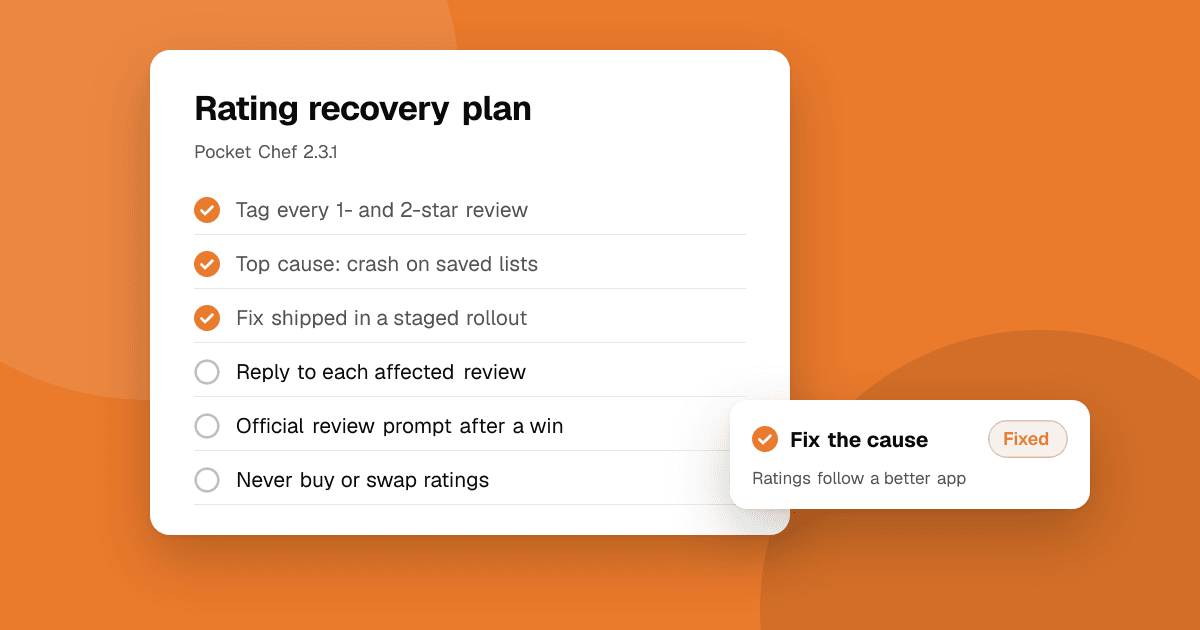
Short answer: a low rating is almost always a symptom of a specific problem, usually a crash, a broken step or a surprise (ads, a paywall, a permission). Find that problem in the reviews, fix it, ship the update with clear release notes, and reply to the reviews it affected. Then ask happy users for a rating at a good moment, using the stores' official review prompts. Never buy, trade or reward ratings: it breaks Google Play and App Store rules and can get your app removed.
Why does a low rating hurt installs so much?
The rating and the most recent reviews sit right on your store page, next to the install button. A visitor who sees a low number and two reviews saying "crashes on launch" has an easy reason to leave. A new app is hit hardest, because a handful of reviews decides the average.
The good news: new apps also recover fastest. Google Play's displayed rating gives more weight to recent ratings than to old ones, and the App Store lets you reset your summary rating when you release a new version. A real fix can move the number within weeks.
Step 1: Read every low review and tag it
Go through every one- and two-star review from the last few months. Give each one a single tag:
- Crash or freeze
- Can't get past a step (login, sign-up, payment, loading)
- Surprise (too many ads, a paywall, unexpected permissions)
- Missing feature or wrong expectations
- Device-specific (one phone model, an old OS version, a tablet)
Count the tags. In most apps, one or two tags explain most of the low ratings. That's your list.
Step 2: Confirm the cause with data
Reviews tell you what people felt; your console tells you how many people it hits.
- Google Play Console → Android vitals shows crash and ANR (app not responding) rates by device and Android version. Google uses these rates for store visibility, and apps above its bad-behavior thresholds can show less often and display a warning on their listing.
- Google Play Console → Pre-launch report runs your app on real test devices and flags crashes before release.
- App Store Connect and Xcode Organizer show crash reports from users who share diagnostics.
If you don't have crash reporting yet, add it now. See crash reporting for indie developers.
Step 3: Fix the top problem and ship it carefully
Fix the most common tag first, test on the devices the reviews mention, and use a staged rollout so a new bug can't reach everyone at once. Our guides on fixing bugs users report and shipping app updates safely cover both.
Say what you fixed in plain words in the release notes: "Fixed the crash when opening saved lists on Android 12." People who were about to leave read release notes. See how to write release notes.
Step 4: Reply to the reviews you fixed
Go back to each review the fix covers and reply: thank them, say what was fixed and in which version. Don't ask them to change their rating and never offer anything for it. Many people update a review on their own once their problem is solved. Our guide on responding to negative reviews has templates.
Step 5: Should I reset my rating on the App Store?
When you submit a new version in App Store Connect, you can choose to reset the summary rating, so the displayed average starts again from ratings for the new version. Existing written reviews stay. It's worth it only when the new version really fixes what the old ratings complained about; otherwise the same complaints come back. Google Play has no reset, but its displayed rating already leans toward recent ratings.
Step 6: Ask happy users at the right moment
Most satisfied users never rate an app unless asked. Use the official prompts: the In-App Review API on Android and the StoreKit review request on iOS. Show it after a moment of success (a finished level, a completed task), never on first launch or right after an error. Apple shows its prompt at most three times a year per user, and Google limits how often the Android prompt appears, so pick the moment carefully.
Rules that keep you safe:
- Ask everyone the same way. Never filter so only happy users see the prompt.
- Never ask for a specific number of stars.
- Never offer coins, features or anything else in exchange for a rating.
The full guide is how to ask for app store reviews the right way.
What should I never do?
- Buy reviews, or join "rate-for-rate" groups. Both break store policy, are easy for the stores to detect, and can get your app or developer account removed. See why you should never buy app reviews.
- Reward ratings with in-app currency, premium time or contest entries.
- Ask friends and family to post fake five-star reviews. Reviews must come from real use.
- Argue with reviewers. It costs you more than the review did.
How do I stop this happening on the next release?
Get honest feedback before the public does. Run a beta with people outside your circle, and ask them three specific questions: what worked, what could be better and what broke. List your app on TrueLaunch to get exactly that kind of structured feedback from other makers and players, privately fixable before it turns into a public one-star review. For more ways, read how to get honest feedback on your app.
Frequently asked questions
How long does it take to improve a low app rating?
Once you ship a real fix, often a few weeks. Google Play's displayed rating weighs recent ratings more, and on the App Store you can reset the summary rating with a new version. Without a fix, the rating rarely recovers.
Can I delete bad reviews of my app?
No. Developers can't remove reviews. You can reply to them, and you can report reviews that break the store's rules (spam, abuse, off-topic) through the store's own tools.
Is it allowed to ask users for a rating?
Yes, through the official in-app review prompts, shown to all users in the same way. It's not allowed to ask for a specific number of stars, to only ask happy users, or to offer anything in return.
Do review exchange groups help my rating?
No. Rate-for-rate and review exchange groups break Google Play and App Store policies, the reviews are easy to detect, and they can get your app removed. They also tell you nothing about what to fix.