Google Play trader status declaration: are you a trader, and what to do by February 2027
Every Play Console account must declare trader or non-trader status by February 1, 2027. What a trader is, how to declare, and what users will see from March 2027.
· 7 min read
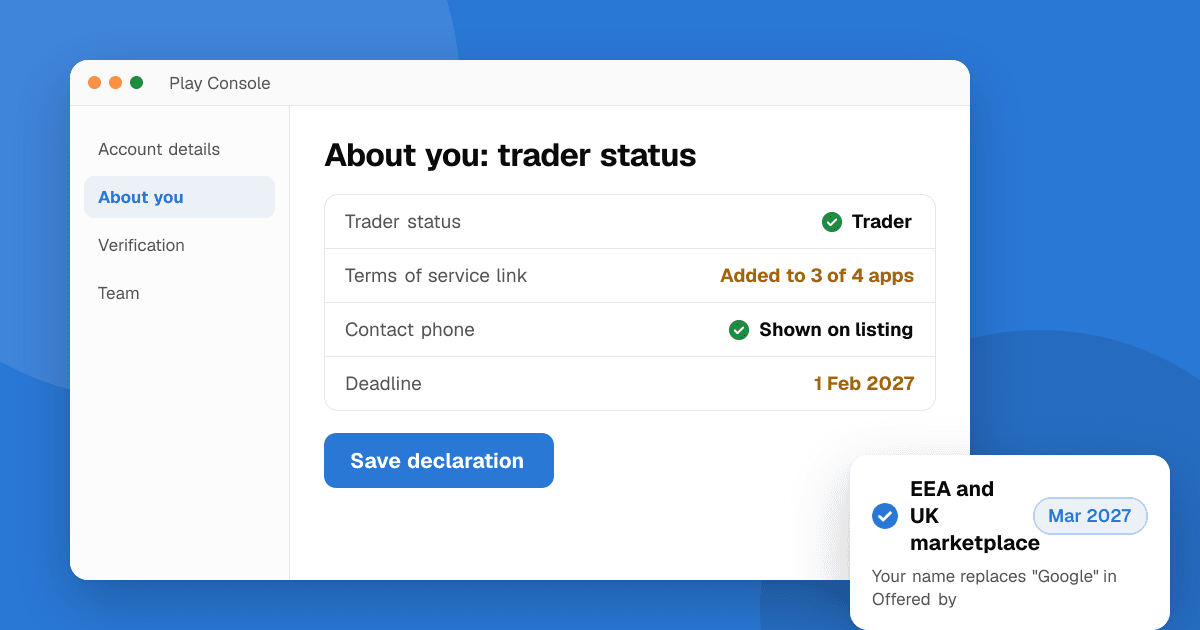
Short answer: Google Play now asks every developer account to declare whether it is a trader (acting for business) or a non-trader (acting for a personal hobby or other non-commercial purpose) under EU and UK consumer law. Existing accounts must declare by February 1, 2027, and new accounts declare when they're created. You declare in Play Console under Manage account → Account details → About you. If you earn money from your apps in a regular way (paid apps, in-app purchases, subscriptions or ads), you're most likely a trader. From March 1, 2027, Google Play shows traders' contact details on their store listings, and accounts that don't declare risk update blocks or removal.
This guide summarizes Google's trader status declaration help page as of November 2026. It isn't legal advice: Google says it doesn't decide your status for you, and if you're unsure, ask a lawyer who knows EU or UK consumer law.
What is the Google Play trader status declaration?
It's a one-time declaration (which you can change later) that tells Google whether you deal with users as a business. Google is moving Google Play to an online marketplace model in the European Economic Area (EEA) and the UK from March 1, 2027. Under that model, EU and UK law requires the marketplace to tell consumers whether they're buying from a trader, because consumer protection rights (refunds, withdrawal rights, clear contact details) apply to contracts with traders and not to contracts with private individuals.
So the declaration decides two things:
- What users see about you on your store listing.
- Which consumer rights Google tells EEA and UK users they have when they deal with you.
Who has to declare, and by when?
| Account | Deadline |
|---|---|
| Existing developer accounts | February 1, 2027 |
| New developer accounts | When the account is created |
| Consumer-facing changes on Google Play | From March 1, 2027 |
It applies to every active developer account, wherever your apps are distributed. If you don't distribute in the EEA or UK at all, Google says you may declare as a non-trader. You're responsible for keeping the declaration accurate when your situation changes.
Am I a trader or a non-trader?
A trader is anyone, a person or a company, acting for purposes related to their trade, business, craft or profession. Building an app as a personal hobby, or for another non-commercial purpose, is unlikely to make you a trader.
Google lists these signs, based on European Commission guidance (none of them decides it alone):
- A profit-seeking motive: regular or commercial income from your apps, such as paid apps, in-app purchases or ads.
- Volume: a high or steady number, value or frequency of transactions.
- A business setup: you run app development and publishing as a business.
- Legal status: a status that lets you trade, such as a D-U-N-S number (which organization accounts already have).
Some typical indie situations, as a rough guide rather than a ruling:
| Situation | Likely status |
|---|---|
| Company or organization account selling apps or subscriptions | Trader |
| Solo developer with ads or in-app purchases earning regular income | Most likely trader |
| Freelancer or studio publishing client apps as part of paid work | Trader |
| Free, ad-free hobby app with no income, built in your spare time | Likely non-trader |
| Free open-source app with an optional donation link | Unclear: check the criteria above, and get advice if you rely on donations regularly |
Two points matter most here. First, having no income today doesn't automatically make you a non-trader if the app is part of a business plan (for example a free app built to promote a paid product). Second, declaring non-trader to avoid publishing your contact details is risky: Google says falsely claiming or implying you're a non-trader is prohibited under the EU Unfair Commercial Practices Directive and the UK Digital Markets, Competition and Consumers Act, and can lead to removal worldwide.
How do I declare my trader status in Play Console?
At account level (everyone):
- Sign in to Play Console.
- Go to Manage account → Account details → About you.
- Answer the trader questions and follow the prompts.
At app level (traders only):
- Open the app in Play Console.
- Go to Monitor and improve → Policy and programs → App content.
- Confirm the trader status for that app.
Do the app-level step for every app you publish, not just your main one.
What extra steps do traders have to take?
If you declare as a trader, Google asks you to:
- Self-certify that you only offer products and services that comply with applicable laws.
- Add a terms of service link for each app. If you don't have terms yet, write simple ones that cover purchases, subscriptions and refunds, and host them on your website.
- Personal (individual) accounts must add a contact phone number. Your address is also shown publicly.
That last point is the one indie developers worry about most. If you don't want your home address on Google Play, look into a business address (a registered office or a virtual office service, where that's allowed in your country) before the deadline rather than after. Organization accounts show their registered business details instead.
What will users see from March 1, 2027?
Everywhere:
- Your contact details. Individual traders have their phone number and address shown.
- Your D-U-N-S number in the "App support" section, if you're a trader with one. You don't verify it again: Google reuses the one from developer verification.
- A link to your terms of service, if you added one.
In the EEA and UK:
- Your developer or trader name replaces "Google" in the "Offered by" field under "About this app".
- Your self-certification that you comply with local laws.
For non-traders, Google tells EEA and UK users that consumer protection rights don't apply to contracts with you. That can make some people more hesitant to pay, which is another reason not to choose non-trader just to keep details private.
What happens if I don't declare, or declare wrongly?
- No declaration: Google can block app updates and remove apps from Google Play worldwide.
- Non-trader, but your activity looks like a trader's: Google may ask you to confirm or update your status. If you don't answer in time, your apps may be removed.
- A false declaration: Google says this breaks Section 11.4 of the Developer Distribution Agreement and can lead to suspension or termination of your account (Section 10.3(a)).
Is this the same as developer identity verification?
No. Identity verification proves who you are and applies to every developer, and it's also part of the newer Android developer verification. The trader declaration is about how you deal with consumers under EU and UK law. You don't repeat D-U-N-S verification for it.
A checklist to finish before February 2027
- Decide your status using the criteria above. Write down why, in case Google asks later.
- Declare it in About you in Play Console.
- If you're a trader: confirm the status on every app, add a terms of service link to each, and check that your public contact details are the ones you want users to see.
- Update your privacy policy and Data safety form at the same time, so your listing details all match. Our free privacy policy generator gives you a starting draft.
- Set a reminder to review your status whenever you start charging, add ads or move from a personal to an organization account.
Next steps
Open Play Console today and look at Manage account → Account details → About you. The declaration takes a few minutes; deciding your status may take longer if your income from apps is irregular. While you're in Play Console, it's a good moment to check where your app ranks for its main keywords with the free app rank checker, and to list it on TrueLaunch for honest feedback: submit your app for free.
Related: how to publish your first app on Google Play and Google Play production access.
Frequently asked questions
What is the deadline for the Google Play trader status declaration?
Existing Play Console accounts must declare trader or non-trader status by February 1, 2027. New accounts declare when they're created. The changes users see on Google Play start on March 1, 2027.
Am I a trader if my app shows ads or has in-app purchases?
Probably. Google's criteria treat regular or commercial income, such as paid apps, in-app purchases or ad-supported apps, as a sign of trader status. A hobby app with no income is unlikely to make you a trader. If you're unsure, ask a lawyer who knows EU or UK consumer law.
Where do I declare trader status in Play Console?
At account level in Manage account, Account details, About you. Traders also confirm the status for each app in Monitor and improve, Policy and programs, App content.
Will Google Play show my home address if I declare as a trader?
For individual (personal) accounts that declare as traders, Google Play shows a contact phone number and the address. If you don't want your home address public, consider a business address before the deadline. Organization accounts show their business details.
What happens if I don't declare my trader status?
Google can block your app updates and remove your apps from Google Play worldwide. Declaring falsely as a non-trader can also lead to account suspension or termination under the Developer Distribution Agreement.
Can I change my trader status later?
Yes. You can update the declaration in Play Console at any time, for example when you start earning from an app or switch to an organization account.